20

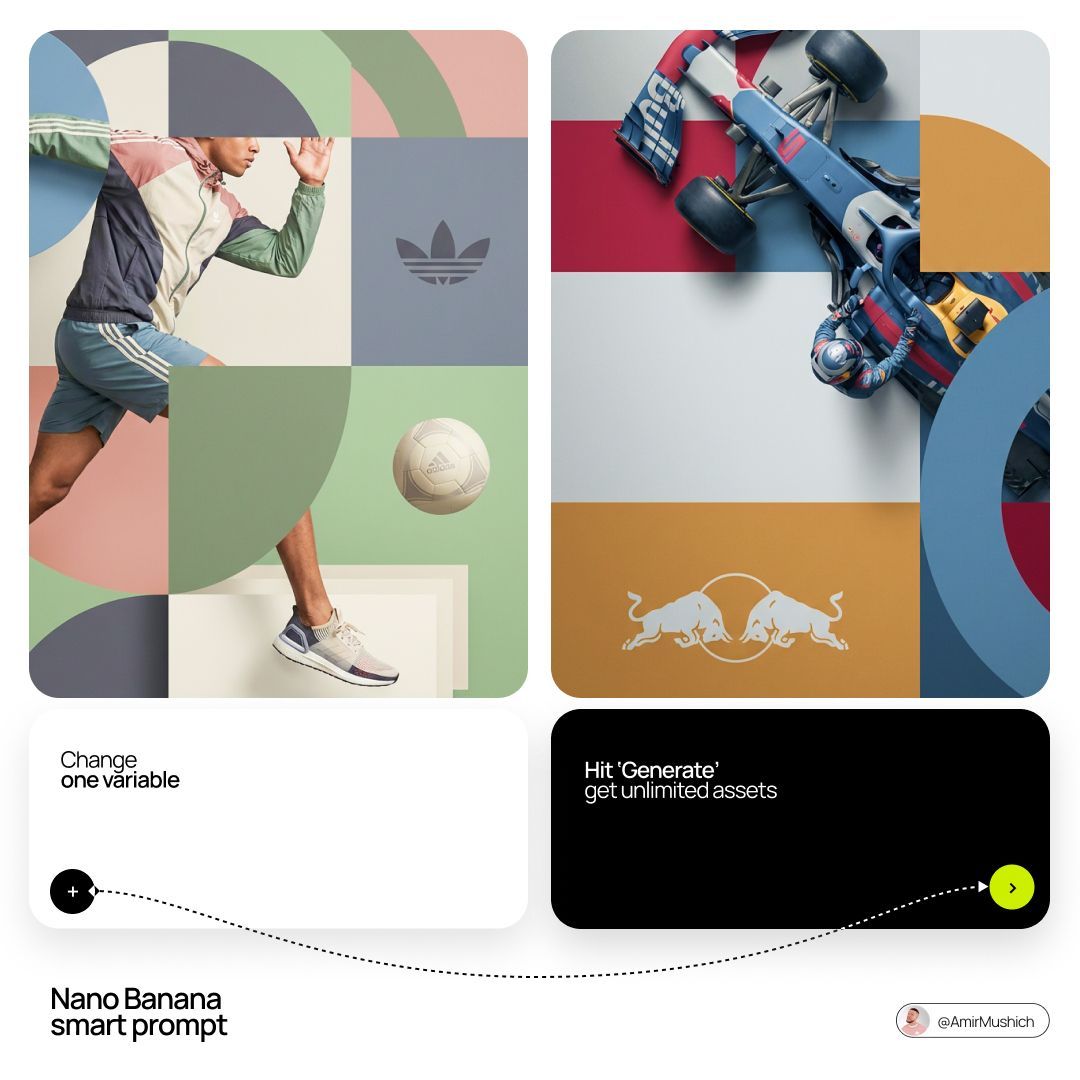
2x2 sandwich-layer editorial: GPT Image 2 prompt
Enlarge

2x2 sandwich-layer editorial: GPT Image 2 prompt

Prompt
[BRAND NAME]. Act as a World-Class Editorial Designer.

PHASE 1: DYNAMIC SUBJECT LOGIC.

- Subject Selection: Autonomously analyze [BRAND NAME].

- Layering (The Sandwich Effect): Interweave the subject with background shapes. Some parts of the car/person must be hidden behind geometric blocks, while other parts (wheels, limbs, props) must overlap them to create 3D depth.

PHASE 2: GRID & GEOMETRY.

- Layout: A clean 2x2 grid composition. 

- Overlays: Superimpose large, bold geometric arcs and circles over the grid. 

- Visual Balance: Place one iconic product prop (e.g., a floating key fob for cars or a ball for sports) in a separate quadrant to balance the subject.

PHASE 3: SOPHISTICATED MUTED PALETTE.

- Color Direction: DO NOT use aggressive neon or oversaturated colors.

- Palette: Identify the core colors of [BRAND NAME] and shift them to a "Sophisticated Muted" spectrum. 

- Tones: Use desaturated, earthy, or "dusty" versions of the brand colors (e.g., instead of hot pink, use dusty rose; instead of bright mint, use sage green; instead of royal blue, use slate blue). 

- Finish: Matte, flat color blocks with zero gradients.

PHASE 4: PHOTOGRAPHY & LIGHTING.

- Subject Style: High-end commercial studio photography.

- Lighting: Soft, diffused studio lighting with gentle highlights. No harsh shadows.

- Integration: The subject must feel physically embedded into the graphic grid.

PHASE 5: MINIMALIST BRANDING.

- Logo: Place a clean, single-color [BRAND NAME] logo in the center of one background block. No taglines, just the iconic symbol.
Category
Photography & Realism
Model
GPT Image 2
Views0
Source ID
2028115571724660920
Published
Mar 1, 2026

Guide

About "2x2 sandwich-layer editorial: GPT Image 2 prompt"

What is this prompt for?

"2x2 sandwich-layer editorial: GPT Image 2 prompt" AI image prompt for GPT Image 2 (Photography & Realism). [BRAND NAME]. Act as a World-Class Editorial Design…

The full copyable prompt and example visuals above are ready for AI image generation or one-click recreate in Picva.

How to use this prompt

  1. Step 1

    Open the prompt detail

    Review the example visuals, category, and full prompt text for "2x2 sandwich-layer editorial: GPT Image 2 prompt".

  2. Step 2

    Copy the prompt

    Copy the prompt body from this page, or load it directly in Studio.

  3. Step 3

    Pick a model (GPT Image 2)

    Prefer GPT Image 2. If you switch models, keep subject and composition and tweak style terms.

  4. Step 4

    Generate and export

    Recreate the look in Picva, or export into your workflow for editing and publishing.

FAQ

What is the "2x2 sandwich-layer editorial: GPT Image 2 prompt" prompt?
It is an AI image-generation prompt for GPT Image 2 in the Photography & Realism category. This page includes the full prompt text, example visuals, and a one-click recreate path in Picva.
How do I use this prompt to generate an image?
Copy the prompt from this page, or use Generate / Studio. Paste it into a compatible image model, or recreate the look in Picva with optional reference images.
Which model is this prompt for?
This page lists GPT Image 2. Most descriptive prompts also transfer to nearby image models such as GPT Image, Flux, or Midjourney with light style tweaks.
Can I use the result commercially?
You can usually copy the prompt for creation, but commercial use of the final image depends on the model terms, reference-image rights, and the generated content. Follow the source author and platform rules.