18

Beige flat lay outfit: GPT Image 2 prompt
Enlarge

Beige flat lay outfit: GPT Image 2 prompt

Prompt
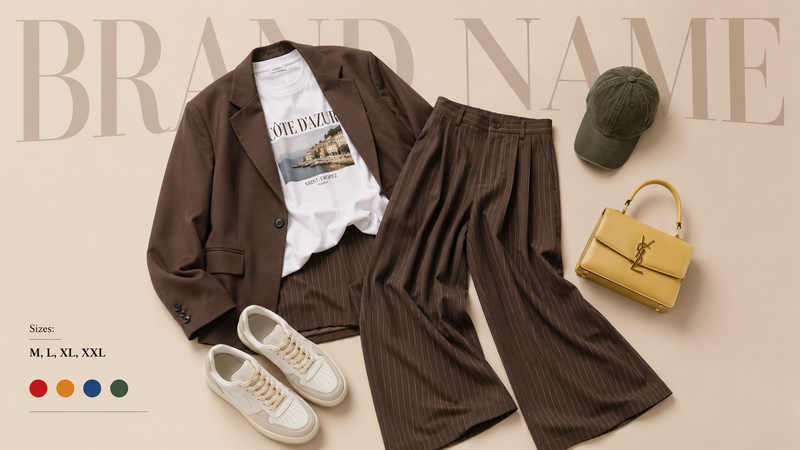
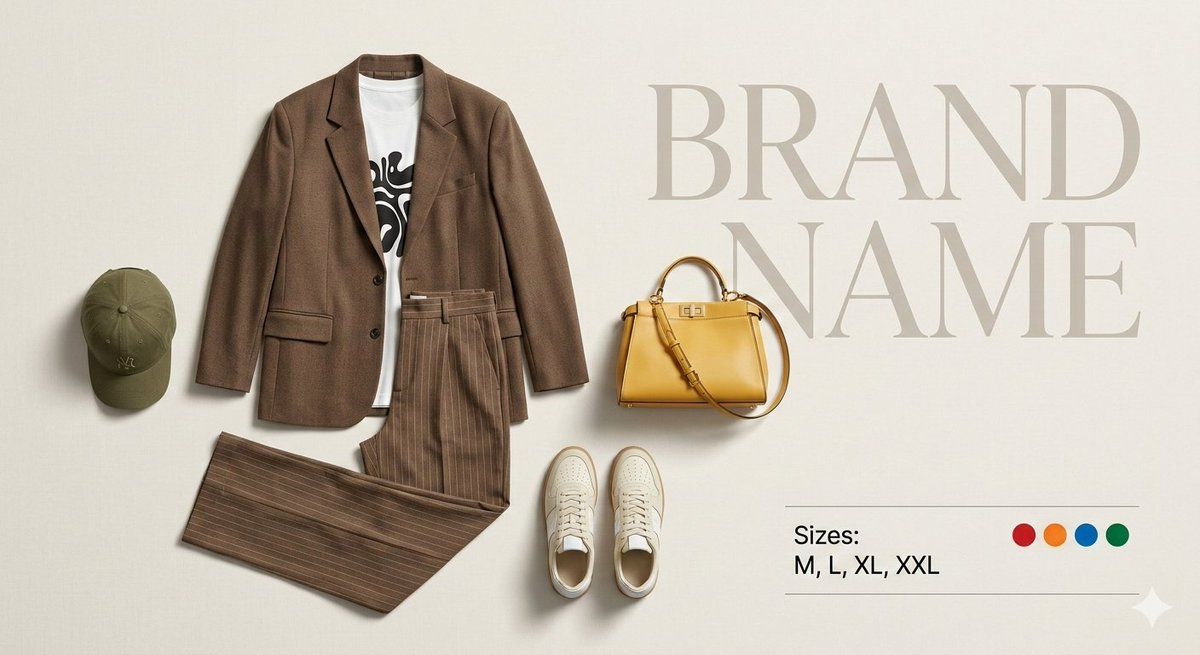
Create a premium fashion catalog flat lay on a clean soft beige studio background.
Only show the outfit items, arranged neatly as if for an ecommerce product display.

Items included: • Brown oversized blazer
• White graphic t-shirt
• Brown pinstripe wide-leg trousers
• Olive green cap
• Cream sneakers
• Yellow designer handbag

Arrange the clothing in a clean aesthetic flat-lay composition so it looks like the outfit is worn but without any person or mannequin. Each item must be perfectly isolated and clearly visible with realistic folds and shadows. The layout should look professional and balanced like a luxury fashion brand product catalog.

Lighting: soft studio lighting, minimal shadows, ultra sharp details, high fashion editorial style, 4K quality.

Add a large stylish bold text in the background behind the outfit: BRAND NAME

Typography should be modern, elegant and slightly faded so it looks like a branding element of the catalog.

Add a small product info section on one side: Sizes: M, L, XL, XXL

Next to it place small circular color indicators showing available colors: Red, Orange, Blue, Green

Important requirements: • No person
• No character
• No mannequin
• Only clothes and accessories
• Clean catalog layout
• Ultra detailed fabric texture
• Professional ecommerce product presentation
Category
Products & E-commerce
Model
GPT Image 2
Creator
auqib
Views0
Source ID
2030807641187045608
Published
Mar 9, 2026

Guide

About "Beige flat lay outfit: GPT Image 2 prompt"

What is this prompt for?

"Beige flat lay outfit: GPT Image 2 prompt" AI image prompt for GPT Image 2 (Products & E-commerce). Create a premium fashion catalog flat lay on a clean soft…

The full copyable prompt and example visuals above are ready for AI image generation or one-click recreate in Picva.

How to use this prompt

  1. Step 1

    Open the prompt detail

    Review the example visuals, category, and full prompt text for "Beige flat lay outfit: GPT Image 2 prompt".

  2. Step 2

    Copy the prompt

    Copy the prompt body from this page, or load it directly in Studio.

  3. Step 3

    Pick a model (GPT Image 2)

    Prefer GPT Image 2. If you switch models, keep subject and composition and tweak style terms.

  4. Step 4

    Generate and export

    Recreate the look in Picva, or export into your workflow for editing and publishing.

FAQ

What is the "Beige flat lay outfit: GPT Image 2 prompt" prompt?
It is an AI image-generation prompt for GPT Image 2 in the Products & E-commerce category. This page includes the full prompt text, example visuals, and a one-click recreate path in Picva.
How do I use this prompt to generate an image?
Copy the prompt from this page, or use Generate / Studio. Paste it into a compatible image model, or recreate the look in Picva with optional reference images.
Which model is this prompt for?
This page lists GPT Image 2. Most descriptive prompts also transfer to nearby image models such as GPT Image, Flux, or Midjourney with light style tweaks.
Can I use the result commercially?
You can usually copy the prompt for creation, but commercial use of the final image depends on the model terms, reference-image rights, and the generated content. Follow the source author and platform rules.