16

Honey jar wheat meadow: GPT Image 2 prompt
Enlarge

Example images

Honey jar wheat meadow: GPT Image 2 prompt

Prompt
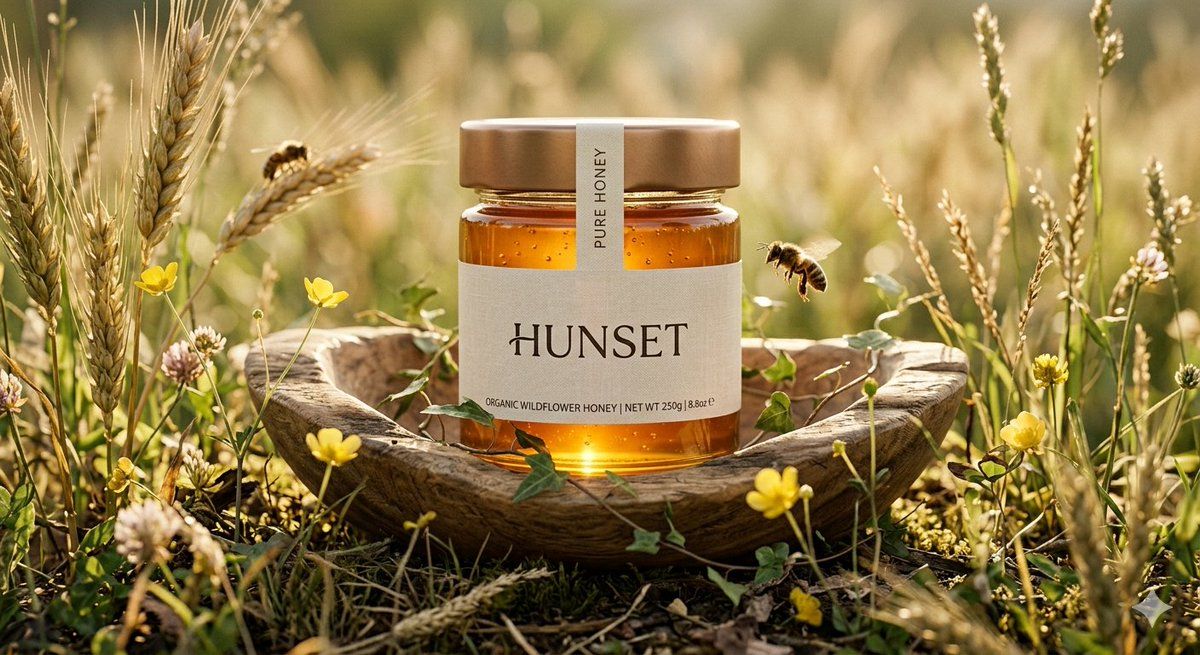
Ultra-realistic cinematic product shot of a premium honey jar placed inside a shallow wooden hollow surrounded by tall wild wheat and tiny yellow meadow flowers, captured from an intimate low-angle macro perspective with slight cinematic depth, transparent glass jar filled with luminous deep golden honey, topped with a satin bronze metallic lid and a narrow cream seal strip crossing vertically over the cap, minimal luxury label reading “HUNSET”, jar lightly touched by thin climbing ivy strands for a refined organic detail, one realistic honeybee hovering near the front glass surface while another rests on a wheat stem behind the jar, environment set in a quiet countryside field during late afternoon, warm sunlight filtering through wheat stalks from behind creating glowing translucency inside the honey and soft halo edges around the jar, foreground with blurred wheat tips and soft natural bokeh, distant background fading into creamy green and amber tones, shallow depth of field with extreme sharpness on jar textures, visible honey thickness, subtle glass reflections, detailed plant fibers and pollen particles in air, cinematic luxury advertising mood, shot on 90mm macro lens, f/2.2, ultra-detailed natural textures, premium organic brand campaign style, 8k resolution, no text, no watermark.
Category
Products & E-commerce
Model
GPT Image 2
Views0
Source ID
2039694451552272532
Published
Apr 2, 2026

Guide

About "Honey jar wheat meadow: GPT Image 2 prompt"

What is this prompt for?

"Honey jar wheat meadow: GPT Image 2 prompt" AI image prompt for GPT Image 2 (Products & E-commerce). Ultra-realistic cinematic product shot of a premium honey…

The full copyable prompt and example visuals above are ready for AI image generation or one-click recreate in Picva.

How to use this prompt

  1. Step 1

    Open the prompt detail

    Review the example visuals, category, and full prompt text for "Honey jar wheat meadow: GPT Image 2 prompt".

  2. Step 2

    Copy the prompt

    Copy the prompt body from this page, or load it directly in Studio.

  3. Step 3

    Pick a model (GPT Image 2)

    Prefer GPT Image 2. If you switch models, keep subject and composition and tweak style terms.

  4. Step 4

    Generate and export

    Recreate the look in Picva, or export into your workflow for editing and publishing.

FAQ

What is the "Honey jar wheat meadow: GPT Image 2 prompt" prompt?
It is an AI image-generation prompt for GPT Image 2 in the Products & E-commerce category. This page includes the full prompt text, example visuals, and a one-click recreate path in Picva.
How do I use this prompt to generate an image?
Copy the prompt from this page, or use Generate / Studio. Paste it into a compatible image model, or recreate the look in Picva with optional reference images.
Which model is this prompt for?
This page lists GPT Image 2. Most descriptive prompts also transfer to nearby image models such as GPT Image, Flux, or Midjourney with light style tweaks.
Can I use the result commercially?
You can usually copy the prompt for creation, but commercial use of the final image depends on the model terms, reference-image rights, and the generated content. Follow the source author and platform rules.