20

Sadie Sink《怪奇物语》编辑肖像提示
Enlarge

Sadie Sink《怪奇物语》编辑肖像提示

Prompt
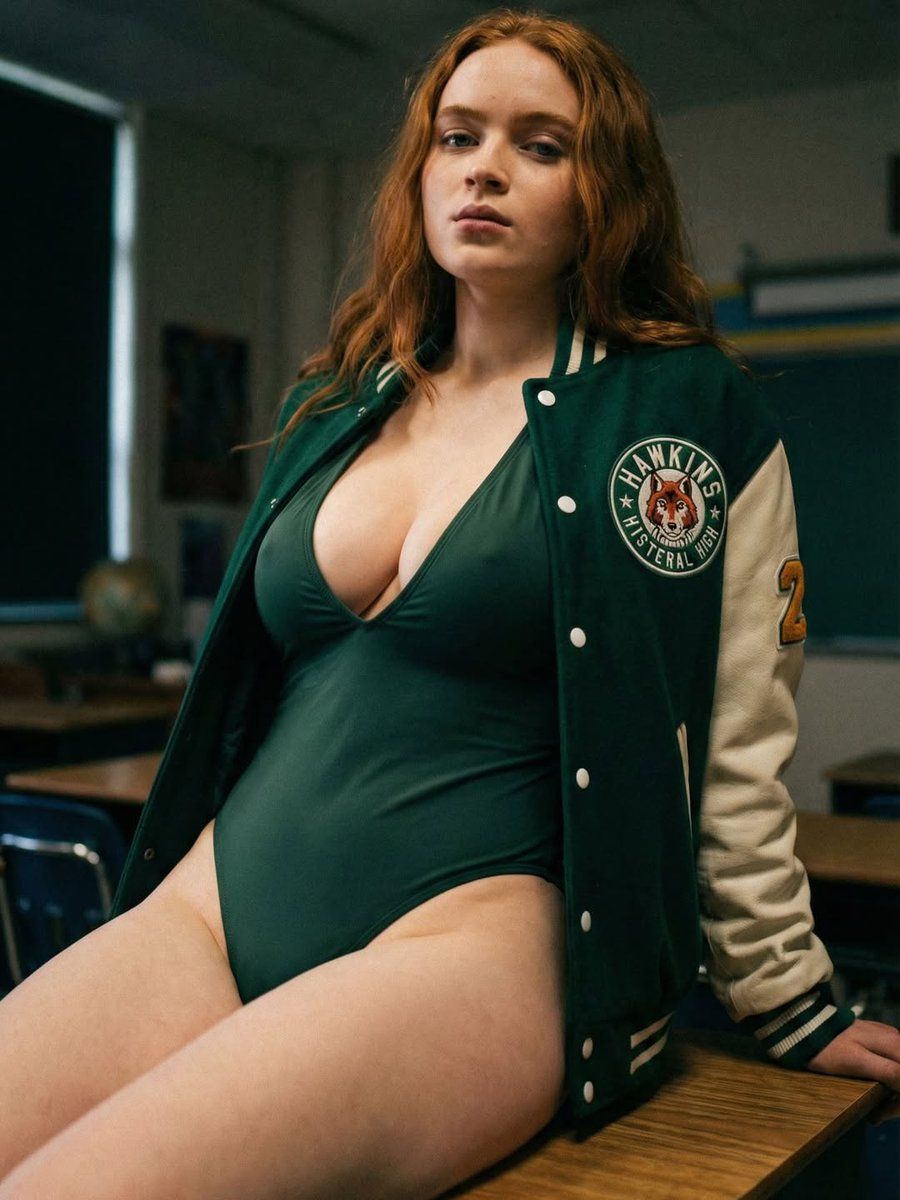
"A cinematic, high-resolution photograph depicts a young woman with long, wavy copper-red hair and a calm, composed expression, seated atop a wooden school desk in a nostalgic classroom setting. She is styled in a form-fitting, dark emerald green one-piece bodysuit featuring a deep v-neckline, layered under an open green and cream varsity letterman jacket that displays a circular patch with a fox mascot and collegiate lettering on the chest. The background is softly blurred, showing the silhouettes of empty student desks and a chalkboard, creating an atmospheric, moody academic environment. The lighting is subtle and directional, casting soft shadows that emphasize the textures of the fabric and the leather-style sleeves of the jacket, resulting in a professional, editorial aesthetic with a vintage-inspired film quality."
Category
创意图片
Model
Nano Banana Pro
Creator
FL⭕RA
Views2
Source ID
89a1a0d5-7725-4c2d-9b42-80476dc09491
Published
Mar 8, 2026

Guide

About "Sadie Sink《怪奇物语》编辑肖像提示"

What is this prompt for?

"Sadie Sink《怪奇物语》编辑肖像提示" AI image prompt for Nano Banana Pro (创意图片). 一个详细的提示,用于生成一张电影般的高分辨率照片:一名女性(Sadie Sink)坐在木制学校课桌上,身穿深祖母绿紧身衣和棒球夹克,置身于一个情绪化、怀旧的教室环境中。 --- 一…

The full copyable prompt and example visuals above are ready for AI image generation or one-click recreate in Picva.

How to use this prompt

  1. Step 1

    Open the prompt detail

    Review the example visuals, category, and full prompt text for "Sadie Sink《怪奇物语》编辑肖像提示".

  2. Step 2

    Copy the prompt

    Copy the prompt body from this page, or load it directly in Studio.

  3. Step 3

    Pick a model (Nano Banana Pro)

    Prefer Nano Banana Pro. If you switch models, keep subject and composition and tweak style terms.

  4. Step 4

    Generate and export

    Recreate the look in Picva, or export into your workflow for editing and publishing.

FAQ

What is the "Sadie Sink《怪奇物语》编辑肖像提示" prompt?
It is an AI image-generation prompt for Nano Banana Pro in the 创意图片 category. This page includes the full prompt text, example visuals, and a one-click recreate path in Picva.
How do I use this prompt to generate an image?
Copy the prompt from this page, or use Generate / Studio. Paste it into a compatible image model, or recreate the look in Picva with optional reference images.
Which model is this prompt for?
This page lists Nano Banana Pro. Most descriptive prompts also transfer to nearby image models such as GPT Image, Flux, or Midjourney with light style tweaks.
Can I use the result commercially?
You can usually copy the prompt for creation, but commercial use of the final image depends on the model terms, reference-image rights, and the generated content. Follow the source author and platform rules.