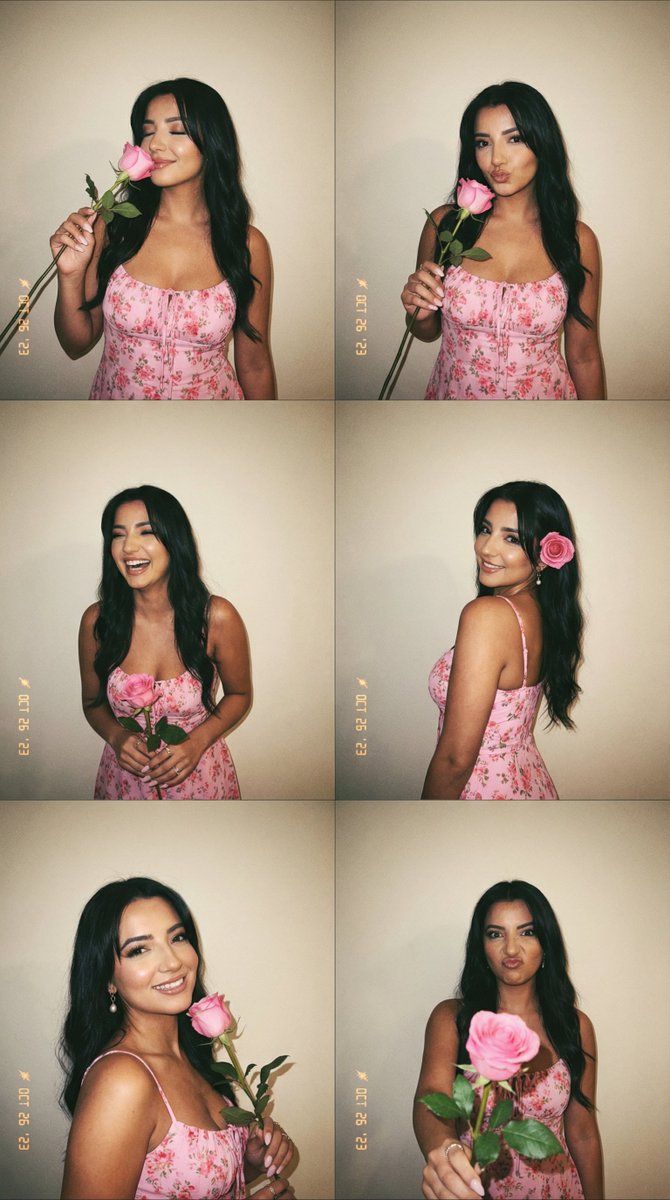
6 格拍立得照片,粉色连衣裙和玫瑰
Prompt
{
  "generation_request": {
    "meta_data": {
      "task_type": "photobooth_film_flash_6panel_grid_no_text",
      "language": "en",
      "priority": "highest",
      "version": "v1.0_PHOTOBOOTH_PINK_DRESS_ROSE_6POSE"
    },
    "input": {
      "mode": "text_to_image",
      "notes": "Create a 2x3 photobooth-style collage with the same adult woman and the same outfit in all six panels. Direct on-camera flash, warm film look, casual candid expressions. No text, no logos, no watermark."
    },
    "output": {
      "aspect_ratio": "4:5",
      "resolution": "ultra_high",
      "num_images": 1,
      "layout": {
        "type": "grid",
        "rows": 3,
        "cols": 2,
        "gutter": "thin"
      },
      "sharpness": "slightly_soft_film",
      "grain": "true_film_grain"
    },
    "scene": {
      "environment": "simple indoor wall backdrop in warm beige/cream tone, minimal, photobooth feel",
      "style": "vintage film photobooth strip aesthetic, early-2000s casual editorial"
    },
    "subject": {
      "person": "adult woman",
      "hair": "shoulder-length black hair with soft volume, slightly messy playful movement",
      "makeup": "minimal natural makeup, fresh skin, soft lip tint",
      "wardrobe": {
        "dress": "{argument name="dress color and style" default="pink fitted sundress with small red/pink scattered pattern, thin straps, square neckline"}"
      },
      "prop": "{argument name="prop" default="one long-stem pale pink rose with green leaves"}"
    },
    "poses": {
      "panel_1": "standing, playful smile, holding the rose horizontally near the face, eyes closed, head tilted slightly",
      "panel_2": "standing, rose near nose as if smelling it, soft smile, eyes half-closed, relaxed shoulder",
      "panel_3": "standing, extending the rose toward the camera (slight foreshortening), gentle smile, direct eye contact",
      "panel_4": "laughing candidly, body leaning forward slightly, holding the rose close to chest, motion blur in hair",
      "panel_5": "shy giggle pose, one hand covering mouth lightly, rose held in the other hand, head down a bit",
      "panel_6": "calm pose, rose tucked behind ear like a hair accessory, subtle smile, looking at camera"
    },
    "lighting": {
      "style": "direct on-camera flash",
      "effect": "slight halation, bright face highlights, soft shadow behind subject on the wall",
      "white_balance": "warm"
    },
    "camera": {
      "look": "35mm film snapshot",
      "lens": "50mm",
      "depth_of_field": "moderate, face sharp in each panel",
      "imperfections": "tiny film softness, natural skin texture, no heavy retouch"
    },
    "negative_prompt": "text, typography, logo, watermark, extra people, extra limbs, extra fingers, deformed hands, distorted face, beauty filter, over-smooth plastic skin, HDR, ultra sharp digital look, cartoon"
  }
}- Category
- 创意图片
- Model
- Nano Banana Pro
- Creator
- Özge Döner
- Source ID
- ce0e770e-a0fe-4321-b511-6ab7f972158a
- Published
- Mar 8, 2026
Views0

















