趣味早晨生活智能手机照片
Prompt
{
  "meta": {
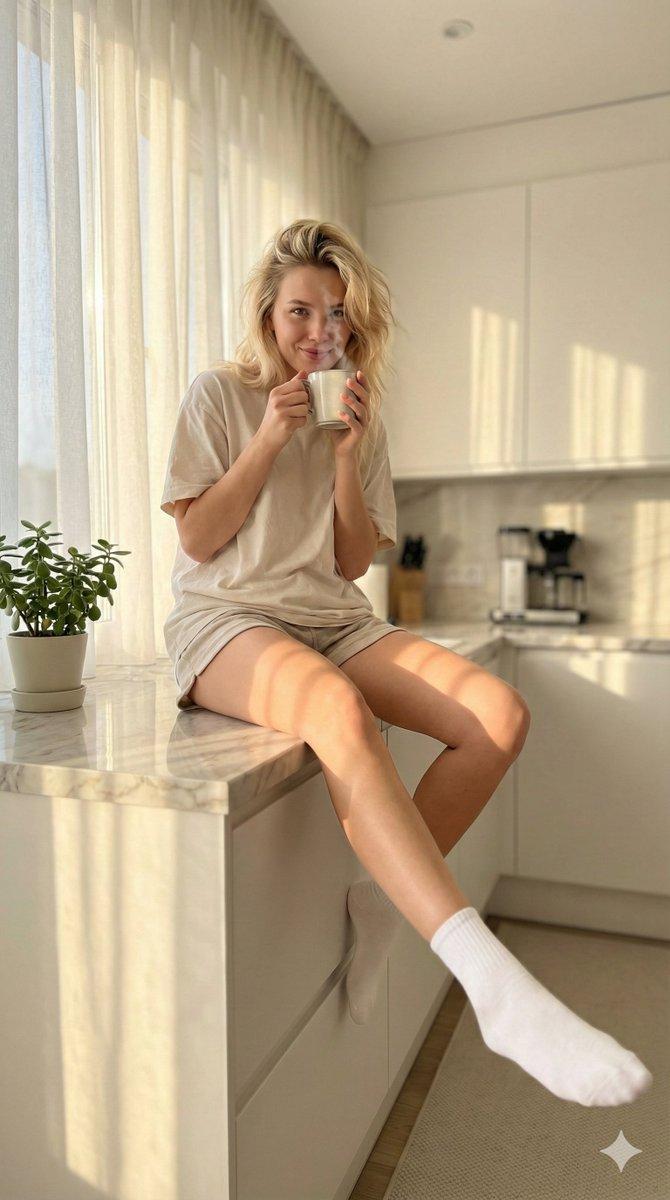
    "style": "ultra-realistic playful lifestyle smartphone photography",
    "quality": "4K Ultra HD, high detail, natural skin texture",
    "camera": "iPhone 17 Pro Max",
    "lens": "0.5x ultra wide lens",
    "aperture_simulation": "f/1.8 computational",
    "iso": 100,
    "white_balance": "warm soft morning daylight",
    "color_grading": "golden morning tones with soft highlights",
    "aspect_ratio": "9:16 vertical",
    "focus": "foreground emphasis with slight perspective distortion"
  },
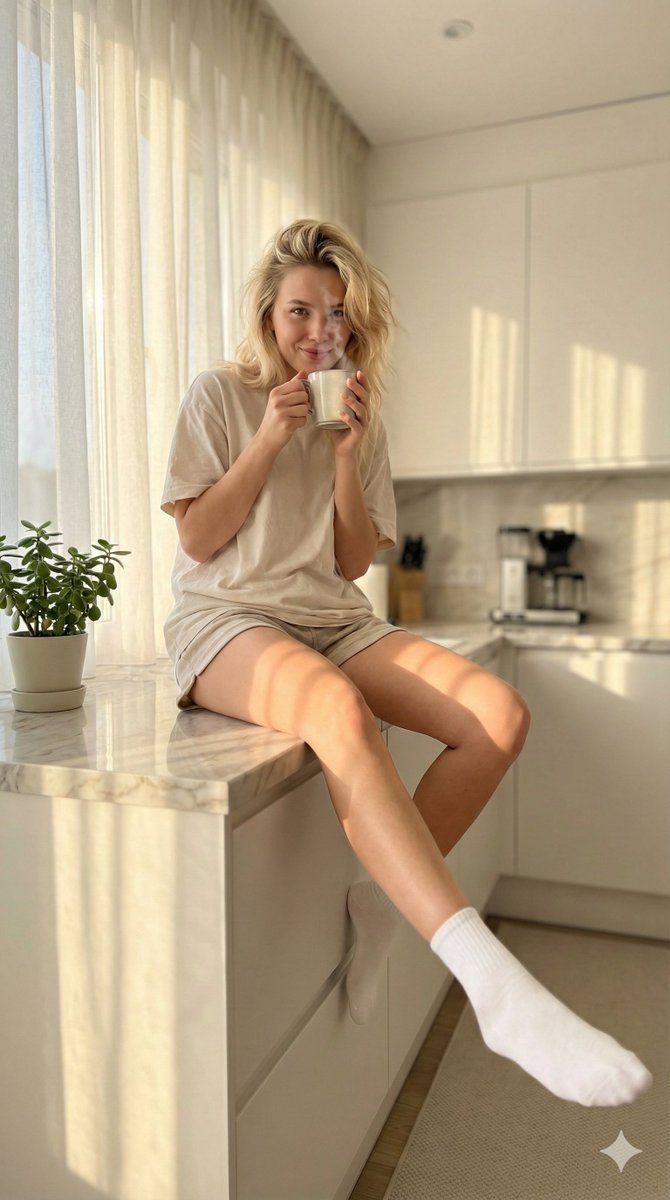
  "scene": {
    "location": "bright modern kitchen",
    "time_of_day": "early morning",
    "lighting": {
      "primary": "natural window sunlight",
      "secondary": "soft ambient indoor light",
      "mood": "fresh, cozy, playful",
      "shadows": "gentle sunlight shadows across floor and counter"
    },
    "background_elements": [
      "minimal white kitchen cabinets",
      "marble countertop",
      "steaming coffee mug",
      "small green plant near window",
      "sunlight streaming through sheer curtains"
    ],
    "atmosphere": "morning routine, candid lifestyle moment"
  },
  "subject": {
    "gender": "female",
    "age": "young adult",
    "body_type": "fit with natural feminine curves",
    "skin_tone": "fair with natural glow",
    "hair": {
      "color": "soft blonde",
      "style": "slightly messy relaxed morning hair"
    },
    "expression": "playful smile, relaxed confident gaze",
    "pose": {
      "position": "sitting casually on kitchen counter",
      "legs": "one leg extended slightly toward camera creating playful foreground emphasis, other leg bent naturally",
      "upper_body": "holding warm coffee mug near lips"
    },
    "wardrobe": {
      "top": "oversized soft cotton t-shirt",
      "bottom": "short casual lounge shorts",
      "socks": "clean white ankle socks",
      "style_description": "cute cozy sporty morning look"
    },
    "emotion": "relaxed, playful, enjoying quiet morning"
  },
  "composition": {
    "camera_angle": "low-angle playful perspective with slight ultra-wide distortion",
    "framing": "foreground foot softly emphasized, subject centered",
    "depth_of_field": "moderate depth, foreground sharp with soft background blur",
    "realism_effects": "authentic iPhone HDR processing, natural lens distortion, subtle smartphone grain"
  },
  "rendering_details": {
    "skin_detail": "natural skin texture with soft golden highlights",
    "fabric_detail": "visible cotton texture and realistic folds",
    "hair_detail": "individual strands illuminated by morning light",
    "lighting_effects": "warm reflections from sunlight",
    "realism_level": "photorealistic, authentic smartphone capture"
  },
  "mood_keywords": [
    "morning routine",
    "playful",
    "cozy",
    "sunlit",
    "casual lifestyle",
    "cute aesthetic",
    "natural beauty"
  ]
}- Category
- 创意图片
- Model
- Nano Banana Pro
- Creator
- TumuAI
- Source ID
- 3f8bd5c7-c26e-4b53-b152-2eff639f6905
- Published
- Mar 8, 2026
Views0