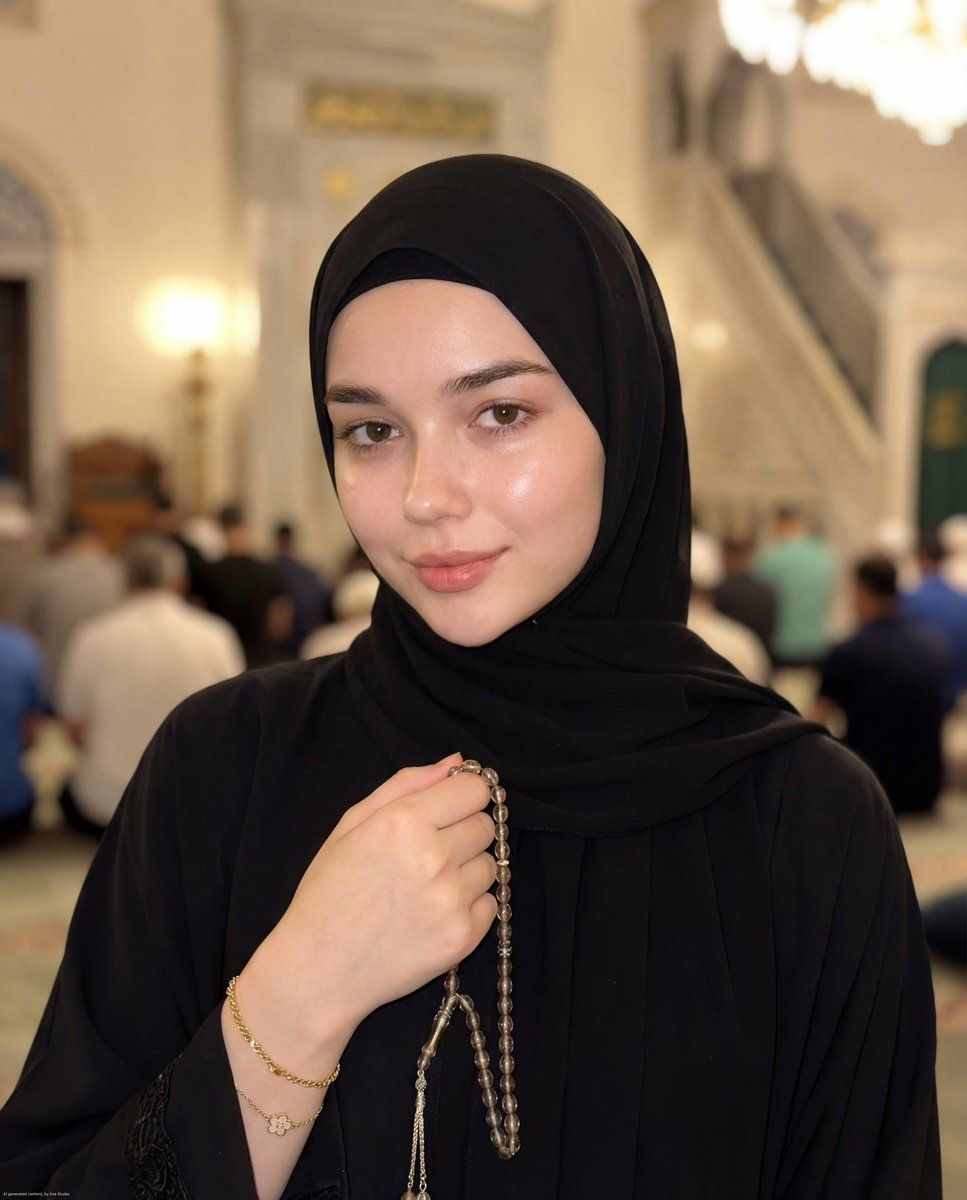
超逼真穆斯林女性肖像提示词
Prompt
{
  "type": "image_generation_prompt",
  "style": "ultra-realistic, cinematic, Muslimah portrait, editorial photography",
  "resolution": "8K",
  "aspect_ratio": "9:16",
  "quality": "masterpiece, best quality, extremely detailed, photorealistic",
  "identity_preservation": {
    "preserve_face": true,
    "strict_identity_lock": true,
    "notes": "Do not alter the face in any way. Maintain exact facial features, skin texture, proportions, and natural expression."
  },
  "subject": {
    "gender": "female",
    "expression": "soft subtle smile, calm and peaceful",
    "appearance": {
      "skin": "flawless, smooth, bright fair skin with visible pores and natural realism",
      "eyes": "clear natural hazel eyes, naturally curled eyelashes",
      "makeup": "bareface, no makeup, natural skin look",
      "lips": "natural ombré lips, soft pink inner tone fading into light nude pink, soft blurred lip line"
    },
    "clothing": {
      "outfit": "elegant black modest Islamic outfit",
      "headwear": "black hijab neatly framing the face"
    },
    "accessories": [
      "gold chain bracelet with a small flower charm",
      "tasbih (prayer beads) held gently in hand"
    ],
    "pose": {
      "position": "standing",
      "hands": "one hand holding tasbih naturally, relaxed posture",
      "body_language": "graceful, modest, calm presence"
    }
  },
  "environment": {
    "location": "inside a mosque",
    "atmosphere": "peaceful spiritual Ramadan Tarawih atmosphere",
    "background_elements": [
      "softly blurred worshippers praying",
      "mosque interior architecture",
      "warm spiritual ambiance"
    ]
  },
  "lighting": {
    "type": "camera flash combined with soft ambient mosque lighting",
    "effects": [
      "glowing natural skin highlights",
      "soft cinematic shadows",
      "balanced exposure",
      "dramatic yet gentle lighting"
    ]
  },
  "camera": {
    "device": "latest iPhone camera",
    "focus": "sharp focus on face and upper body",
    "depth_of_field": "shallow depth with soft background blur",
    "style": "professional smartphone photography",
    "clarity": "ultra sharp, extremely clear"
  },
  "mood": {
    "emotion": "peaceful, spiritual, modest, serene",
    "aesthetic": "natural Muslimah portrait, Instagram-style realism, positive vibes"
  },
  "constraints": [
    "Do not alter the face",
    "No artificial filters",
    "No unrealistic skin smoothing",
    "No distortion",
    "No watermark",
    "No text"
  ],
  "output_goal": "Create an ultra-realistic close-up portrait of a young Muslim woman standing inside a mosque, wearing a black modest outfit and holding tasbih, with glowing natural skin, calm expression, and a peaceful Ramadan spiritual atmosphere."
}- Category
- 创意图片
- Model
- Nano Banana Pro
- Creator
- 𝗦𝗮𝗻𝗶𝗮
- Source ID
- e16eec39-3b24-45ec-83f3-798d8a56ce01
- Published
- Mar 8, 2026
Views0














