20

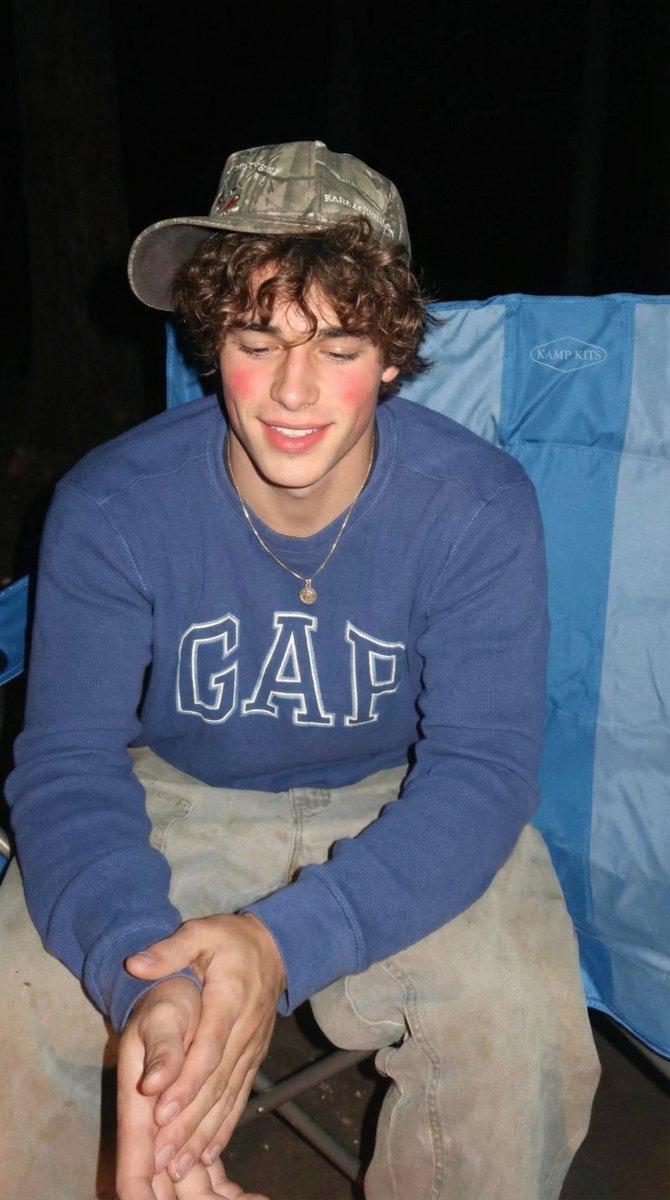
坦率的少年露营照片提示
Enlarge

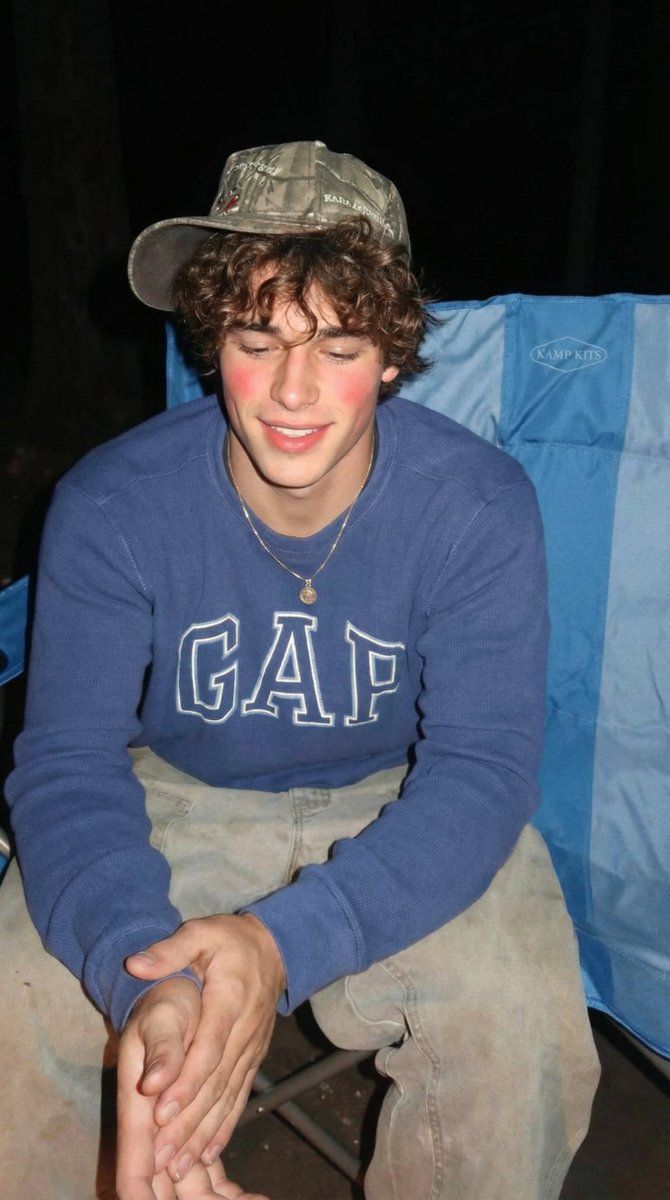
坦率的少年露营照片提示

Prompt
"prompt": "a smiling teenage boy with curly brown hair sitting relaxed in a blue camping chair in the woods, wearing a blue GAP sweatshirt, baggy dirty work pants, and a camo baseball cap, casual outdoor camping vibe, natural lighting, forest background with trees and leaves, candid lifestyle photo, arms spread out, friendly expression, slightly flushed cheeks, shallow depth of field, realistic photography, iphone photo style",
  "negative_prompt": "blurry, low quality, distorted face, extra limbs, unrealistic lighting, overprocessed, watermark, text, logo artifacts",
  "settings": {
    "style": "photorealistic",
    "lighting": "natural soft daylight",
    "camera": "iphone camera, 35mm equivalent",
    "depth_of_field": "slight background blur",
    "mood": "casual, outdoorsy, relaxed",
    "resolution": "1024x1792"
Category
创意图片
Model
Nano Banana Pro
Views0
Source ID
0c234d2e-2132-4595-a93c-000893c50ea2
Published
Mar 8, 2026

Guide

About "坦率的少年露营照片提示"

What is this prompt for?

"坦率的少年露营照片提示" AI image prompt for Nano Banana Pro (创意图片). 为 Nano Banana Pro 生成的逼真提示,要求拍摄一张微笑的少年男孩的抓拍式 iPhone 风格照片。男孩留着棕色卷发,身穿 GAP 运动衫和迷彩棒球帽,轻松地坐在树林中的蓝色露营椅上。 --…

The full copyable prompt and example visuals above are ready for AI image generation or one-click recreate in Picva.

How to use this prompt

  1. Step 1

    Open the prompt detail

    Review the example visuals, category, and full prompt text for "坦率的少年露营照片提示".

  2. Step 2

    Copy the prompt

    Copy the prompt body from this page, or load it directly in Studio.

  3. Step 3

    Pick a model (Nano Banana Pro)

    Prefer Nano Banana Pro. If you switch models, keep subject and composition and tweak style terms.

  4. Step 4

    Generate and export

    Recreate the look in Picva, or export into your workflow for editing and publishing.

FAQ

What is the "坦率的少年露营照片提示" prompt?
It is an AI image-generation prompt for Nano Banana Pro in the 创意图片 category. This page includes the full prompt text, example visuals, and a one-click recreate path in Picva.
How do I use this prompt to generate an image?
Copy the prompt from this page, or use Generate / Studio. Paste it into a compatible image model, or recreate the look in Picva with optional reference images.
Which model is this prompt for?
This page lists Nano Banana Pro. Most descriptive prompts also transfer to nearby image models such as GPT Image, Flux, or Midjourney with light style tweaks.
Can I use the result commercially?
You can usually copy the prompt for creation, but commercial use of the final image depends on the model terms, reference-image rights, and the generated content. Follow the source author and platform rules.