赛博投影仪数字美女肖像提示 (JSON 格式)
Prompt
{
  "generation_request": {
    "meta_data": {
      "tool": "NanoBanana Pro",
      "task_type": "cyber_projector_numbers_beauty_portrait",
      "version": "v1.0_GREEN_NUMBERS_PROJECTION_BEAUTY",
      "priority": "highest",
      "language": "en"
    },
    "input": {
      "mode": "text_to_image",
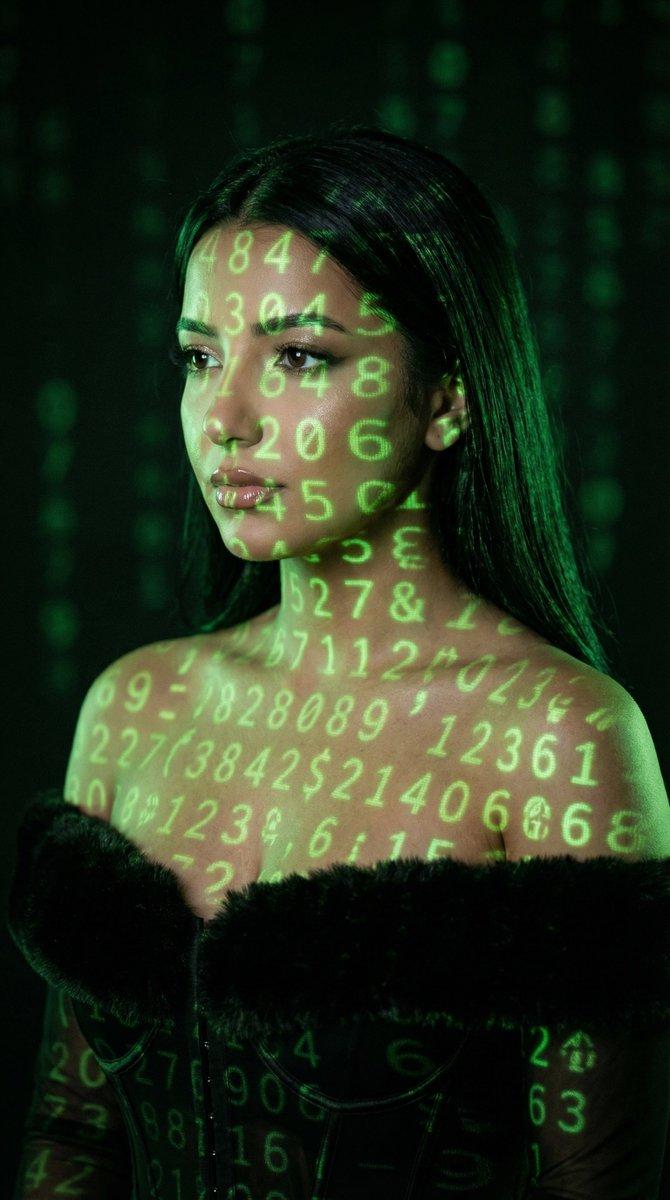
      "notes": "Create a photoreal cinematic beauty portrait of an adult woman with green numeric projections mapped across her face, neck, shoulders, and chest. The projection must look physically correct (wraps around facial contours), with soft falloff and slight blur at edges. Dark background with faint out-of-focus green digits. Moody, low-key lighting. No text, no watermark."
    },
    "output_settings": {
      "aspect_ratio": "4:5",
      "orientation": "portrait",
      "resolution_target": "ultra_high_res",
      "num_images": 1,
      "render_style": "cinematic_techno_editorial",
      "sharpness": "filmic_crisp",
      "grain": "subtle_35mm",
      "color_grading": "green_on_black_low_key"
    },
    "scene": {
      "environment": "dark studio, faint bokeh of green digits in the background",
      "lighting": "primary light is the projector (green digits), minimal soft fill from camera-left, deep shadows",
      "mood": "mysterious, cyber, intimate"
    },
    "subject": {
      "person": "adult woman",
      "pose": "3/4 portrait, head slightly tilted, eyes looking sideways past camera",
      "expression": "calm, intense, enigmatic",
      "hair": "long dark hair, sleek and natural",
      "makeup": "clean editorial skin, subtle shimmer on eyelids, soft liner, natural glossy lips",
      "skin_texture": "natural pores, realistic highlights"
    },
    "camera": {
      "camera_body": "ARRI Alexa Mini",
      "lens": "85mm prime",
      "aperture": "f/2.0",
      "focus": "sharp on eyes and lips, projection still readable, background bokeh"
    },
    "projection_details": {
      "content": "random green digits (0-9) and simple symbols",
      "behavior": "wraps on cheekbones, nose bridge, jawline, collarbones",
      "quality": "slight projector softness, realistic spill light on skin"
    },
    "negative_prompt": "text, watermark, logo, letters, neon signs, cartoon, anime, CGI look, plastic skin, over-smoothing, distorted face, extra limbs, extra fingers, deformed hands, incorrect projection physics, flat overlay, low resolution, heavy HDR"
  }
}- Category
- 创意图片
- Model
- Nano Banana Pro
- Creator
- Özge Döner
- Source ID
- 1eb83a0e-f909-47d3-ba16-9f9f08b65174
- Published
- Mar 8, 2026
Views0