20

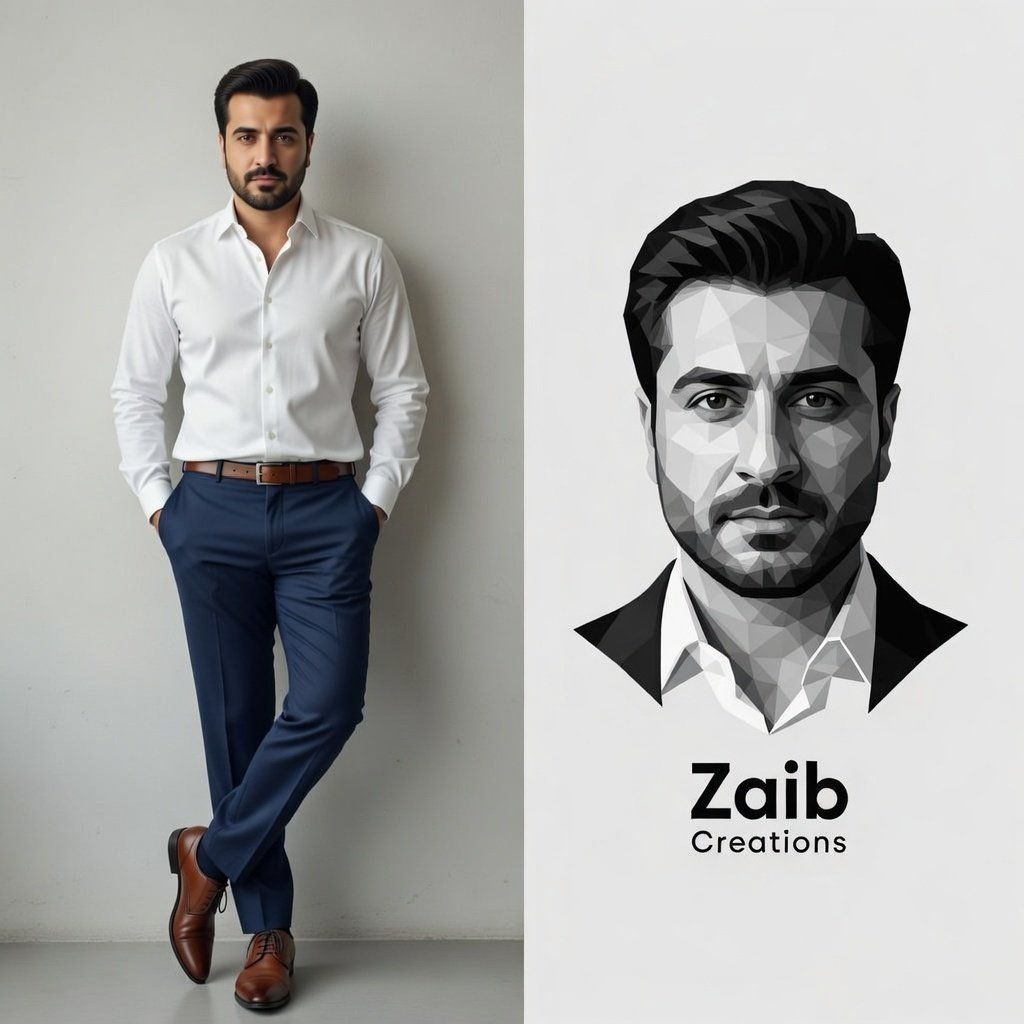
垂直分屏品牌构图
Enlarge

垂直分屏品牌构图

Prompt
A vertical split-screen composition. Left side: A high-resolution full-body photograph of a handsome man with a neat beard and dark hair, wearing a crisp white dress shirt tucked into navy blue trousers and brown leather oxford shoes. He is posing against a clean grey wall. Right side: A minimalist, black and white geometric low-poly vector illustration of the same man's face. Above the illustration, the bold sans-serif text '{argument name="name" default="BOB"}' is stacked over the word '{argument name="profession" default="Designer"}'. Professional branding aesthetic, clean and modern.
Category
创意图片
Model
Nano Banana Pro
Creator
Jahan Zaib
Views3
Source ID
bb5bcc87-b68a-4eeb-ae2c-46370ee6a5c5
Published
Mar 8, 2026

Guide

About "垂直分屏品牌构图"

What is this prompt for?

"垂直分屏品牌构图" AI image prompt for Nano Banana Pro (创意图片). 一个用于创建专业品牌垂直分屏图像构图的提示。左侧是身穿商务装的英俊男士的高分辨率照片,右侧是他的脸部简约黑白几何低多边形矢量插画,上面叠加着醒目的文字“BOB Designer”。 --- 一个垂直分割的屏幕…

The full copyable prompt and example visuals above are ready for AI image generation or one-click recreate in Picva.

How to use this prompt

  1. Step 1

    Open the prompt detail

    Review the example visuals, category, and full prompt text for "垂直分屏品牌构图".

  2. Step 2

    Copy the prompt

    Copy the prompt body from this page, or load it directly in Studio.

  3. Step 3

    Pick a model (Nano Banana Pro)

    Prefer Nano Banana Pro. If you switch models, keep subject and composition and tweak style terms.

  4. Step 4

    Generate and export

    Recreate the look in Picva, or export into your workflow for editing and publishing.

FAQ

What is the "垂直分屏品牌构图" prompt?
It is an AI image-generation prompt for Nano Banana Pro in the 创意图片 category. This page includes the full prompt text, example visuals, and a one-click recreate path in Picva.
How do I use this prompt to generate an image?
Copy the prompt from this page, or use Generate / Studio. Paste it into a compatible image model, or recreate the look in Picva with optional reference images.
Which model is this prompt for?
This page lists Nano Banana Pro. Most descriptive prompts also transfer to nearby image models such as GPT Image, Flux, or Midjourney with light style tweaks.
Can I use the result commercially?
You can usually copy the prompt for creation, but commercial use of the final image depends on the model terms, reference-image rights, and the generated content. Follow the source author and platform rules.










