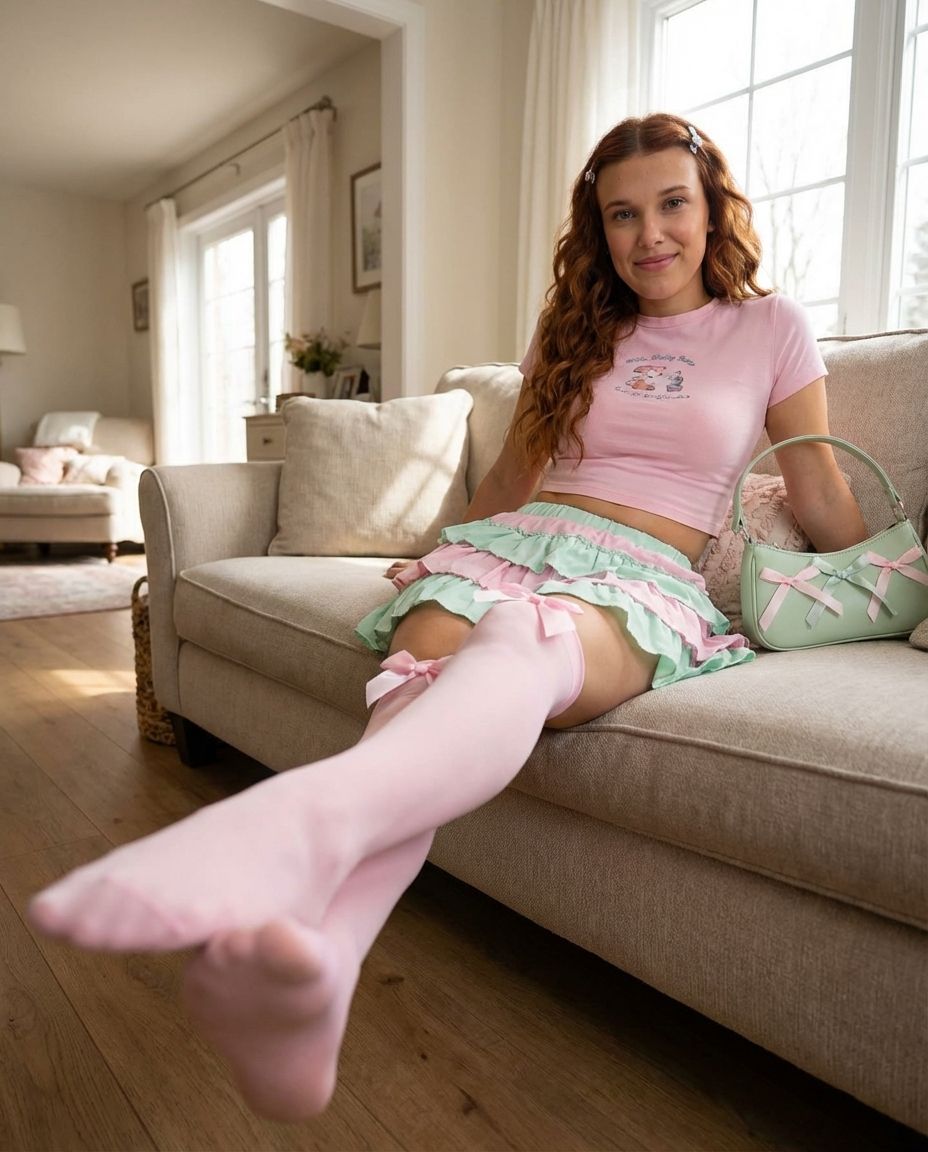
低角度强制透视肖像提示
Prompt
{
"prompt_type": "image_generation",
"language": "English",
"style": "ultra-photorealistic lifestyle photography, natural outdoor realism, non-CGI",
"output": {
"image_count": 1,
"aspect_ratio": "portrait",
"resolution": "ultra high resolution",
"detail_level": "extreme",
"photorealism": "very high"
},
"camera": {
"shot_type": "low-angle seated full-body portrait with strong forced perspective",
"camera_height": "approximately 25–30 cm above floor level, aligned with the extended foot",
"horizontal_angle": "0° yaw, centered on the leg-to-face axis",
"vertical_angle": "+28° upward tilt from horizontal",
"roll_angle": "0°, perfectly level horizon",
"distance_to_subject": "foreground foot positioned 18–22 cm from the lens",
"lens": "wide-angle lens, 24mm full-frame equivalent",
"perspective_effect": "exaggerated foreground scaling of legs and feet with gradual depth compression toward the torso and face",
"focus": "sharp focus on the face, readable sharpness on legs, slight natural softness on extreme foreground",
"depth_of_field": "moderate (f/4–f/5.6 equivalent)"
},
"subject": {
"description": "young woman, with realistic anatomy and natural proportions",
"pose": {
"body_position": "reclining sideways on a sofa with upper back supported by cushions",
"torso": "reclined at approximately 35° relative to the seat",
"hips": "angled diagonally toward the camera",
"legs": {
"configuration": "one leg extended toward the camera, the other bent beneath",
"extended_leg_angle": "approximately 55° relative to the floor",
"foot_orientation": "sole angled toward the lens with about 15° inward rotation",
"crossing": "no crossing, asymmetrical pose"
},
"arms": {
"left_arm": "relaxed along the body or sofa",
"right_arm": "resting naturally, no object held"
},
"head": {
"position": "aligned above the hips",
"tilt": "subtle 5° tilt toward the camera",
"gaze": "direct eye contact",
"expression": "soft smile, relaxed and confident"
}
}
},
"face": {
"visibility": "fully visible",
"skin": "natural texture with realistic light response",
"makeup": {
"style": "light everyday makeup",
"eyes": "soft eyeliner and mascara",
"cheeks": "natural blush",
"lips": "soft pink tone"
}
},
"hair": {
"color": "natural auburn",
"style": "long loose waves",
"parting": "center",
"accessories": "small pastel hair clips"
},
"outfit": {
"top": {
"type": "short-sleeve fitted crop top",
"color": "pastel pink",
"fabric": "soft cotton jersey",
"details": "printed text on chest"
},
"skirt": {
"type": "high-waisted mini skirt",
"structure": "tiered ruffle design",
"color_palette": "pastel pink with mint green front panel",
"fabric": "lightweight woven fabric"
},
"hosiery": {
"type": "thigh-high stockings",
"color": "pastel pink",
"opacity": "semi-opaque",
"details": "decorative satin bows on outer thighs"
},
"shoes": {
"type": "none",
"visibility": "bare feet inside stockings"
},
"accessories": {
"bag": "small "
}
}- Category
- 创意图片
- Model
- Nano Banana Pro
- Creator
- Rowund
- Source ID
- e2770f17-6280-43ff-bb55-0d75d9c1a193
- Published
- Mar 8, 2026
Views0
















