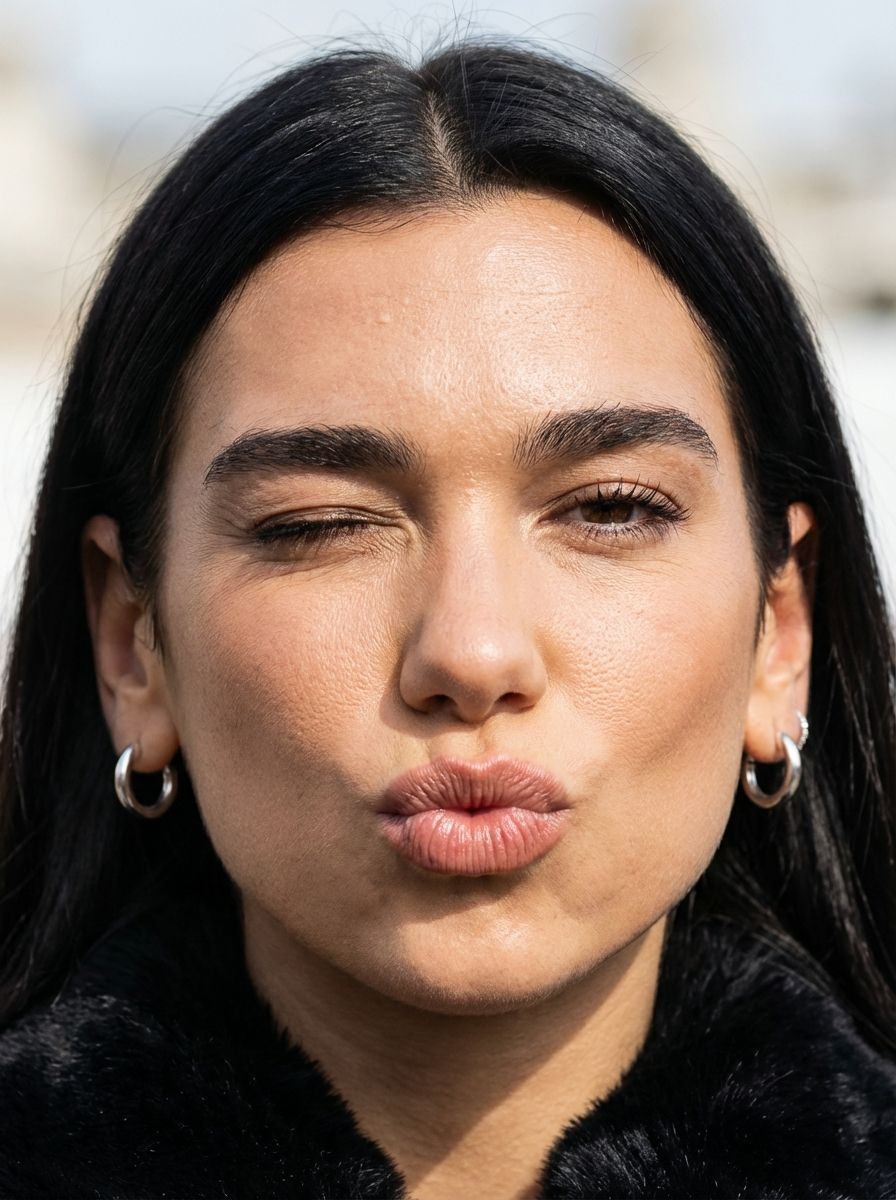
眨眼噘嘴的微距肖像
Prompt
{
  "subject": {
    "demographics": "Young woman of European descent, mid-20s, olive-toned complexion with subtle warm undertones.",
    "hair": "brunette to blonde ombre wavy hair, natural texture with individual strand definition and visible root depth.",
    "face": "Prominent; one hazel brown eye open with defined lashes; one eye closed in a deliberate wink; puckered pout (kiss-face) showing high-definition vertical lip texture.",
    "anatomy": "Macro-level skin fidelity focusing on the malar and nasal regions. Hyper-visible follicular pores, natural fine lines (orbicularis oculi creases) around the winked eye, and authentic skin texture including micro-creases. The lips exhibit soft tissue compression and puckering striae without artificial smoothing or volume normalization.",
    "attire": "Deep black high-pile faux fur or shearling texture visible at the base of the neckline.",
    "accessories": "Minimalist polished silver hoop earrings, catching specular highlights."
  },
  "pose": {
    "type": "Extreme close-up macro portrait.",
    "details": "Head tilted at a 15-degree lateral angle toward the right; asymmetrical facial compression due to the wink and pucker."
  },
  "environment": {
    "location": "High-key outdoor setting.",
    "elements": "Diffuse, overexposed background bokeh suggesting a bright, open-air luxury environment."
  },
  "camera": {
    "shot_type": "Macro Portrait",
    "focal_length": "85mm Macro lens for compression and high-fidelity detail.",
    "perspective": "Extreme proximity to eliminate background context and force focus on facial topography."
  },
  "lighting": {
    "setup": "High-intensity diffuse natural daylight.",
    "details": "Soft directional light creating gentle shadows in the nasolabial folds and highlighting the skin's natural sebum sheen and textural irregularities."
  },
  "mood_and_expression": {
    "mood": "Playful and flirtatiously candid.",
    "expression": "Wink and a pucker; high-energy, sophisticated luxury lifestyle vibe."
  },
  "style_and_realism": {
    "fidelity": "Unfiltered macro texture, visible skin pores, fine lines, and natural lip striae. Zero AI smoothing."
  },
  "colors_and_tone": {
    "palette": "Rich burgundy and deep blacks contrasted against warm skin tones and a high-key white background."
  },
  "quality_and_technical_details": {
    "resolution": "8k",
    "grain": "ISO 100, sharp focus on the central facial features with shallow depth of field."
  },
  "aspect_ratio_and_output": {
    "ratio": "9:16"
  },
  "controlnet": {
    "pose_control": {
      "model_type": "OpenPose",
      "purpose": "Exact facial feature lock for asymmetrical expression",
      "recommended_weight": 1.0
    },
    "depth_control": {
      "model_type": "MiDaS",
      "purpose": "Volume preservation of the facial features during puckering",
      "recommended_weight": 0.8
    }
  },
"negative_prompt": {- Category
- 创意图片
- Model
- Nano Banana Pro
- Creator
- Maya
- Source ID
- 69055835-3597-46c3-b47e-f1089921aaae
- Published
- Mar 8, 2026
Views0
















