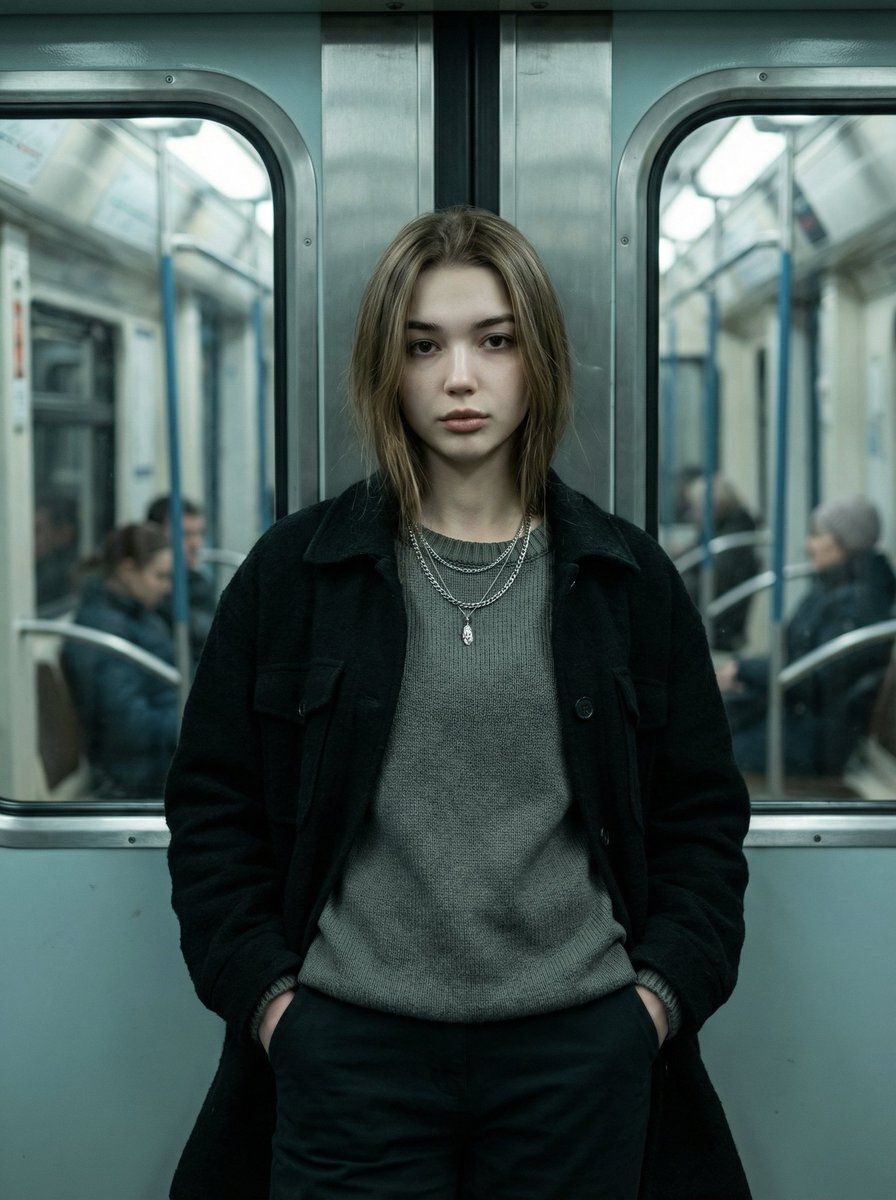
地铁中的电影感时尚肖像
Prompt
{
  "type": "image_generation_prompt",
  "style": "ultra-realistic, cinematic, editorial fashion portrait",
  "aspect_ratio": "9:16",
  "scene": {
    "location": "inside a subway train carriage",
    "environment_details": [
      "metallic metro doors behind the subject",
      "cool-toned painted subway surfaces",
      "windows on both sides",
      "blurred passengers in the background due to shallow depth of field"
    ]
  },
  "subject": {
    "gender": "female",
    "pose": {
      "stance": "standing centered in frame, leaning back lightly against the closed metro door",
      "hands": "both hands placed naturally inside the pockets of dark pants",
      "legs": "straight and close together, balanced stance",
      "head": "slightly tilted forward",
      "gaze": "looking directly at the camera"
    },
    "expression": "intense, calm, confident, serious",
    "identity": {
      "preserve_facial_features": true,
      "realism": "absolute facial accuracy and natural skin texture"
    },
    "clothing": {
      "outerwear": "dark, heavy-textured black jacket with structured fit, worn open",
      "innerwear": "muted gray knit sweater with slightly loose fit and subtly distressed hem",
      "pants": "dark modern pants",
      "accessories": [
        "two thin silver chain necklaces",
        "one small cross pendant resting naturally on the chest"
      ],
      "style": "minimalist, modern, feminine aesthetic with neutral tones and clean lines"
    }
  },
  "lighting": {
    "type": "cinematic moody subway lighting",
    "details": [
      "soft overhead subway lights",
      "gentle shadows across face and clothing",
      "emphasized texture and contrast"
    ]
  },
  "color_grading": {
    "environment": "cool teal tones",
    "skin_tone": "natural realistic tones",
    "look": "cinematic color grading"
  },
  "camera": {
    "angle": "eye level, directly facing subject",
    "lens": "85mm portrait lens",
    "depth_of_field": "shallow depth of field with subject in sharp focus and background softly blurred",
    "framing": "vertical composition"
  },
  "quality": {
    "realism": "ultra-photorealistic",
    "detail": "high detail, sharp focus, natural lighting, professional color grading"
  },
  "mood": "calm, confident, cinematic, emotionally strong",
  "constraints": [
    "no distortion",
    "no cartoon or illustration",
    "no unrealistic lighting",
    "no watermark",
    "no text overlay"
  ],
  "output_goal": "Create an ultra-realistic cinematic editorial portrait of a confident woman standing inside a subway train, leaning against a metro door, with moody lighting, shallow depth of field, and a modern minimalist aesthetic."
}- Category
- 创意图片
- Model
- Nano Banana Pro
- Creator
- 𝗦𝗮𝗻𝗶𝗮
- Source ID
- 273a01dc-4f38-4171-a213-d26776c57bcd
- Published
- Mar 8, 2026
Views0
















