亲密写实派对自拍提示
Prompt
{
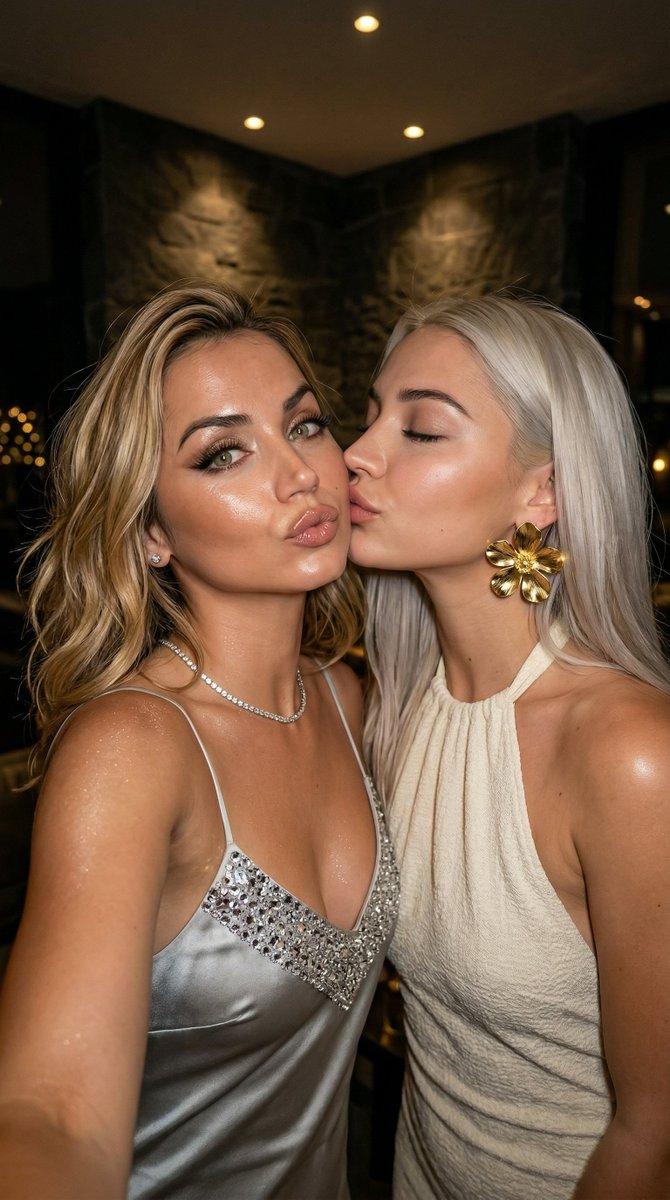
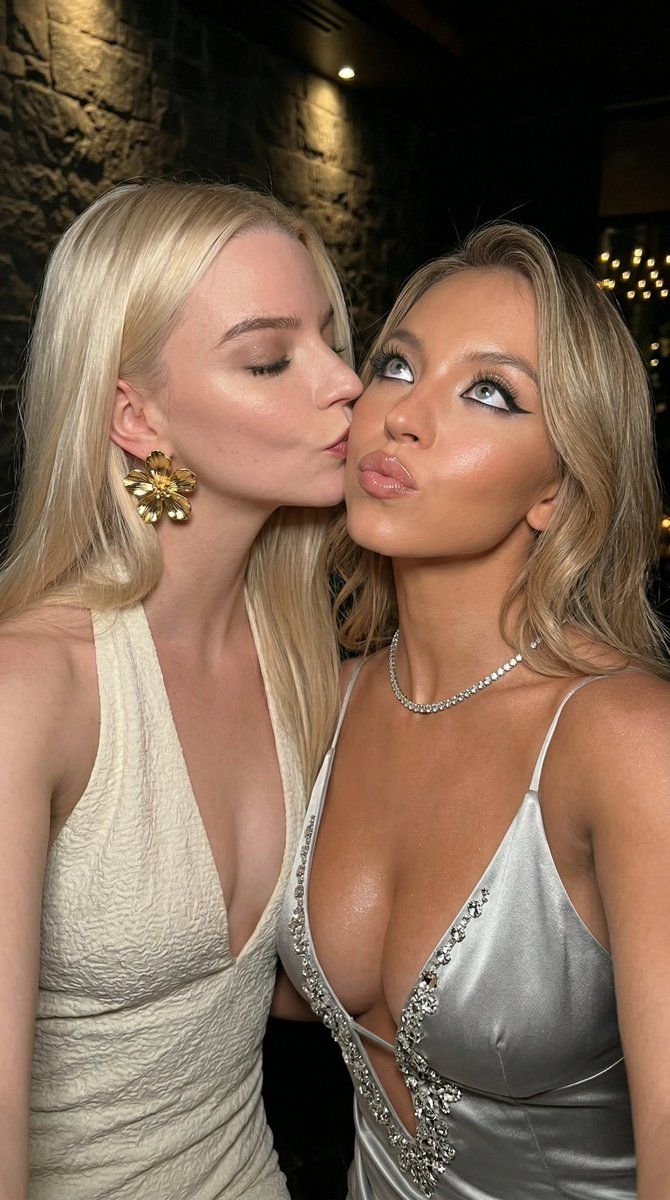
  "image_type": "photorealistic intimate party selfie close-up, 8K ultra-detailed, sharp focus, masterpiece",
  "subjects": [
    {
      "role": "blonde woman receiving kiss",
      "gender": "female",
      "age": "22-25",
      "hair": "shoulder-length blonde with soft waves and highlights",
      "makeup": "dramatic evening makeup (sharp black winged eyeliner, long false lashes, filled brows, glossy nude-pink lips)",
      "expression": "playful pouty lips slightly pursed, eyes looking upward/sideways at camera, subtle teasing smile",
      "clothing": "silver satin slip dress with thin straps, deep plunging neckline, silver sequin/crystal embellishment around bust",
      "accessories": "thin diamond tennis necklace, small stud earrings",
      "skin": "tanned/bronze with glossy/oiled highlight sheen on cheekbones, collarbones and décolletage"
    },
    {
      "role": "platinum blonde woman giving kiss",
      "gender": "female",
      "age": "22-25",
      "hair": "long straight platinum blonde",
      "makeup": "soft natural makeup (subtle eyeliner, natural lashes, glossy pink lips)",
      "expression": "eyes gently closed, lips pressed to other woman's cheek in affectionate kiss",
      "clothing": "off-white/cream textured halter-neck dress with deep V-neckline, ruched/crinkled fabric",
      "accessories": "oversized gold flower statement earrings (petal-like design)",
      "skin": "very fair/pale with dewy glow"
    }
  ],
  "interaction": "intimate cheek kiss moment, faces very close together, flirtatious and affectionate energy, left woman tilting head toward kiss, right woman leaning in",
  "environment": {
    "location": "dimly lit upscale indoor party / VIP lounge",
    "backdrop": "dark textured stone or brick wall, subtle warm overhead spot lighting or candle glow, blurred bokeh lights in background corners",
    "lighting": "low-key warm ambient + focused highlights on faces, glossy skin and jewelry, strong rim lighting on hair and shoulders, cinematic moody contrast"
  },
  "camera": {
    "angle": "close-up selfie perspective (slightly low angle from phone held at chest height)",
    "lens": "wide-angle phone lens with natural slight edge distortion, very shallow depth of field, razor-sharp focus on faces, lips, eyes and jewelry",
    "composition": "tight frame from upper chest to top of heads, both faces filling most of the image, cheek-to-cheek contact centered, dark background creating intimate isolation"
  },
  "style": "hyper-realistic luxury party mirror/selfie photography, ultra-detailed textures (satin sheen, sequin/crystal sparkle, skin pores/oil glow, hair strands, lipstick gloss), cinematic warm-cool color grading with strong contrast, seductive and affectionate mood, high-production influencer aesthetic",
"technical": "8K resolutio"- Category
- 创意图片
- Model
- Nano Banana Pro
- Creator
- KeorUnreal
- Source ID
- 39c1449d-4873-4001-8b0f-f257b2ca4e17
- Published
- Mar 8, 2026
Views2