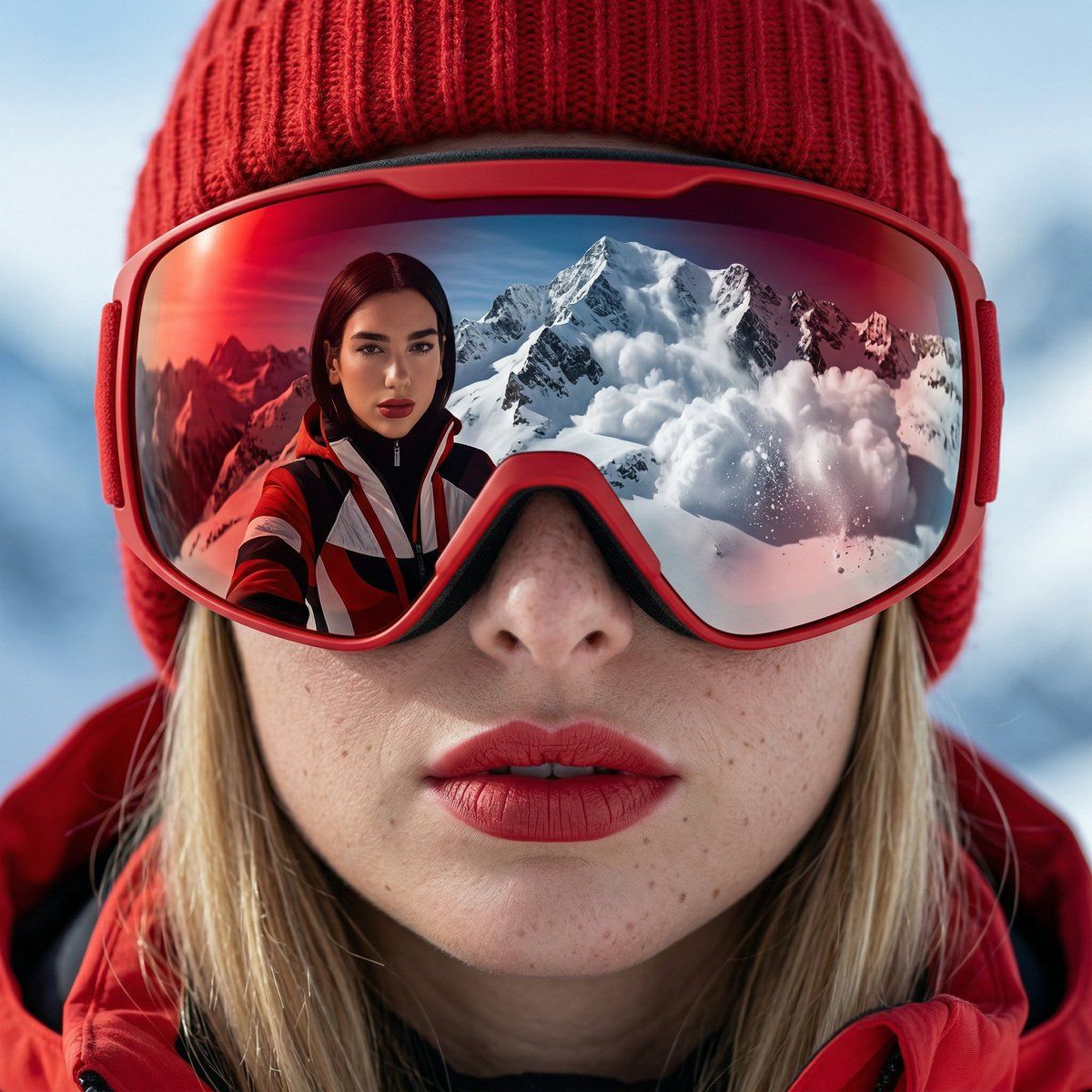
高山惊悚时尚特写与倒影
Prompt
{
  "meta": {
    "project": "Alpine_Thriller_Fashion_Closeup",
    "model_intent": "photoreal_editorial_cinematic",
    "language": "en",
    "notes": "High-fashion alpine close-up portrait with reflection. Subject's eyes are not visible. Only the reflection of mountain and Dua Lipa's face is visible. Clean realism with tension."
  },

  "prompt": {
    "logline": "Extreme close-up of a beautiful woman wearing bold red sunglasses and a red knit beanie, snow-covered mountain reflected in her lenses where Dua Lipa standing and pose closely is visible",

    "subject": {
      "gender": "female",
      "beauty_style": "natural skin texture, defined brows, subtle glow",
      "makeup": [
        "bold matte red lipstick",
        "clean skin finish",
        "soft contour"
      ],
      "expression": "calm yet intense, slightly parted lips",
      "styling": [
        "red alpine knit beanie",
        "sleek modern red snow goggles"
      ]
    },

    "reflection_scene": {
      "location": "high alpine snowy mountain peak",
      "action": "Dua Lipa in ski outfit is looking natural",
      "background_event": "large avalanche forming and descending behind Dua Lipa",
      "snow_detail": "fine snow particles and powder clouds"
    },

    "composition": {
      "shot_type": "extreme close-up portrait",
      "focus": "sharp focus on lips and goggles",
      "reflection_clarity": "crisp, cinematic reflection inside lenses",
      "framing": "lower half of face dominant, goggles central"
    },

    "camera": {
      "movement": "static close-up",
      "stabilization": "locked frame",
      "angle": "slightly low angle, intimate perspective"
    },

    "lens": {
      "focal_length_mm": 85,
      "aperture": "f/2.8",
      "sensor": "full-frame",
      "depth_of_field": "shallow, sharp reflection with soft peripheral falloff"
    },

    "lighting": {
      "style": "natural alpine daylight",
      "key_light": "cold high-altitude sunlight",
      "fill": "subtle snow bounce light",
      "contrast": "medium contrast",
      "highlight_control": "snow highlights preserved, no clipping"
    },

    "color_palette": {
      "primary": [
        "crisp alpine blue sky",
        "clean snow white",
        "natural skin tones"
      ],
      "accent": [
        "deep vivid red (#C1121F)"
      ],
      "grade": {
        "white_balance": "cool daylight (5000K)",
        "saturation": "controlled global saturation with strong red emphasis",
        "tone_curve": "clean highlights, slight cinematic shadow density"
      }
    },

    "texture_details": [
      "visible skin pores",
      "fine knit beanie fibers",
      "realistic snow grain",
      "powder spray detail in avalanche"
    ],

    "quality_tags": [
      "photorealistic",
      "cinematic",
      "editorial fashion",
      "high detail",
"sharp reflection realism",- Category
- 创意图片
- Model
- Nano Banana Pro
- Creator
- Maya
- Source ID
- df528fe0-bd3a-48f6-a3f8-6fb8c14121a8
- Published
- Mar 8, 2026
Views0















