20

地铁站台上的电影夜景
Enlarge

地铁站台上的电影夜景

Prompt
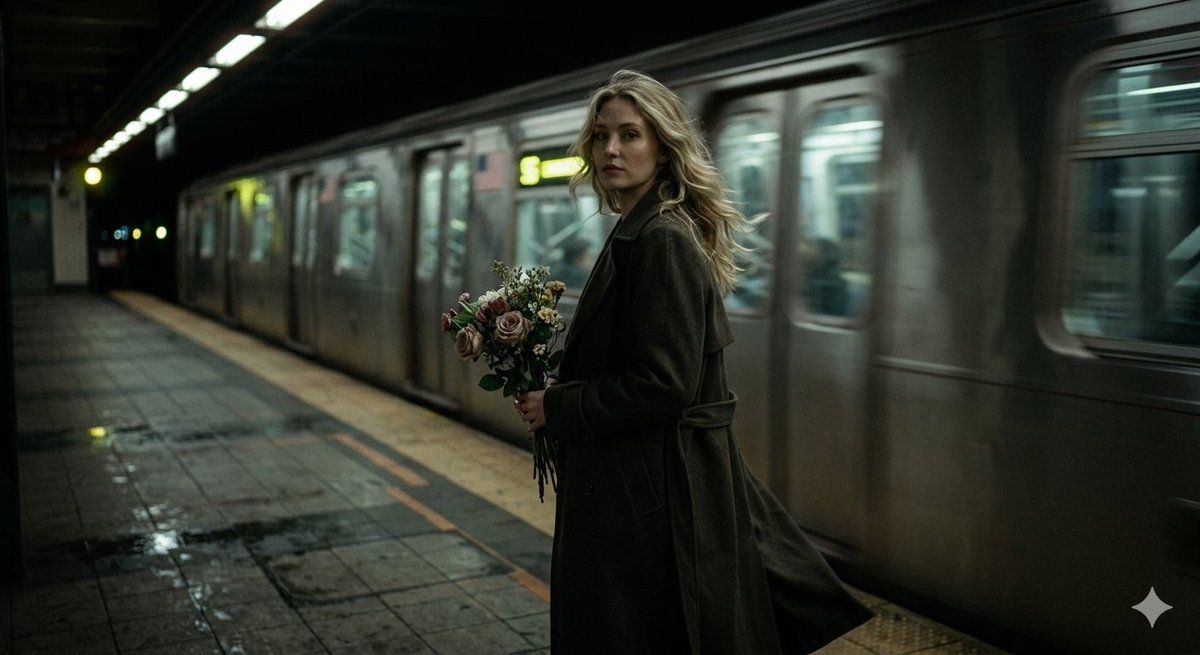
A dark, cinematic scene inside a moving train station or subway platform at night. a woman is standing in the same position on the platform, her body slightly turned away but her face looking directly toward the camera. she has long, wavy blonde bob hair gently moving in the wind. she is wearing a long dark trench coat. the train is passing fast behind her, creating strong motion blur. the wind from the moving train softly moves her hair and the fabric of her trench coat. in her hands, she is holding a bouquet of flowers. her expression feels calm, reflective, and slightly melancholic. the atmosphere is moody and poetic. low light, deep shadows, muted colors, cinematic realism. slow emotional moment, film grain, quiet intensity. --p gqqu8fy pi2kw4yi
Category
创意图片
Model
Nano Banana Pro
Creator
Harboriis
Views2
Source ID
fc71f7a5-bc94-44db-8dfe-5f83ac8fb383
Published
Mar 8, 2026

Guide

About "地铁站台上的电影夜景"

What is this prompt for?

"地铁站台上的电影夜景" AI image prompt for Nano Banana Pro (创意图片). 一个详细的提示,用于描绘一个黑暗、电影感的夜晚地铁站台场景。它聚焦于一位身穿风衣的女性,捕捉她身后疾驰而过的列车的运动模糊,她头发和风衣面料的细微摆动,以及一种忧郁的氛围。 --- 夜晚,一个移动的火车站…

The full copyable prompt and example visuals above are ready for AI image generation or one-click recreate in Picva.

How to use this prompt

  1. Step 1

    Open the prompt detail

    Review the example visuals, category, and full prompt text for "地铁站台上的电影夜景".

  2. Step 2

    Copy the prompt

    Copy the prompt body from this page, or load it directly in Studio.

  3. Step 3

    Pick a model (Nano Banana Pro)

    Prefer Nano Banana Pro. If you switch models, keep subject and composition and tweak style terms.

  4. Step 4

    Generate and export

    Recreate the look in Picva, or export into your workflow for editing and publishing.

FAQ

What is the "地铁站台上的电影夜景" prompt?
It is an AI image-generation prompt for Nano Banana Pro in the 创意图片 category. This page includes the full prompt text, example visuals, and a one-click recreate path in Picva.
How do I use this prompt to generate an image?
Copy the prompt from this page, or use Generate / Studio. Paste it into a compatible image model, or recreate the look in Picva with optional reference images.
Which model is this prompt for?
This page lists Nano Banana Pro. Most descriptive prompts also transfer to nearby image models such as GPT Image, Flux, or Midjourney with light style tweaks.
Can I use the result commercially?
You can usually copy the prompt for creation, but commercial use of the final image depends on the model terms, reference-image rights, and the generated content. Follow the source author and platform rules.