超逼真黑色时尚肖像
Prompt
{
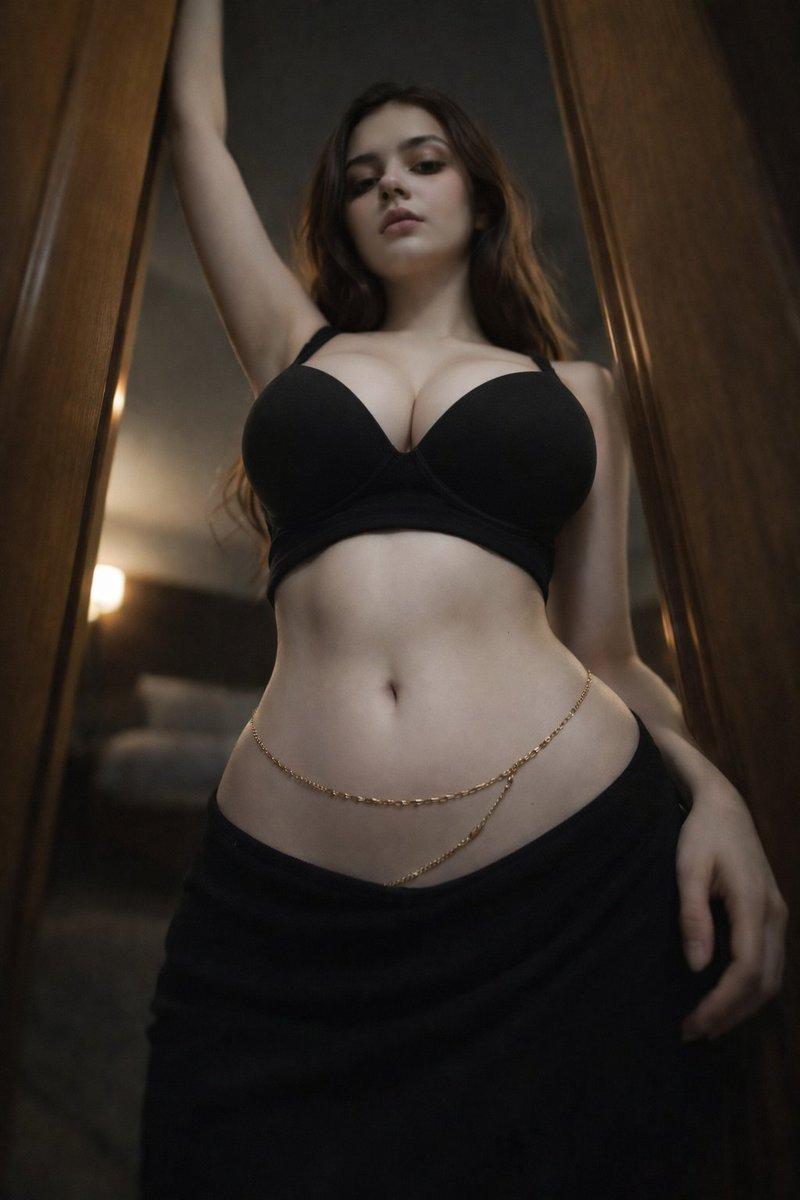
  "style": "ultra photorealistic fashion portrait, cinematic mood, luxury editorial photography",
  "resolution": "8k ultra high resolution",
  "aspect_ratio": "9:16",
  "quality": "extreme detail, sharp focus, realistic skin texture, visible pores, natural lighting transitions, high dynamic range",

  "subject": {
    "gender": "female",
    "age": "early 20s",
    "ethnicity": "ambiguous european",
    "body_type": "slim waist, pronounced hourglass silhouette, soft natural curves",
    "skin": {
      "tone": "fair warm skin tone",
      "texture": "natural skin texture with subtle pores and soft highlights",
      "details": "smooth abdomen, natural body contours, soft shadows defining muscle and curves"
    },
    "face": {
      "shape": "oval face",
      "eyes": "soft brown eyes with relaxed gaze",
      "expression": "calm, confident, slightly mysterious expression",
      "lips": "full natural lips with minimal makeup",
      "eyebrows": "naturally shaped dark eyebrows"
    },
    "hair": {
      "color": "dark brown",
      "style": "long slightly wavy hair falling naturally around shoulders",
      "texture": "soft and voluminous with subtle shine"
    }
  },

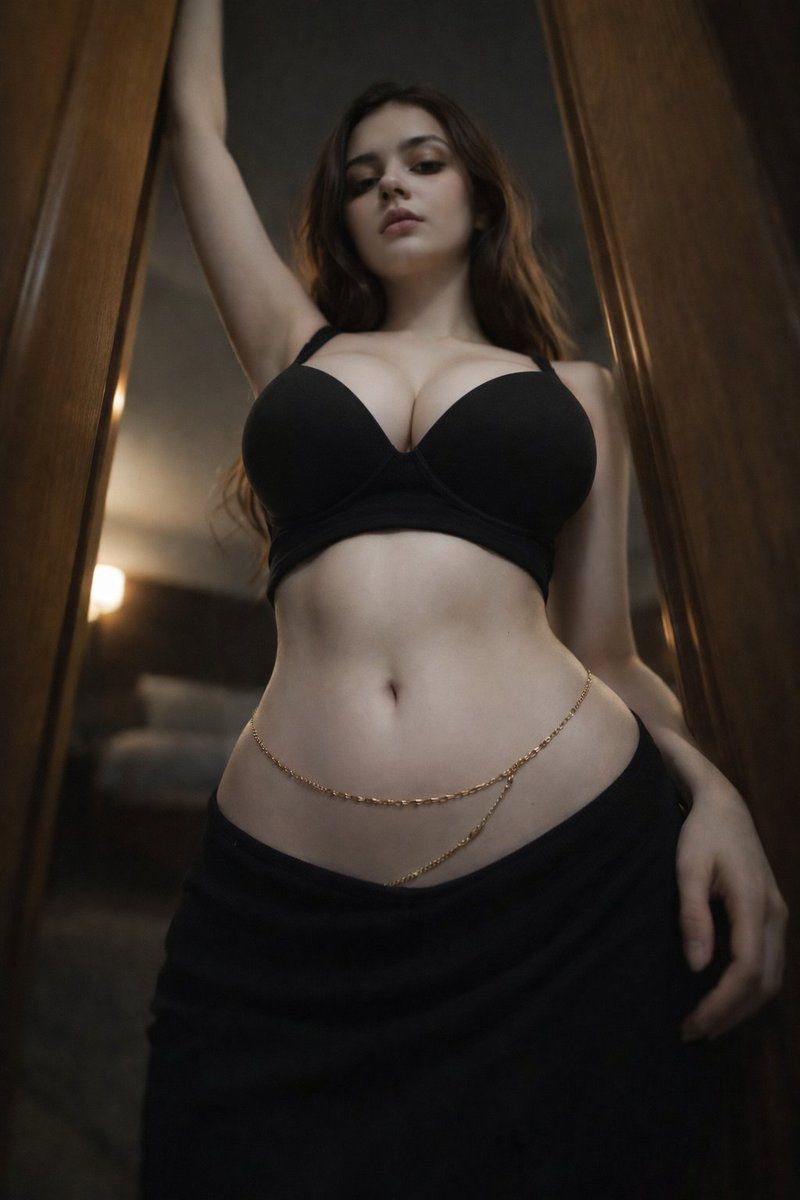
  "outfit": {
    "top": {
      "type": "black fitted bra-style top",
      "material": "smooth stretch fabric",
      "color": "deep matte black",
      "fit": "structured supportive fit"
    },
    "bottom": {
      "type": "dark low waist skirt",
      "fabric": "soft flowing fabric",
      "color": "black",
      "style": "minimalist fashion style"
    },
    "accessories": {
      "waist_chain": {
        "type": "delicate gold waist chain",
        "design": "thin elegant chain wrapped around the waist",
        "material": "polished gold"
      }
    }
  },

  "pose": {
    "stance": "standing between door frames",
    "body_position": "slightly leaning forward with relaxed posture",
    "arm_position": "one arm raised holding the frame above",
    "camera_angle": "low angle perspective emphasizing body lines",
    "gaze_direction": "looking slightly downward toward camera"
  },

  "environment": {
    "location": "modern luxury interior hallway or bedroom entrance",
    "background": "dark blurred interior with warm ambient lighting",
    "elements": [
      "wooden door frame",
      "soft interior lights",
      "subtle depth of field"
    ],
    "atmosphere": "intimate, cinematic, moody fashion atmosphere"
  },

  "lighting": {
    "type": "soft cinematic lighting",
    "source": "warm indoor lights mixed with soft directional light",
    "effect": "gentle highlights on skin with natural shadows",
    "style": "editorial fashion lighting"
  },

  "camera": {
    "camera_type": "professional full-frame DSLR",
    "lens": "50mm portrait lens",
    "aperture": "f/1.8",
    "focus": "sharp focus on subject with blurred background",
"depth_of_field": "shallow depth- Category
- 创意图片
- Model
- Nano Banana Pro
- Creator
- Shreya♡
- Source ID
- f93aae94-3554-4493-b65b-343331a9aee8
- Published
- Mar 8, 2026
Views3