14

超逼真的人物照片和皮克斯双重身份(身份锁定)
Enlarge

超逼真的人物照片和皮克斯双重身份(身份锁定)

Prompt
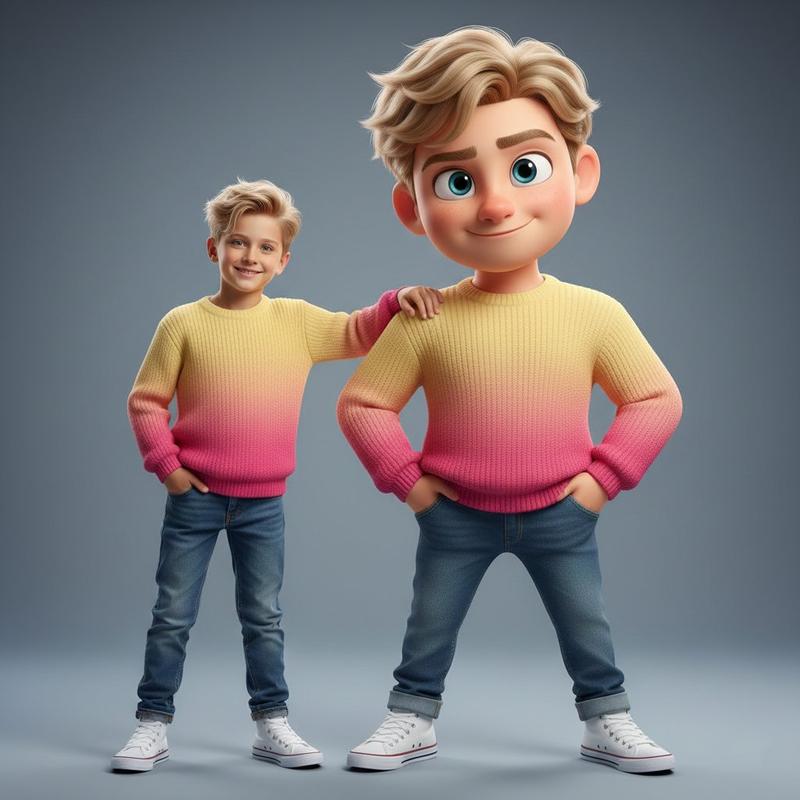
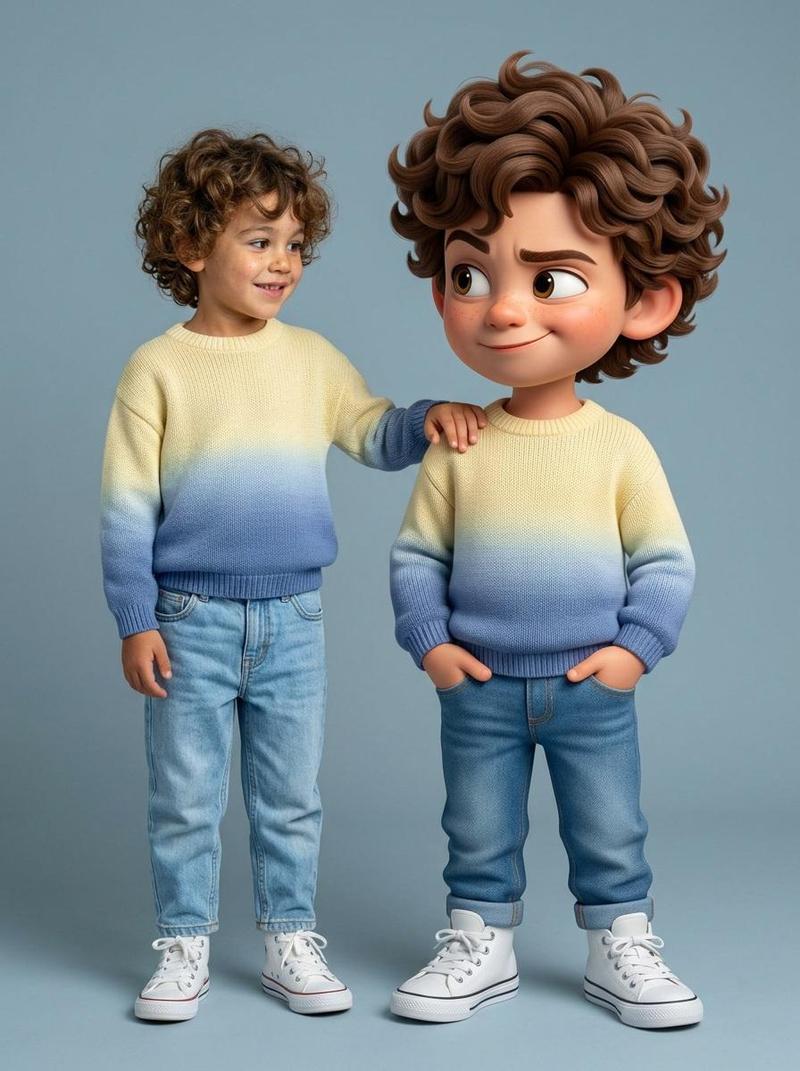
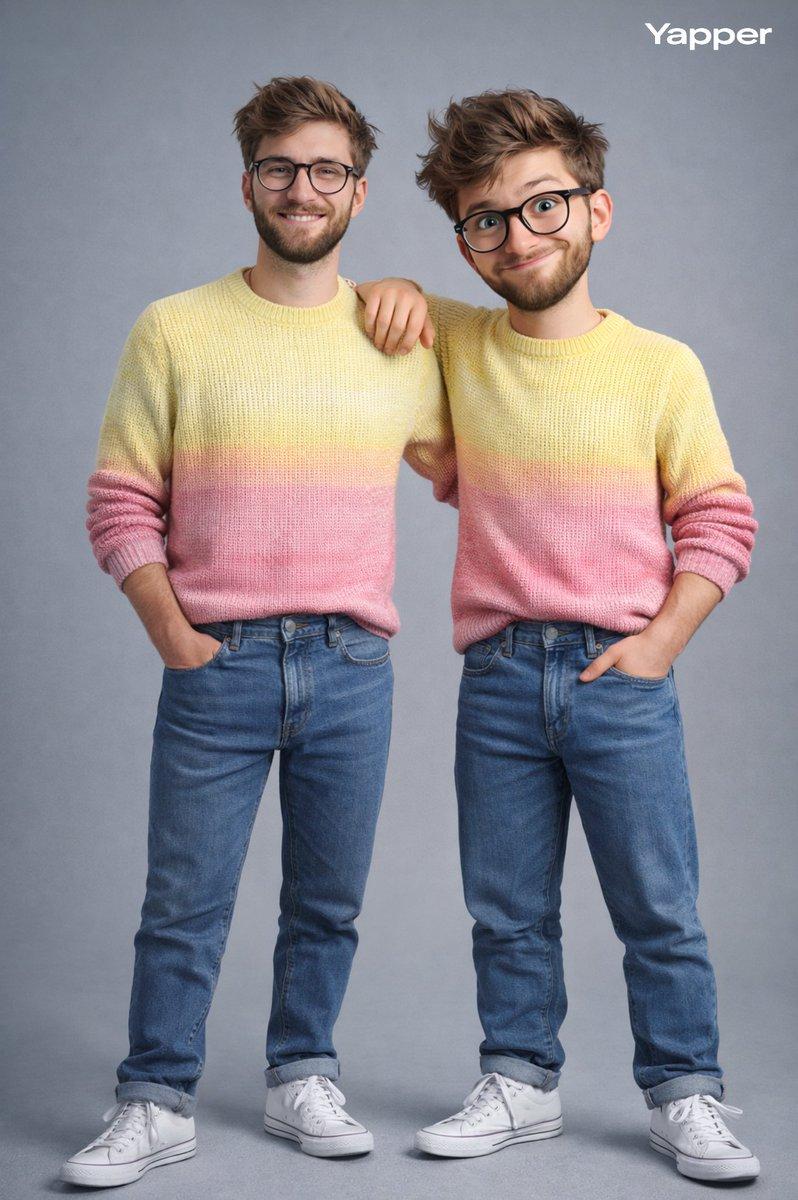
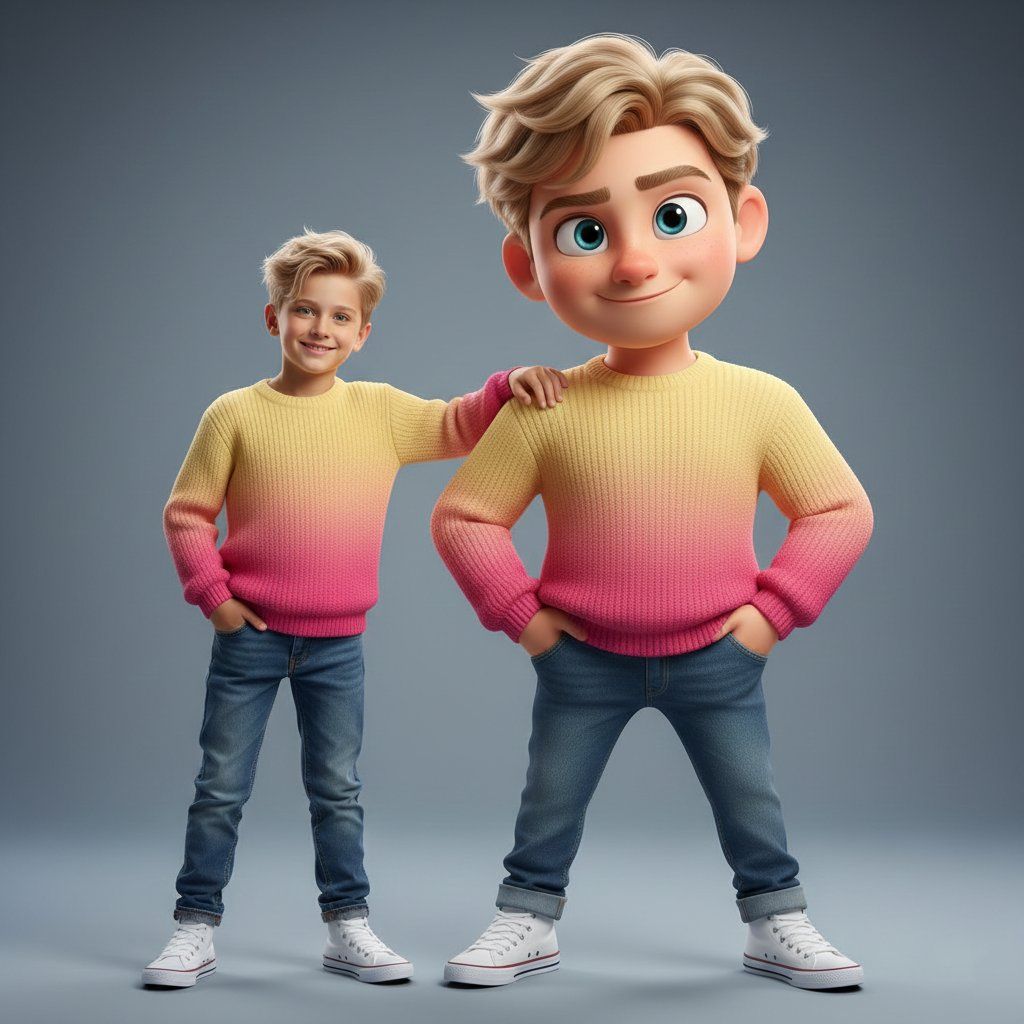
Ultra-high-quality hyper-realistic photo featuring a real human and a giant 3D Pixar-style version of THE SAME person — both strictly based on the uploaded reference image. The real person and the Pixar character must have identical facial structure, hairstyle, facial expression, body proportions, height, and clothing. Both are wearing a knitted sweater with a gradient from light yellow to pink, high-waisted blue jeans, and white high-top sneakers. The pose must exactly match the reference: the real person stands relaxed with a friendly smile, with their hand naturally resting on the shoulder of the Pixar character. The Pixar version stands slightly wider, arms confidently positioned near the pockets, with a playful sly smirk, one raised eyebrow, and expressive Pixar-style eyes. The Pixar character should be proportionally larger, but anatomically identical to the real person. The facial expression, head tilt, posture, and body language must precisely replicate the reference image. Clean gray-blue studio background, soft even studio lighting, realistic shadows, crisp fabric texture, smooth Pixar-style skin shading, cinematic sharpness. DO NOT change the pose, reaction, clothing, or proportions. Strict adherence to the reference.
Category
创意图片
Model
Nano Banana Pro
Views0
Source ID
7006b30d-0adf-4fc4-9adf-600d4827e0e5
Published
Mar 8, 2026

Guide

About "超逼真的人物照片和皮克斯双重身份(身份锁定)"

What is this prompt for?

"超逼真的人物照片和皮克斯双重身份(身份锁定)" AI image prompt for Nano Banana Pro (创意图片). 一个高度具体的提示,用于生成一张超高质量、超写实的照片,照片中有一个真人版角色和他们巨大的 3D 皮克斯风格版本。它要求两者具有相同的面部结构、服装(针织毛衣、蓝色牛仔裤)和基于参…

The full copyable prompt and example visuals above are ready for AI image generation or one-click recreate in Picva.

How to use this prompt

  1. Step 1

    Open the prompt detail

    Review the example visuals, category, and full prompt text for "超逼真的人物照片和皮克斯双重身份(身份锁定)".

  2. Step 2

    Copy the prompt

    Copy the prompt body from this page, or load it directly in Studio.

  3. Step 3

    Pick a model (Nano Banana Pro)

    Prefer Nano Banana Pro. If you switch models, keep subject and composition and tweak style terms.

  4. Step 4

    Generate and export

    Recreate the look in Picva, or export into your workflow for editing and publishing.

FAQ

What is the "超逼真的人物照片和皮克斯双重身份(身份锁定)" prompt?
It is an AI image-generation prompt for Nano Banana Pro in the 创意图片 category. This page includes the full prompt text, example visuals, and a one-click recreate path in Picva.
How do I use this prompt to generate an image?
Copy the prompt from this page, or use Generate / Studio. Paste it into a compatible image model, or recreate the look in Picva with optional reference images.
Which model is this prompt for?
This page lists Nano Banana Pro. Most descriptive prompts also transfer to nearby image models such as GPT Image, Flux, or Midjourney with light style tweaks.
Can I use the result commercially?
You can usually copy the prompt for creation, but commercial use of the final image depends on the model terms, reference-image rights, and the generated content. Follow the source author and platform rules.