20

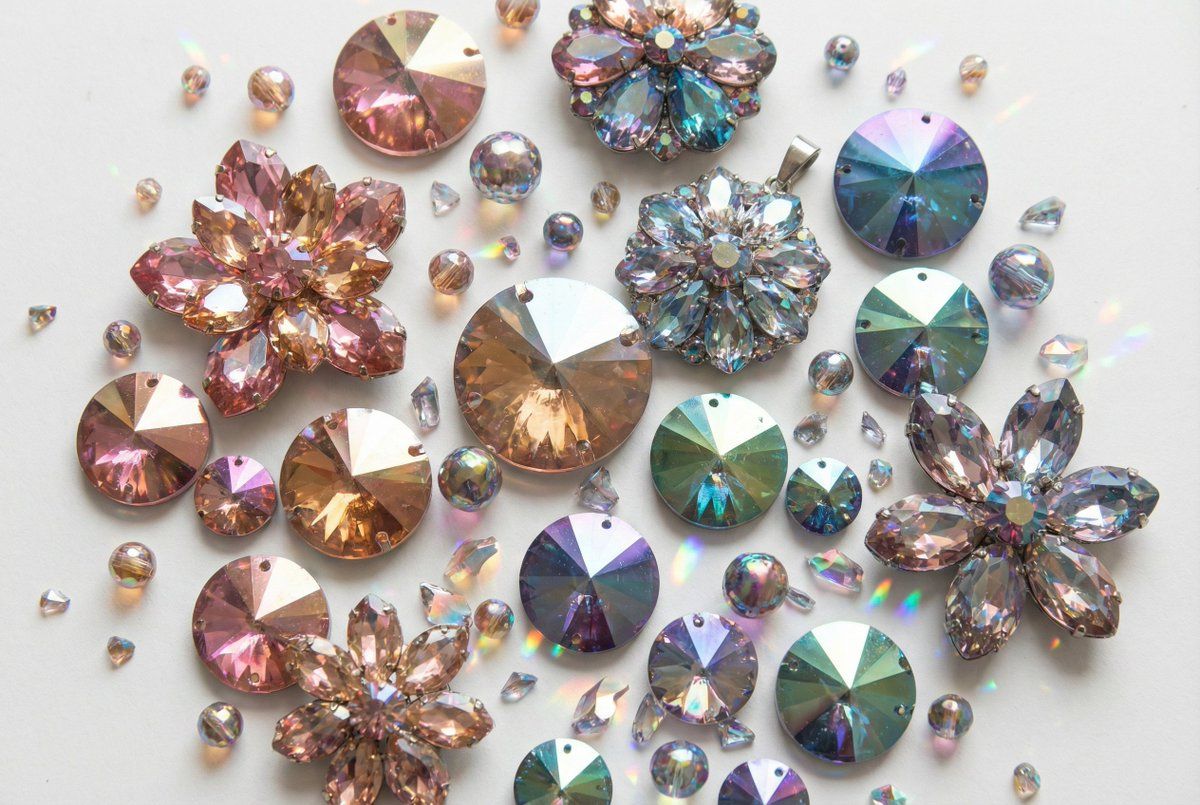
虹彩刻面宝石排列产品图
Enlarge

虹彩刻面宝石排列产品图

Prompt
A collection of iridescent, faceted, jewel-like objects are arranged on a white background. The objects are primarily in the shapes of {argument name="object shapes" default="flowers and circles"}, with some smaller circular pieces scattered among them. The colors range from {argument name="color range" default="pink and gold to teal, purple, and green"}, with a metallic sheen that reflects light in a prismatic manner. The facets create a mosaic-like appearance, giving the impression of shattered glass or crystals.
Category
创意图片
Model
Nano Banana Pro
Views0
Source ID
0091a63e-412e-4ef6-90d3-9d146a63b5b5
Published
Mar 8, 2026

Guide

About "虹彩刻面宝石排列产品图"

What is this prompt for?

"虹彩刻面宝石排列产品图" AI image prompt for Nano Banana Pro (创意图片). 一个用于生成产品摄影图像的提示,图像中有一系列虹彩、多面、宝石般的物体,排列在白色背景上。这些物体呈花朵和圆形,以金属光泽棱镜般地反射光线。 --- 一堆闪烁着虹彩光芒、刻面分明、如珠宝般的物体被摆放在…

The full copyable prompt and example visuals above are ready for AI image generation or one-click recreate in Picva.

How to use this prompt

  1. Step 1

    Open the prompt detail

    Review the example visuals, category, and full prompt text for "虹彩刻面宝石排列产品图".

  2. Step 2

    Copy the prompt

    Copy the prompt body from this page, or load it directly in Studio.

  3. Step 3

    Pick a model (Nano Banana Pro)

    Prefer Nano Banana Pro. If you switch models, keep subject and composition and tweak style terms.

  4. Step 4

    Generate and export

    Recreate the look in Picva, or export into your workflow for editing and publishing.

FAQ

What is the "虹彩刻面宝石排列产品图" prompt?
It is an AI image-generation prompt for Nano Banana Pro in the 创意图片 category. This page includes the full prompt text, example visuals, and a one-click recreate path in Picva.
How do I use this prompt to generate an image?
Copy the prompt from this page, or use Generate / Studio. Paste it into a compatible image model, or recreate the look in Picva with optional reference images.
Which model is this prompt for?
This page lists Nano Banana Pro. Most descriptive prompts also transfer to nearby image models such as GPT Image, Flux, or Midjourney with light style tweaks.
Can I use the result commercially?
You can usually copy the prompt for creation, but commercial use of the final image depends on the model terms, reference-image rights, and the generated content. Follow the source author and platform rules.