20

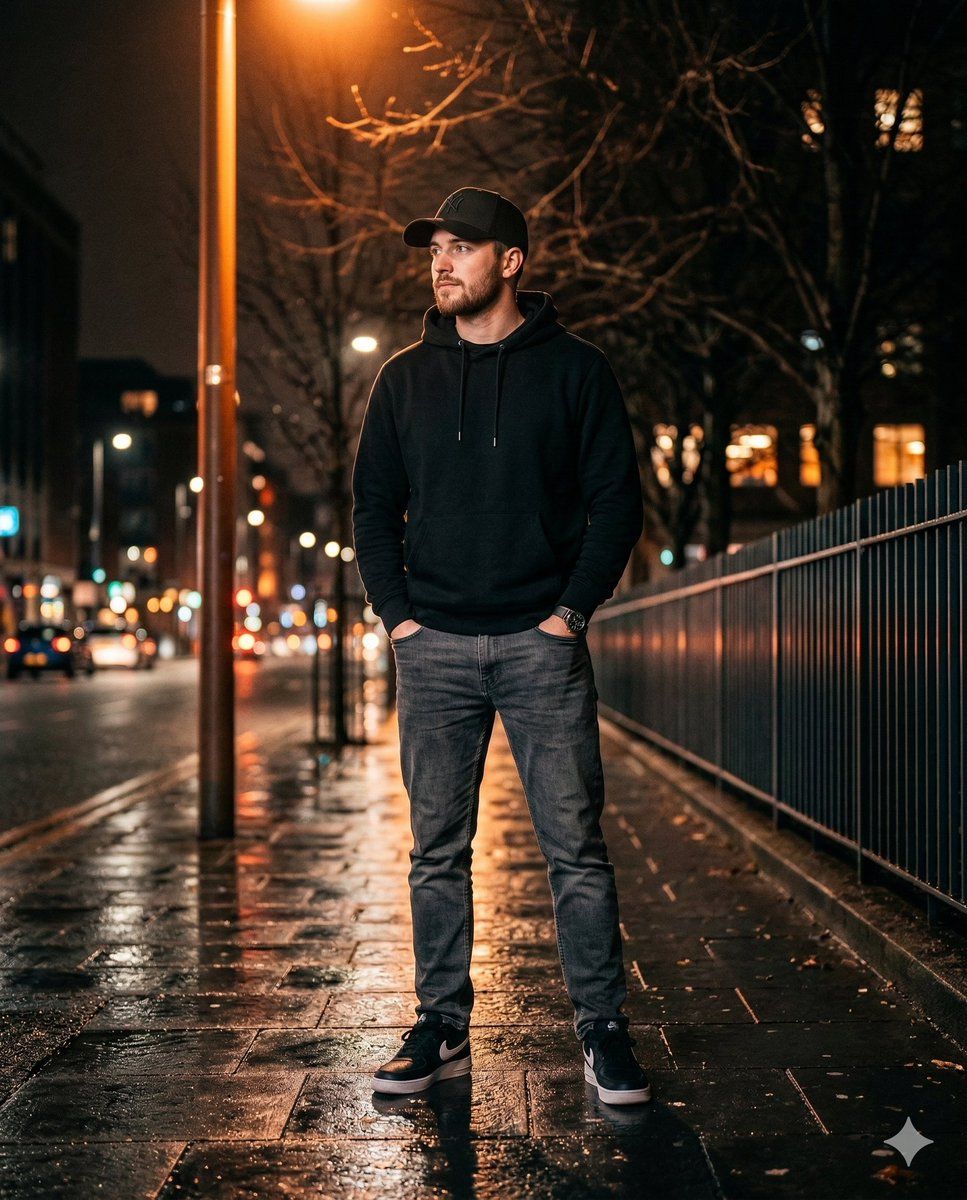
一位时尚年轻男士的超逼真夜间照片
Enlarge

一位时尚年轻男士的超逼真夜间照片

Prompt
Ultra-realistic night photo of a stylish young man  (facial detail 100% matches with the reference photo) standing on a city walkway, standing confidently with one foot slightly forward, hands inside a jeans pocket, body facing forward, manly posture, head slightly raised looking to the side.
Outfit: black hoodie, black baseball cap, grey jeans, black shoes.
Lighting: dramatic warm orange street lighting, cinematic night mood, strong light from the side creating reflections on the wet ground.
Background : dark street at night, bare tree branches behind him, modern metal fence on the right, vertical warm light bar, soft bokeh lights.
Full body, vertical composition, ultra realistic, sharp subject, shallow depth of field, DSLR mode, realistic skin texture, cinematic photography, 4:5 portrait ratio.
Category
创意图片
Model
Nano Banana Pro
Views17
Source ID
2ff4eea3-7cb4-4dc2-afb4-8340d1c1bc9d
Published
Mar 8, 2026

Guide

About "一位时尚年轻男士的超逼真夜间照片"

What is this prompt for?

"一位时尚年轻男士的超逼真夜间照片" AI image prompt for Nano Banana Pro (创意图片). 一个详细的提示,用于生成一张超现实、电影感的夜间照片:一位时尚青年男士走在城市人行道上,重点突出戏剧性的灯光、特定的服装细节和自信的姿态。强调面部细节与参考照片 100% 匹配。 --- 一位…

The full copyable prompt and example visuals above are ready for AI image generation or one-click recreate in Picva.

How to use this prompt

  1. Step 1

    Open the prompt detail

    Review the example visuals, category, and full prompt text for "一位时尚年轻男士的超逼真夜间照片".

  2. Step 2

    Copy the prompt

    Copy the prompt body from this page, or load it directly in Studio.

  3. Step 3

    Pick a model (Nano Banana Pro)

    Prefer Nano Banana Pro. If you switch models, keep subject and composition and tweak style terms.

  4. Step 4

    Generate and export

    Recreate the look in Picva, or export into your workflow for editing and publishing.

FAQ

What is the "一位时尚年轻男士的超逼真夜间照片" prompt?
It is an AI image-generation prompt for Nano Banana Pro in the 创意图片 category. This page includes the full prompt text, example visuals, and a one-click recreate path in Picva.
How do I use this prompt to generate an image?
Copy the prompt from this page, or use Generate / Studio. Paste it into a compatible image model, or recreate the look in Picva with optional reference images.
Which model is this prompt for?
This page lists Nano Banana Pro. Most descriptive prompts also transfer to nearby image models such as GPT Image, Flux, or Midjourney with light style tweaks.
Can I use the result commercially?
You can usually copy the prompt for creation, but commercial use of the final image depends on the model terms, reference-image rights, and the generated content. Follow the source author and platform rules.







