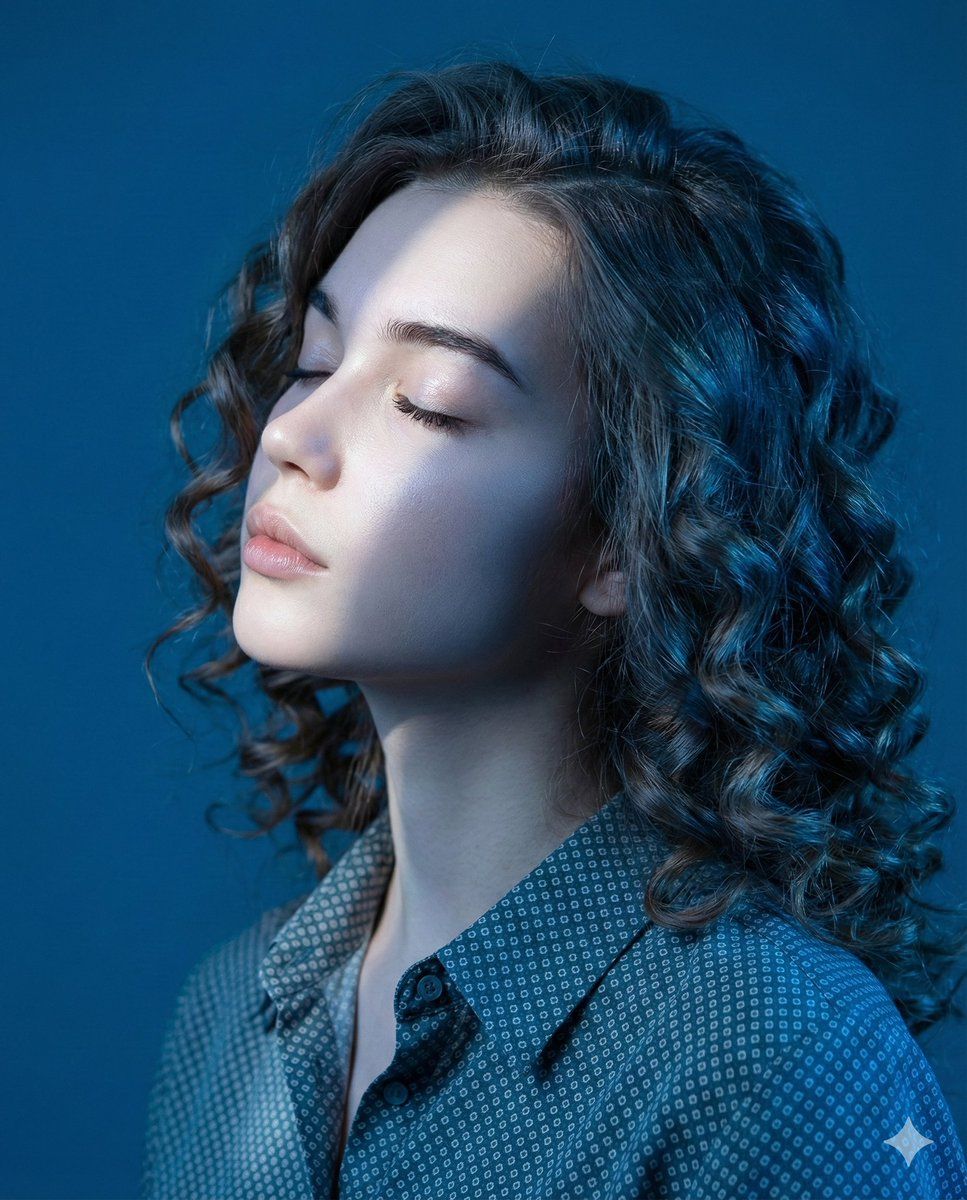
戏剧性蓝光下的编辑肖像
Prompt
{
  "type": "image_generation_prompt",
  "concept": {
    "description": "An artistic editorial close-profile portrait of a young woman, immersed in dramatic blue lighting. Her eyes are closed, with her head gently tilted upward, expressing serenity and introspection. A diagonal beam of cold white light crosses her face, illuminating her eyes, nose, and lips with precise intensity. A solid deep blue background enhances the ethereal, emotional aesthetic.",
    "mood": "quiet, introspective, ethereal",
    "color_theme": "deep blue with cold white highlights"
  },
  "subject": {
    "gender": "female",
    "identity_preservation": {
      "use_reference_image": true,
      "alter_face": false,
      "notes": "Maintain the subject’s exact facial features, structure, skin tone, and identity from the uploaded image."
    },
    "pose": {
      "name": "Blue Profile",
      "head_position": "slightly tilted upward",
      "eyes": "closed",
      "expression": "serene and introspective",
      "highlight": "diagonal beam of light crossing the face, enhancing facial contours"
    },
    "appearance": {
      "hair": {
        "style": "curly, voluminous, well-defined",
        "lighting_effect": "subtle blue reflections"
      },
      "clothing": {
        "shirt": "{argument name="shirt color and pattern" default="petroleum-blue shirt with light gray micro-geometric print"}",
        "fabric": "lightweight material with soft shine under direct light",
        "collar": "traditional, top button open to reveal part of the neck",
        "details": {
          "cuffs": "adjusted cuffs",
          "stitching": "visible dark blue stitching",
          "fit": "elegant and modern"
        }
      },
      "accessories": "none visible"
    }
  },
  "camera_settings": {
    "camera": "Canon EOS R5",
    "lens": "85mm f/1.4",
    "aperture": "f/2.2",
    "iso": 320,
    "shutter_speed": "1/200s",
    "framing": "close-up profile, vertical 4:5 format",
    "resolution": "Ultra-HD {argument name="resolution" default="8K"}",
    "focus": "absolute focus on the face, capturing skin texture, hair, and light transitions"
  },
  "lighting": {
    "type": "dramatic cold white diagonal beam",
    "background": "deep solid blue",
    "effects": [
      "precise illumination on eyes, nose, and mouth",
      "soft enhancement of facial contours",
      "editorial contrast and silence-like aesthetic"
    ]
  },
  "visual_style": {
    "genre": "artistic editorial portrait",
    "contrast_level": "medium-high",
    "tone": "cold, atmospheric",
    "keywords": [
      "cinematic",
      "high-fashion",
      "introspective",
      "ethereal"
    ]
  },
  "output_goal": "Create an ultra-realistic editorial portrait of a young woman in dramatic blue lighting, preserving her identity while capturing a serene, introspective moment in close-profile composition."
}- Category
- 创意图片
- Model
- Nano Banana Pro
- Creator
- 𝗦𝗮𝗻𝗶𝗮
- Source ID
- 691a177b-05d1-464d-9313-19bc1f90f980
- Published
- Mar 8, 2026
Views0
















