20

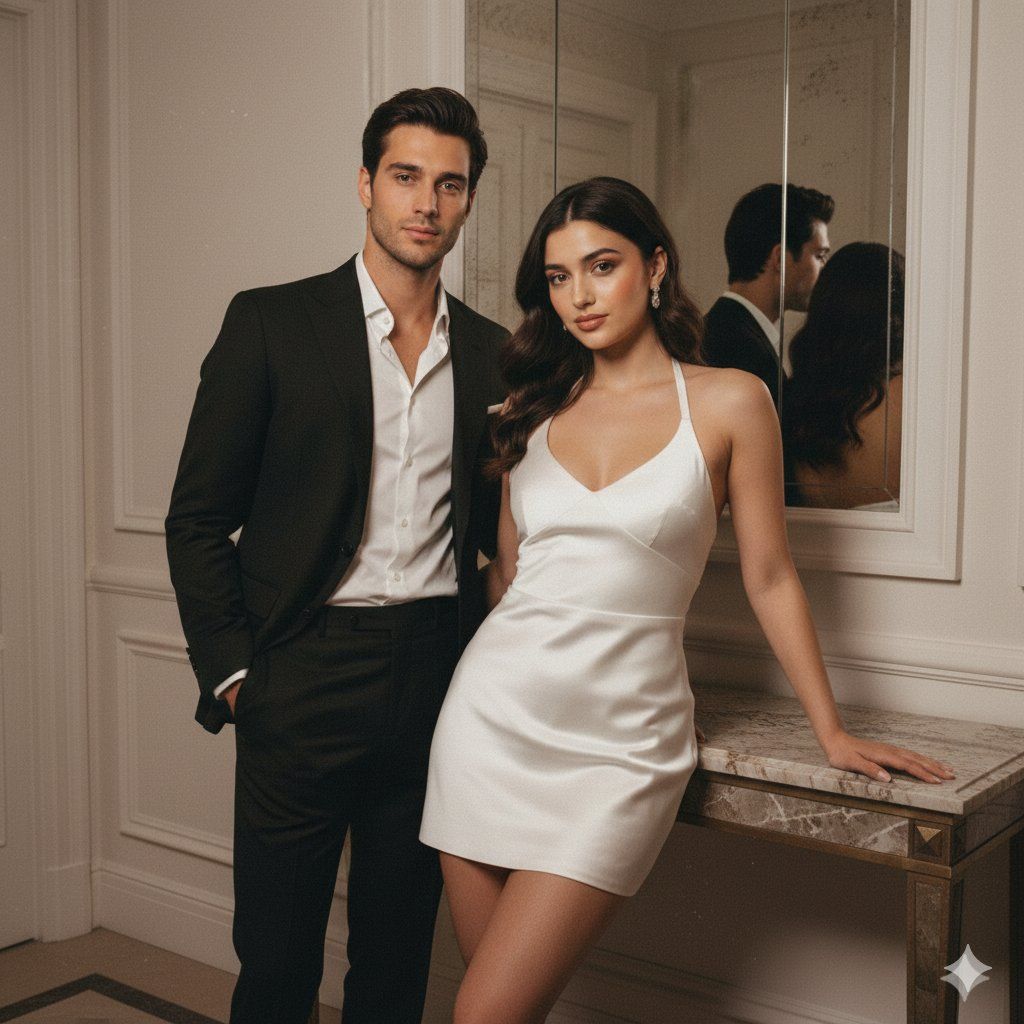
复古闪光情侣肖像与身份锁定提示
Enlarge

复古闪光情侣肖像与身份锁定提示

Prompt
{
  "meta": {
    "quality": "HD",
    "type": "Evening flash couple portrait",
    "ratio": "4:5",
    "device": "iPhone 16 Pro",
    "look": "Vintage warm flash, real skin texture, film grain."
  },
  "identity_lock": {
    "preserve_faces": "STRICT",
    "instruction": "Faces must remain 100% identical to input photos. Zero AI smoothing or facial alteration."
  },
  "scene": {
    "description": "Luxury indoor hallway, mirror reflection, white paneled walls, marble console.",
    "lighting": "Hard warm flash, direct illumination, deep falloff shadows.",
    "vintage_settings": "Warmth {argument name="warmth" default="+18"}, Contrast {argument name="contrast" default="+22"}, Grain: Medium, Tint: Beige."
  },
  "composition": {
    "framing": "Knees-up portrait",
    "pose": "Female leaning on console; Male standing close/behind. Editorial chemistry.",
    "expressions": "Confident, soft glamorous gaze."
  },
  "subjects": {
    "female": {
      "outfit": "{argument name="female outfit" default="White satin mini halter dress, glossy highlights"}.",
      "style": "Soft glam, pink-brown gloss, peach blush."
    },
    "male": {
      "outfit": "{argument name="male outfit" default="Tailored black luxury suit, open collar white shirt, sharp silhouette"}.",
      "style": "Clean luxury grooming."
    }
  },
  "constraints": {
    "negative": "face-swap, skin-smoothing, plastic texture, AI artifacts, blur, face-merge.",
    "skin_rule": "Keep all natural pores and flash-induced skin highlights."
  }
}
Category
创意图片
Model
Nano Banana Pro
Creator
Kaan
Views0
Source ID
0f32c154-67aa-4c3e-a27e-79db9f284e6a
Published
Mar 8, 2026

Guide

About "复古闪光情侣肖像与身份锁定提示"

What is this prompt for?

"复古闪光情侣肖像与身份锁定提示" AI image prompt for Nano Banana Pro (创意图片). 一个 JSON 提示,用于生成具有复古暖闪光美学的情侣肖像,类似于单人肖像提示,但适用于两个主体。它强制严格保留输入照片中的面部,并指定场景(豪华走廊,镜面反射)、灯光(硬暖闪光)和服装(女性穿…

The full copyable prompt and example visuals above are ready for AI image generation or one-click recreate in Picva.

How to use this prompt

  1. Step 1

    Open the prompt detail

    Review the example visuals, category, and full prompt text for "复古闪光情侣肖像与身份锁定提示".

  2. Step 2

    Copy the prompt

    Copy the prompt body from this page, or load it directly in Studio.

  3. Step 3

    Pick a model (Nano Banana Pro)

    Prefer Nano Banana Pro. If you switch models, keep subject and composition and tweak style terms.

  4. Step 4

    Generate and export

    Recreate the look in Picva, or export into your workflow for editing and publishing.

FAQ

What is the "复古闪光情侣肖像与身份锁定提示" prompt?
It is an AI image-generation prompt for Nano Banana Pro in the 创意图片 category. This page includes the full prompt text, example visuals, and a one-click recreate path in Picva.
How do I use this prompt to generate an image?
Copy the prompt from this page, or use Generate / Studio. Paste it into a compatible image model, or recreate the look in Picva with optional reference images.
Which model is this prompt for?
This page lists Nano Banana Pro. Most descriptive prompts also transfer to nearby image models such as GPT Image, Flux, or Midjourney with light style tweaks.
Can I use the result commercially?
You can usually copy the prompt for creation, but commercial use of the final image depends on the model terms, reference-image rights, and the generated content. Follow the source author and platform rules.







