20

20 世纪 60 年代复古风格肖像(多视角)
Enlarge

20 世纪 60 年代复古风格肖像(多视角)

Prompt
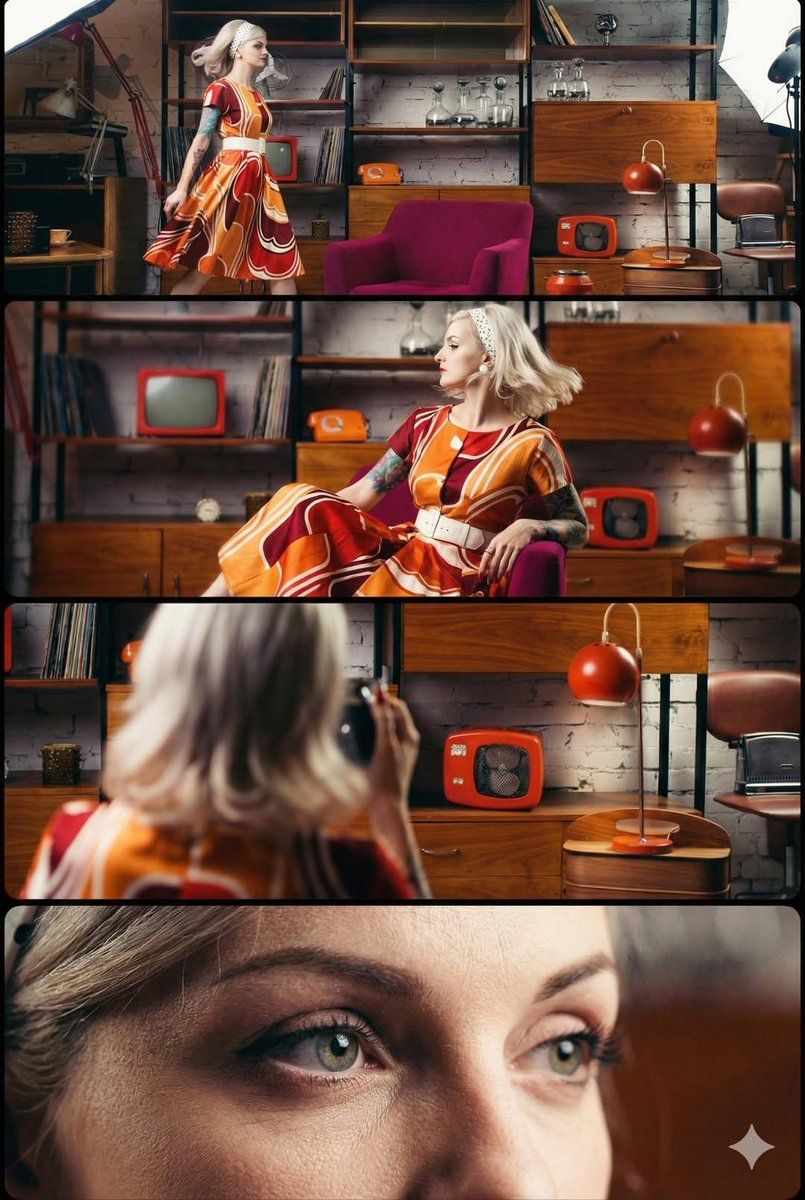
A cinematic, retro-style image of a young woman with a platinum blonde bob hairstyle and a white polka-dot headband. She is wearing a vintage midi dress featuring a bold psychedelic swirl pattern in burnt orange, mustard yellow, and deep red, cinched with a wide white belt. A colorful tattoo sleeve is visible on her right arm. Her makeup features classic black winged eyeliner and she has light green eyes.

The setting is a mid-century modern living room with white exposed brick walls. The room is furnished with teak wood shelving, a magenta velvet armchair, and vintage orange decor items including a small tube TV, a rotary telephone, and a dome lamp. The lighting is soft and warm. The visual includes multiple perspectives: a full-body shot of her walking, a seated profile pose, and an extreme close-up of her face.
Category
创意图片
Model
Nano Banana Pro
Creator
Oogie
Views0
Source ID
4e743694-68cd-4576-b843-9ec98a839f87
Published
Mar 8, 2026

Guide

About "20 世纪 60 年代复古风格肖像(多视角)"

What is this prompt for?

"20 世纪 60 年代复古风格肖像(多视角)" AI image prompt for Nano Banana Pro (创意图片). 一个电影风格的提示词,用于生成一张 20 世纪 60 年代复古风格的图像:一位留着铂金色波波头的女士,身穿迷幻漩涡图案连衣裙,置身于一个中世纪现代风格的客厅中。该提示词旨在在单个视…

The full copyable prompt and example visuals above are ready for AI image generation or one-click recreate in Picva.

How to use this prompt

  1. Step 1

    Open the prompt detail

    Review the example visuals, category, and full prompt text for "20 世纪 60 年代复古风格肖像(多视角)".

  2. Step 2

    Copy the prompt

    Copy the prompt body from this page, or load it directly in Studio.

  3. Step 3

    Pick a model (Nano Banana Pro)

    Prefer Nano Banana Pro. If you switch models, keep subject and composition and tweak style terms.

  4. Step 4

    Generate and export

    Recreate the look in Picva, or export into your workflow for editing and publishing.

FAQ

What is the "20 世纪 60 年代复古风格肖像(多视角)" prompt?
It is an AI image-generation prompt for Nano Banana Pro in the 创意图片 category. This page includes the full prompt text, example visuals, and a one-click recreate path in Picva.
How do I use this prompt to generate an image?
Copy the prompt from this page, or use Generate / Studio. Paste it into a compatible image model, or recreate the look in Picva with optional reference images.
Which model is this prompt for?
This page lists Nano Banana Pro. Most descriptive prompts also transfer to nearby image models such as GPT Image, Flux, or Midjourney with light style tweaks.
Can I use the result commercially?
You can usually copy the prompt for creation, but commercial use of the final image depends on the model terms, reference-image rights, and the generated content. Follow the source author and platform rules.