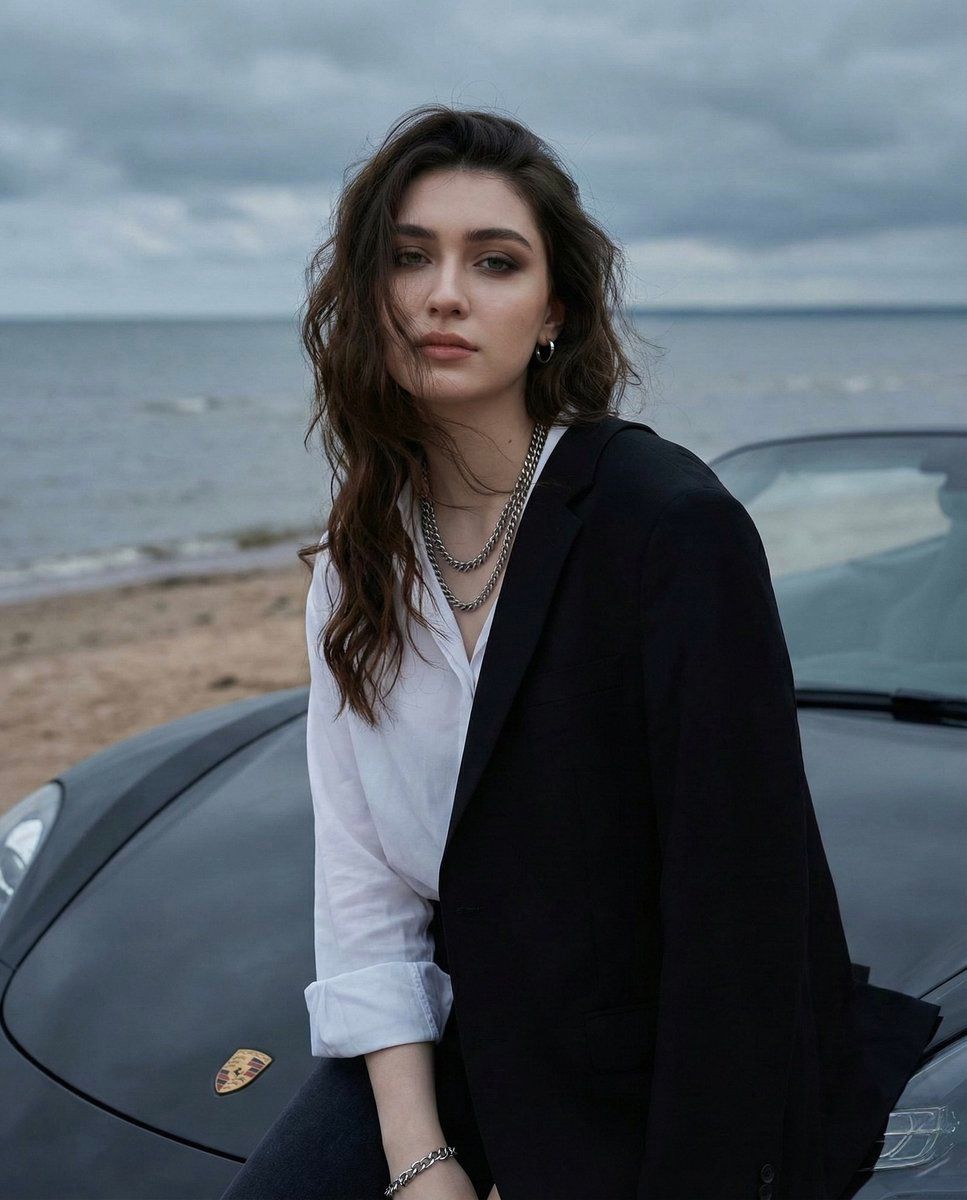
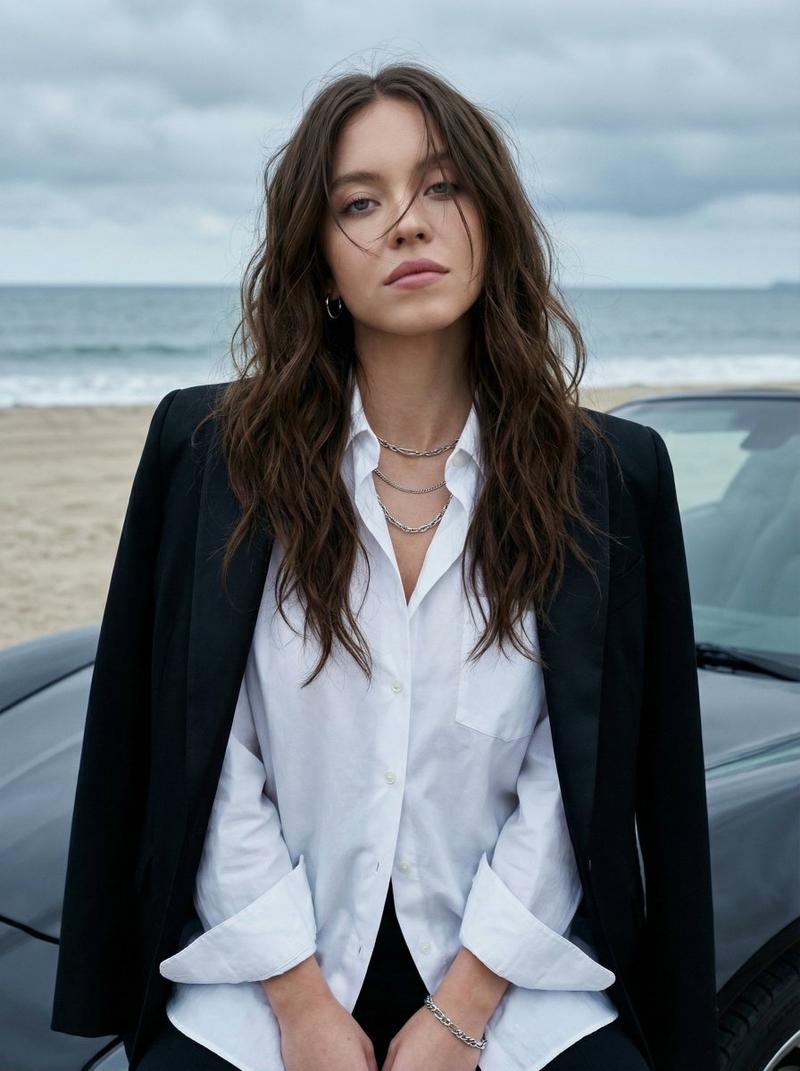
阴天海边汽车引擎盖人像与身份锁定提示
Prompt
{
  "image_prompt": {
    "reference_image": "use_uploaded_photo",
    "face_preservation": {
      "enabled": true,
      "strength": "maximum",
      "instruction": "Do not alter facial structure, proportions, skin texture, expression, moles, or identity in any way. The face must match the reference image exactly."
    },

    "subject": {
      "description": "A very beautiful young Asian woman",
      "expression": "calm, slightly dreamy",
      "gaze": "looking directly at the camera",
      "skin": "natural, realistic skin texture",
      "makeup": {
        "style": "minimal with soft smokey eye makeup",
        "focus": "eyes subtly emphasized"
      },
      "hair": {
        "color": "dark brown",
        "length": "long",
        "style": "loose, wavy, slightly messy",
        "details": "a few strands partially covering her face for a natural, effortless look"
      }
    },

    "outfit_and_accessories": {
      "top": {
        "type": "loose white shirt",
        "fit": "relaxed",
        "details": "sleeves slightly rolled up at the wrists"
      },
      "outerwear": {
        "type": "formal black blazer",
        "placement": "draped over her left shoulder and resting slightly on the hood of the car"
      },
      "bottom": {
        "type": "dark pants",
        "color": "black",
        "visibility": "only partially visible"
      },
      "jewelry": {
        "neck": "{argument name=\"necklace style\" default=\"layered chunky silver chain necklaces\"}",
        "ears": "small silver hoop earrings",
        "wrist": "silver chain bracelet"
      }
    },

    "pose_and_composition": {
      "pose": "sitting casually on the hood of a car",
      "support": "leaning slightly back against the hood",
      "framing": "medium close-up",
      "focus": "sharp focus on the subject",
      "background_blur": "slight natural bokeh"
    },

    "environment": {
      "foreground": "glossy black sports car hood with subtle reflections",
      "background": {
        "location": "{argument name=\"location\" default=\"beach or seaside\"}",
        "details": [
          "faint sandy shoreline",
          "calm grayish-blue ocean",
          "overcast or heavily cloudy sky"
        ],
        "atmosphere": "cool, melancholic, serene"
      }
    },

    "lighting": {
      "type": "soft natural daylight",
      "condition": "overcast",
      "effect": "evenly diffused lighting with no harsh shadows"
    },

    "photography_style": {
      "genre": "outdoor fashion portrait",
      "realism": "highly photorealistic",
      "color_tone": "cool and muted",
      "depth_of_field": "moderate with gentle background blur"
    },

    "quality": {
      "resolution": "ultra high",
      "detail": "sharp fabric, hair, jewelry, and skin textures",
      "render_style": "natural DSLR photography look"
    }
  }
}- Category
- 创意图片
- Model
- Nano Banana Pro
- Creator
- Zara
- Source ID
- 2561b469-7ab0-4a71-bb53-11be811b216b
- Published
- Mar 8, 2026
Views0







![[Car full description and movie-accurate details], three-quarter view, vector ar](https://whqgdndlpxjbwosvipip.supabase.co/storage/v1/render/image/public/prompt-source-media/promptsref/work-49276/image-1-e60cb1f3d2e20b27.png?width=800&quality=75&resize=contain)