20

Studio Pose 身份锁定提示
Enlarge

Studio Pose 身份锁定提示

Prompt
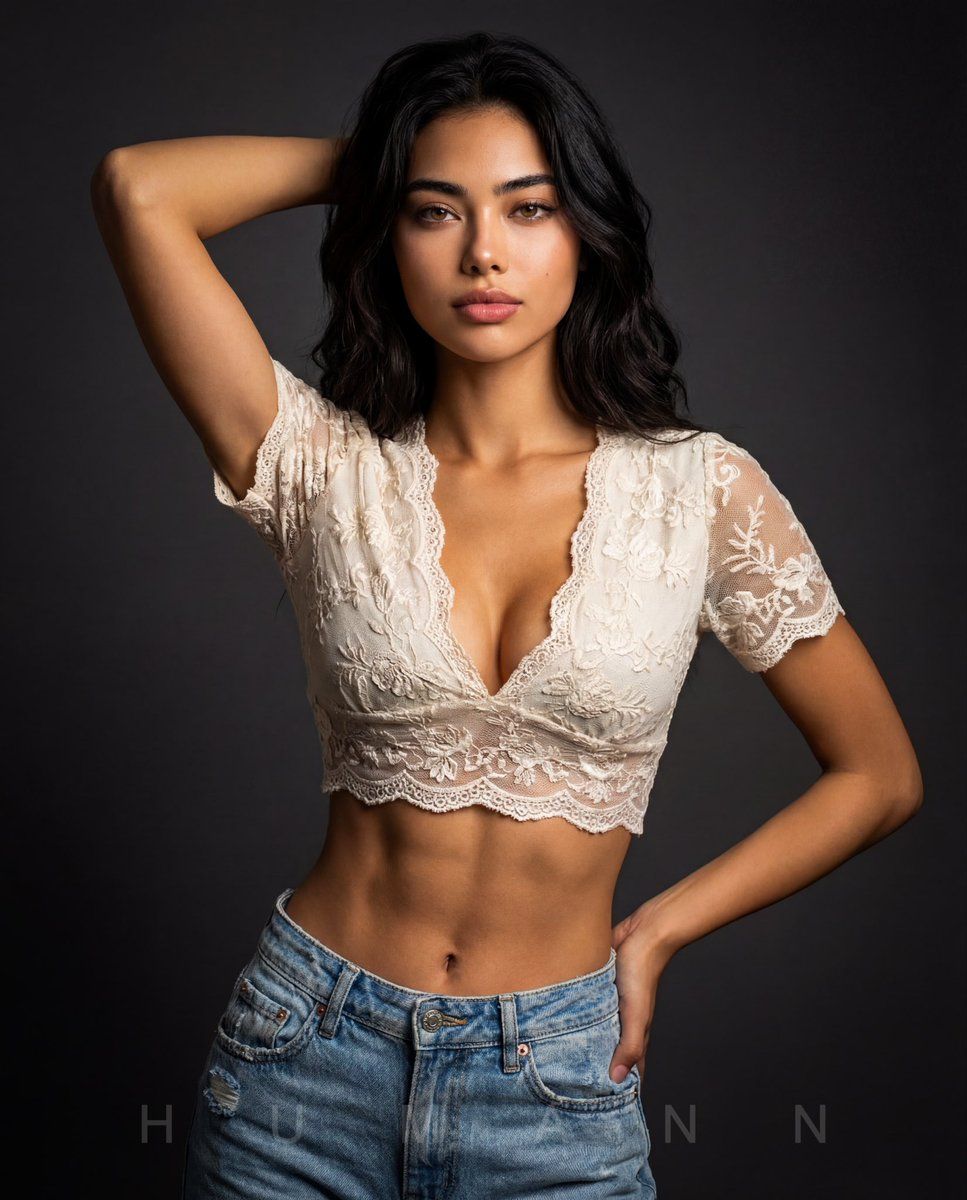
The person in the attached reference photo is the main subject for this image (hereinafter referred to as THE_SUBJECT). Replicate THE_SUBJECT'S appearance with 100% accuracy including facial features, hairstyle, skin tone, proportions, and overall appearance. Create an ultra-realistic studio portrait of a young woman with soft skin and a slim, toned physique. THE_SUBJECT is posing confidently with one arm raised behind her head, the other arm down with one hand on her hip, shoulders back, calm and elegant expression, looking directly at the camera. THE_SUBJECT is wearing a delicate off-white lace short-sleeve crop top with floral embroidery and a deep neckline, paired with light blue distressed denim jeans. Dark neutral studio background with smooth gradient. Soft cinematic lighting highlighting skin texture and fabric details, shallow depth of field, DSLR photography style, 85mm lens, high contrast, professional fashion editorial aesthetic, 8K ultra-detailed, sharp focus, realistic skin tones.
Category
创意图片
Model
Nano Banana Pro
Creator
D. Humann
Views0
Source ID
011ff47c-9169-4622-aa59-cc3c57cd41ec
Published
Mar 8, 2026

Guide

About "Studio Pose 身份锁定提示"

What is this prompt for?

"Studio Pose 身份锁定提示" AI image prompt for Nano Banana Pro (创意图片). 这是一条详细的提示,用于生成一张超逼真的女性工作室肖像,要求与上传的参考图像 (THE_SUBJECT) 100% 准确。它指定了自信的姿势(手臂举过头顶,手叉腰)、服装(米白色蕾丝露脐上…

The full copyable prompt and example visuals above are ready for AI image generation or one-click recreate in Picva.

How to use this prompt

  1. Step 1

    Open the prompt detail

    Review the example visuals, category, and full prompt text for "Studio Pose 身份锁定提示".

  2. Step 2

    Copy the prompt

    Copy the prompt body from this page, or load it directly in Studio.

  3. Step 3

    Pick a model (Nano Banana Pro)

    Prefer Nano Banana Pro. If you switch models, keep subject and composition and tweak style terms.

  4. Step 4

    Generate and export

    Recreate the look in Picva, or export into your workflow for editing and publishing.

FAQ

What is the "Studio Pose 身份锁定提示" prompt?
It is an AI image-generation prompt for Nano Banana Pro in the 创意图片 category. This page includes the full prompt text, example visuals, and a one-click recreate path in Picva.
How do I use this prompt to generate an image?
Copy the prompt from this page, or use Generate / Studio. Paste it into a compatible image model, or recreate the look in Picva with optional reference images.
Which model is this prompt for?
This page lists Nano Banana Pro. Most descriptive prompts also transfer to nearby image models such as GPT Image, Flux, or Midjourney with light style tweaks.
Can I use the result commercially?
You can usually copy the prompt for creation, but commercial use of the final image depends on the model terms, reference-image rights, and the generated content. Follow the source author and platform rules.