16

Nano Banana Pro 图表生成提示(15 个模板)
Enlarge

Nano Banana Pro 图表生成提示(15 个模板)

Prompt
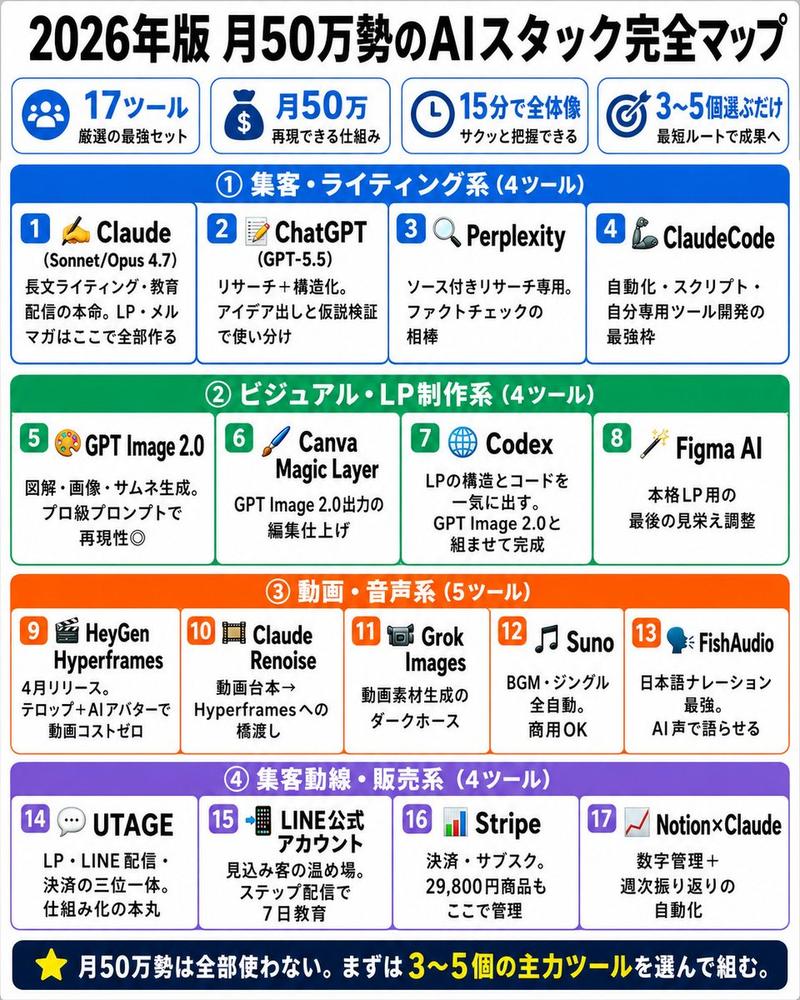
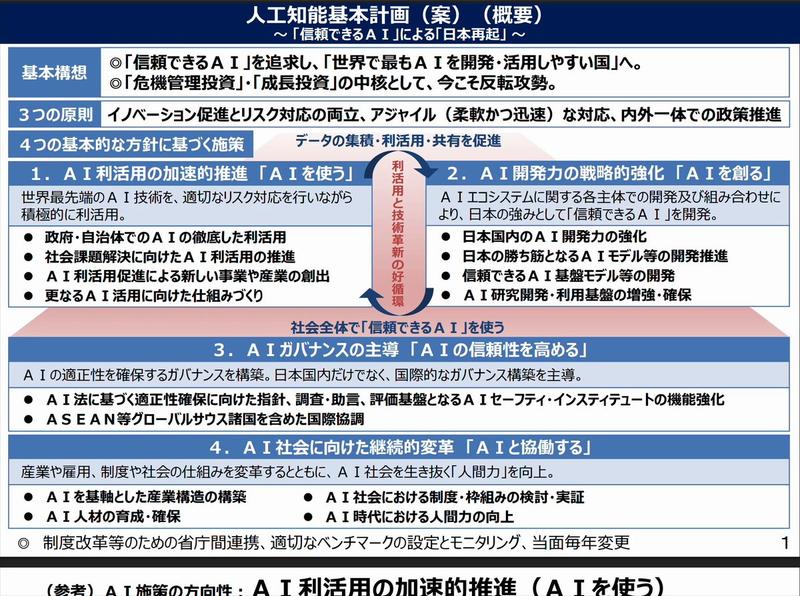
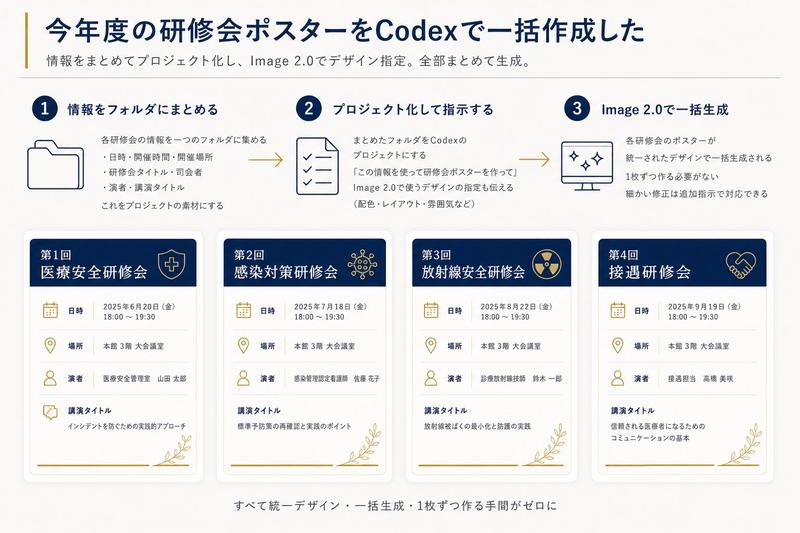
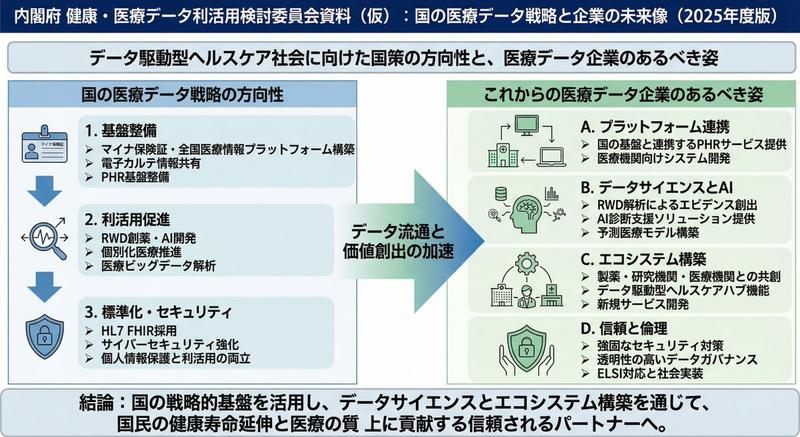
01. Create a clean presentation-style overview diagram that shows the entire structure at a glance with labeled sections.

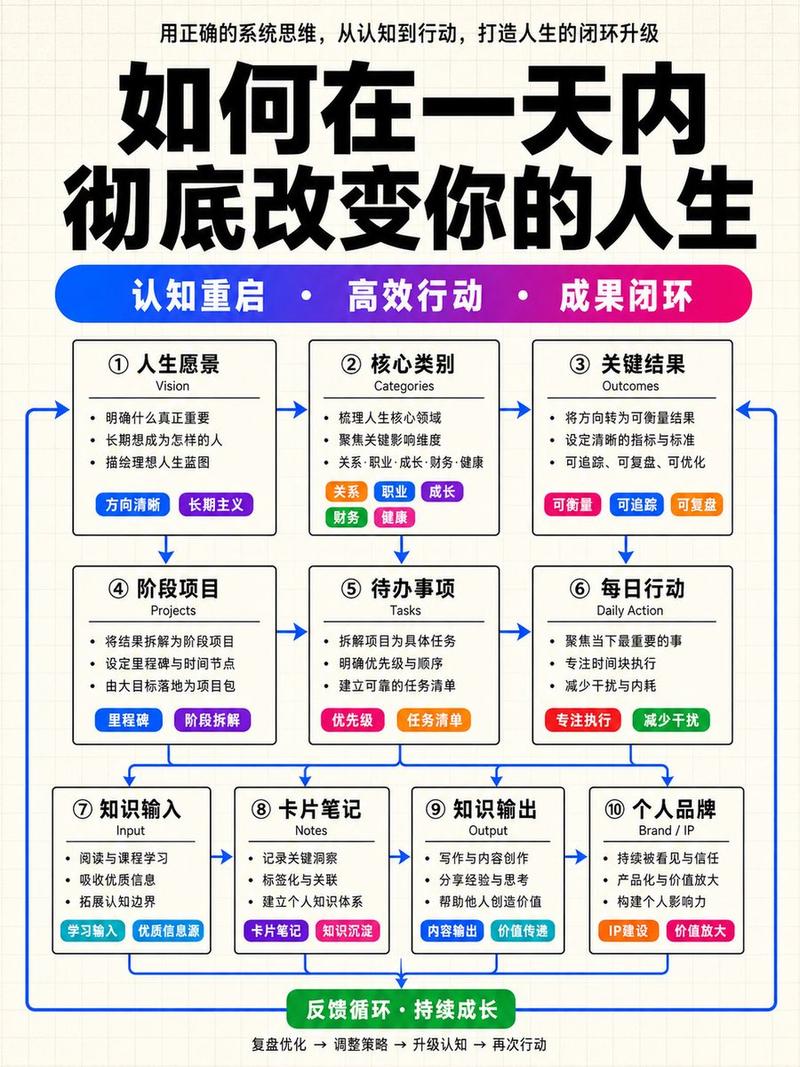
02. Create a dynamic flow diagram with arrows that visually guide the viewer from start to finish.

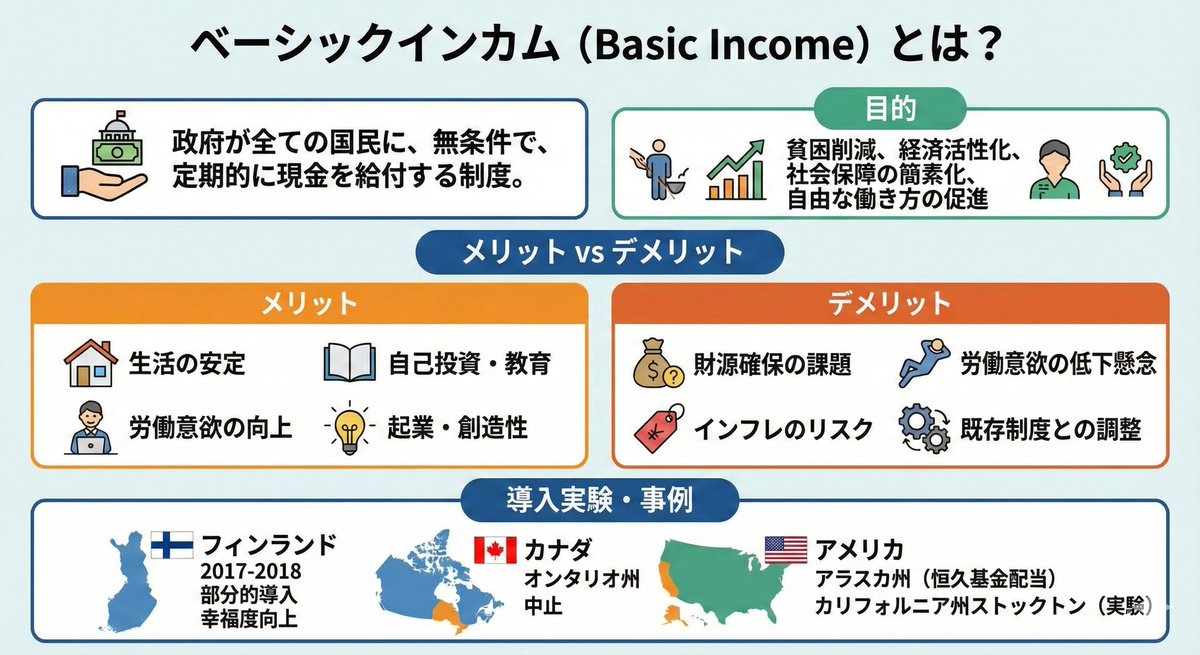
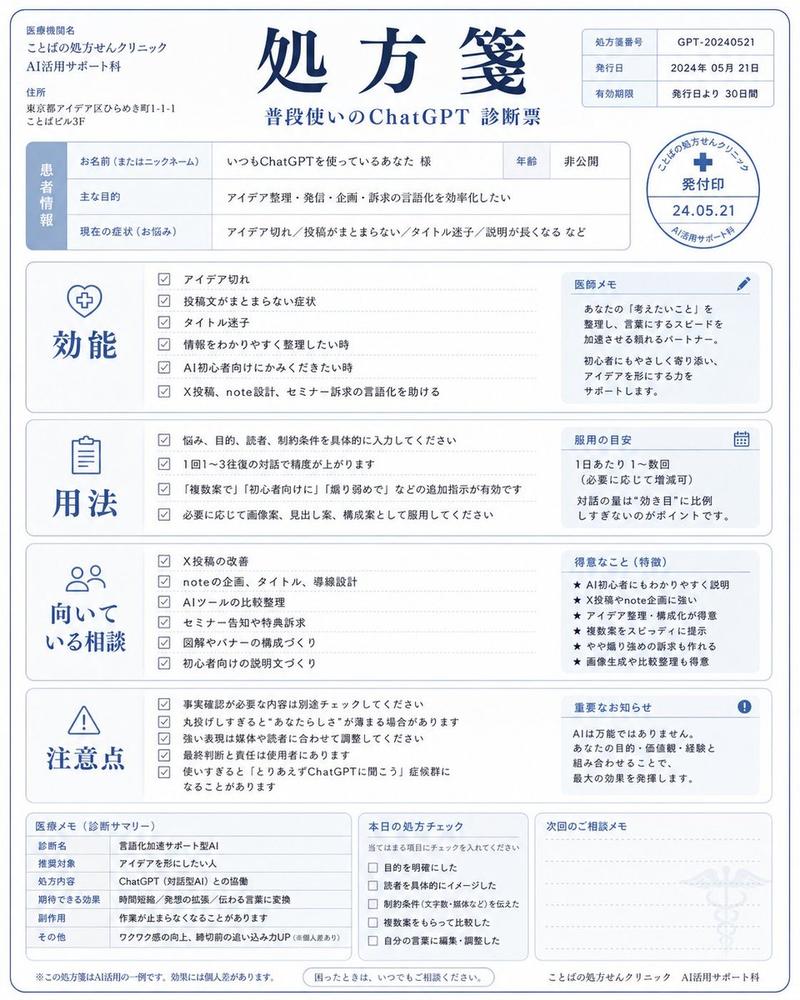
03. Create a bold side-by-side comparison slide with clear visual separation and minimal text.

04. Create a before-and-after presentation slide with strong visual contrast and clear labels.

05. Create a three-step breakdown slide that visually explains the process in simple stages.

06. Create a pyramid-style diagram that visually shows hierarchy from bottom to top.

07. Create a diagram that shows the big picture with a highlighted zoom-in detail section.

08. Create a clean timeline slide showing progression from past to future.

09. Create a presentation diagram that highlights the most important points using visual emphasis.

10. Create a four-quadrant presentation slide that organizes information into clear sections.

11. Create a roadmap-style slide showing a clear path from start to goal.

12. Create a layered diagram that visually stacks concepts in an easy-to-understand way.

13. Create a relationship diagram showing how key elements connect to each other.

14. Create a presentation slide that emphasizes key numbers with bold visual design.

15. Create a final summary slide that cleanly wraps up all key points in one visual.
Category
创意图片
Model
Nano Banana Pro
Views0
Source ID
13f72de0-4eba-4eaa-ad66-5efc0d903ec2
Published
Mar 8, 2026

Guide

About "Nano Banana Pro 图表生成提示(15 个模板)"

What is this prompt for?

"Nano Banana Pro 图表生成提示(15 个模板)" AI image prompt for Nano Banana Pro (创意图片). 这是一组为 Nano Banana Pro 设计的 15 个专业提示,旨在生成各种类型的专业演示图表和幻灯片,例如流程图、对比幻灯片、金字塔图和时间轴,以优化视觉清…

The full copyable prompt and example visuals above are ready for AI image generation or one-click recreate in Picva.

How to use this prompt

  1. Step 1

    Open the prompt detail

    Review the example visuals, category, and full prompt text for "Nano Banana Pro 图表生成提示(15 个模板)".

  2. Step 2

    Copy the prompt

    Copy the prompt body from this page, or load it directly in Studio.

  3. Step 3

    Pick a model (Nano Banana Pro)

    Prefer Nano Banana Pro. If you switch models, keep subject and composition and tweak style terms.

  4. Step 4

    Generate and export

    Recreate the look in Picva, or export into your workflow for editing and publishing.

FAQ

What is the "Nano Banana Pro 图表生成提示(15 个模板)" prompt?
It is an AI image-generation prompt for Nano Banana Pro in the 创意图片 category. This page includes the full prompt text, example visuals, and a one-click recreate path in Picva.
How do I use this prompt to generate an image?
Copy the prompt from this page, or use Generate / Studio. Paste it into a compatible image model, or recreate the look in Picva with optional reference images.
Which model is this prompt for?
This page lists Nano Banana Pro. Most descriptive prompts also transfer to nearby image models such as GPT Image, Flux, or Midjourney with light style tweaks.
Can I use the result commercially?
You can usually copy the prompt for creation, but commercial use of the final image depends on the model terms, reference-image rights, and the generated content. Follow the source author and platform rules.