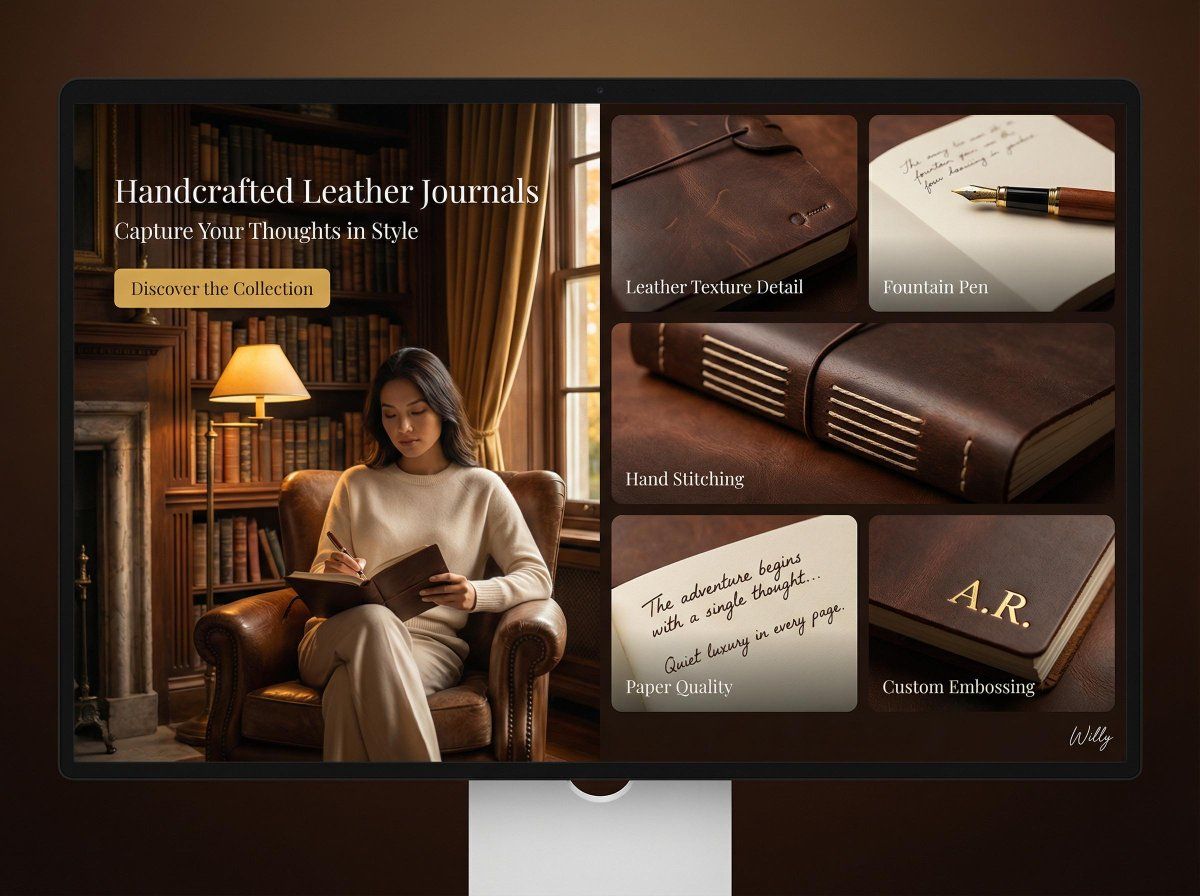
皮革日记本的着陆页设计(分屏)
Prompt
Cozy and inviting library interior product showcase, desktop landing page, 16:9 ratio.

PAGE TYPE: Landing page - promoting a new line of handcrafted leather journals
LAYOUT: Split screen - left image hero, right bento grid of detail cards

HERO SECTION (left):
- Image: Woman with Eurasian features, wearing a cream cashmere sweater, seated in an armchair in a softly lit library, writing in a journal with a fountain pen
- Text: Handcrafted Leather Journals - Capture Your Thoughts in Style
- CTA: Discover the Collection

BENTO GRID (right):
- Card 1 (top left): Leather Texture Detail - close-up of journal cover, highlighting leather grain
- Card 2 (top right): Fountain Pen - elegant fountain pen resting on open journal page
- Card 3 (middle): Hand Stitching - detail of meticulous hand stitching on the spine
- Card 4 (bottom left): Paper Quality - close-up of high-quality paper texture with handwritten script
- Card 5 (bottom right): Custom Embossing - example of personalized embossing on the cover

BACKGROUND: Softly lit library - warm wood shelves filled with books, antique desk lamp, leather armchair
LIGHTING: Rembrandt lighting - single light source creating dramatic shadows, golden hour effect
TONE: Warm earth tones - browns, creams, gold accents, rich mahogany
STYLE: Quiet luxury - elegant, understated, focus on craftsmanship
CAMERA: Hasselblad H6D, 85mm f/1.2, shallow depth of field

Style keywords: handcrafted, leather, journal, quiet luxury, library, warm, texture. A stylish handwritten signature Willy is elegantly and small letters placed at the Bottom Right corner
- Category
- 创意图片
- Model
- Nano Banana Pro
- Creator
- Willy
- Source ID
- 61586f82-eafb-450d-ac7a-a780d788160c
- Published
- Mar 8, 2026
Views0