17

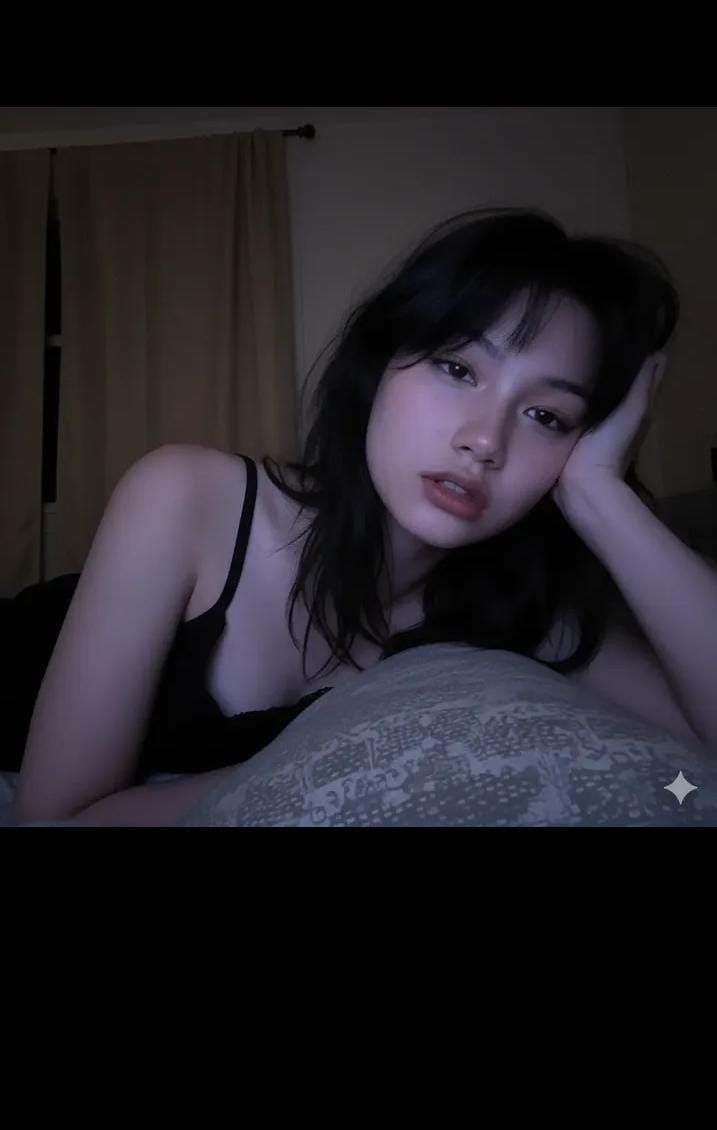
逼真的低光手机自拍(屏幕发光)
Enlarge

逼真的低光手机自拍(屏幕发光)

Prompt
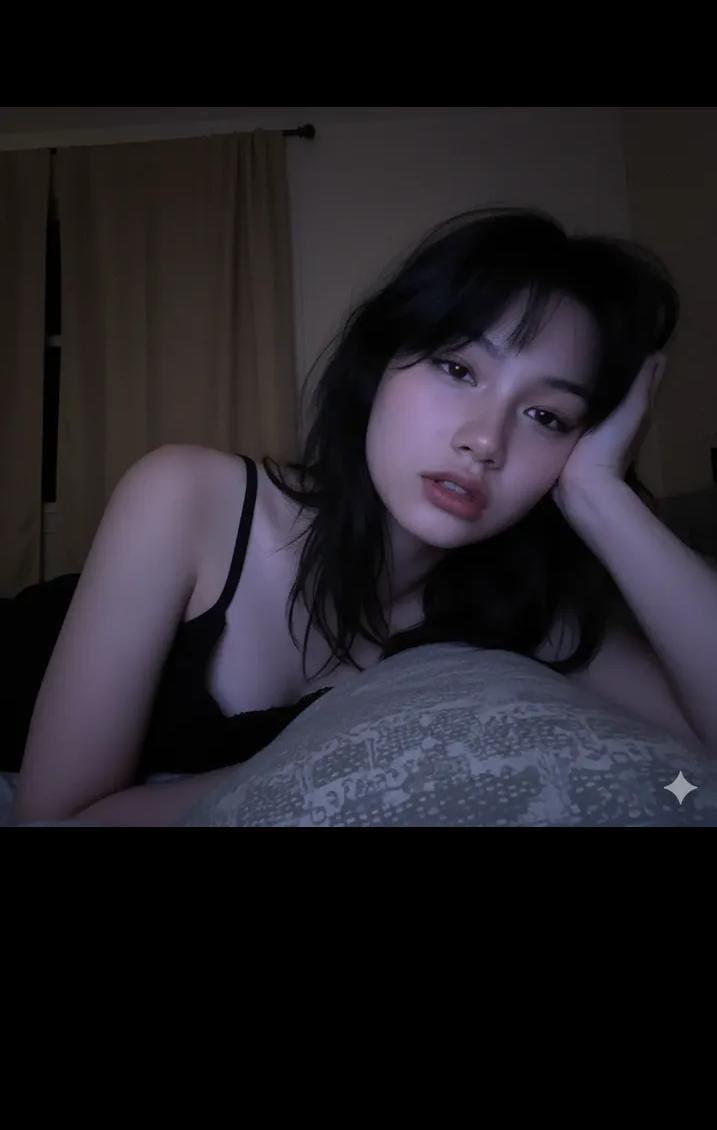
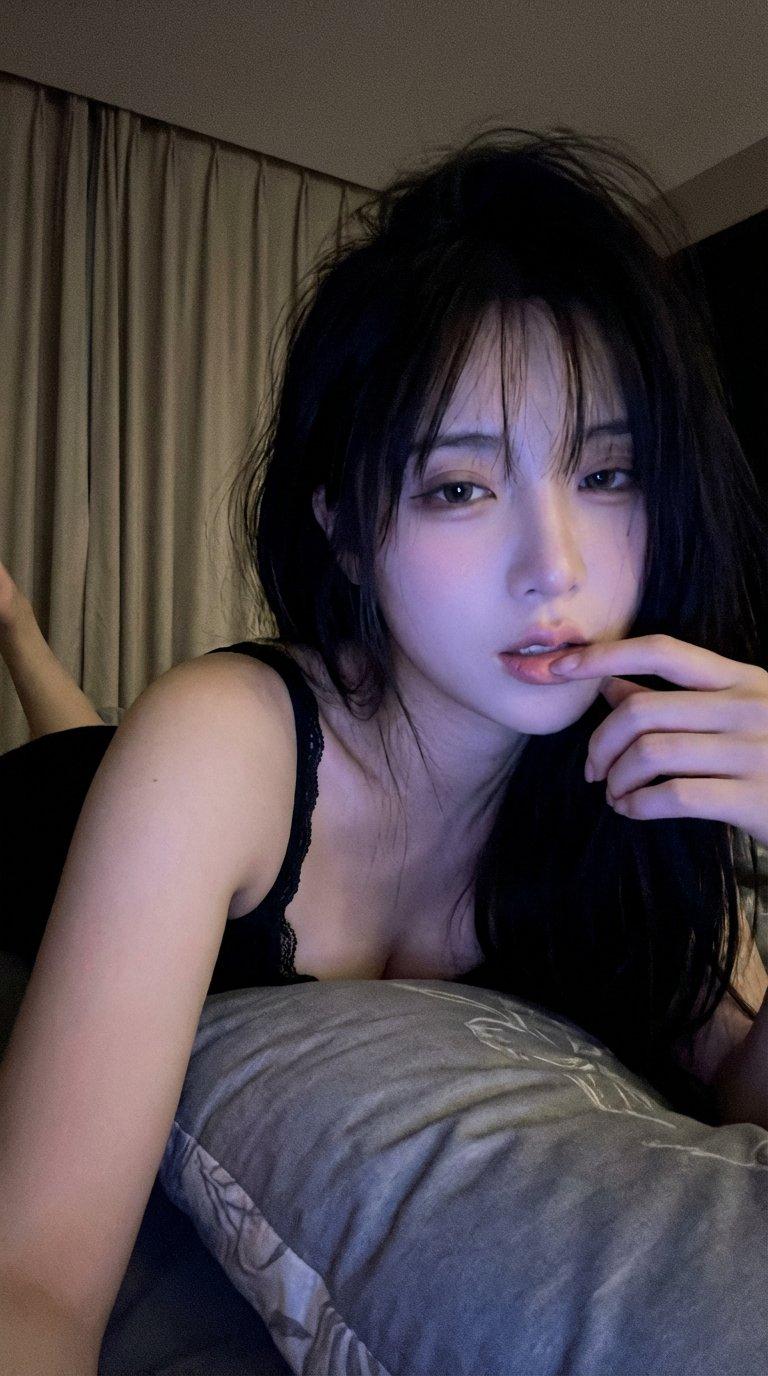
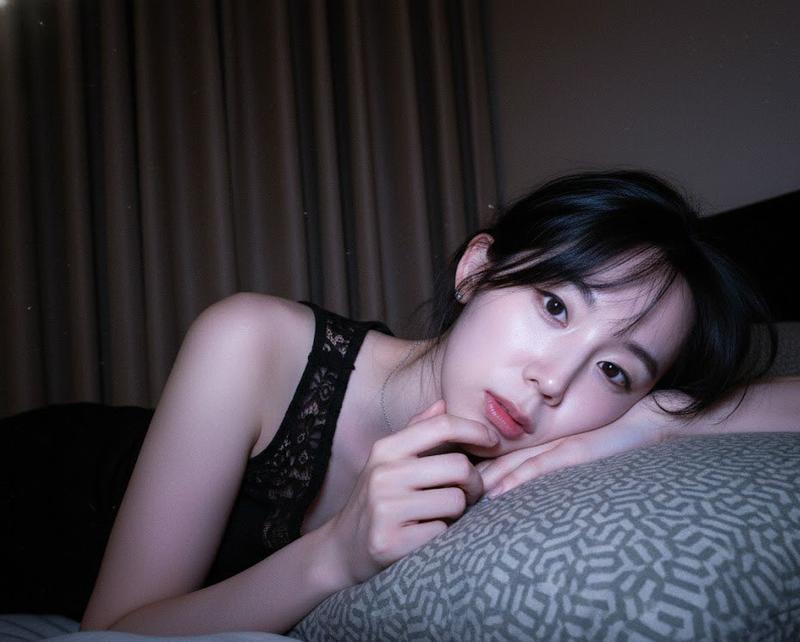
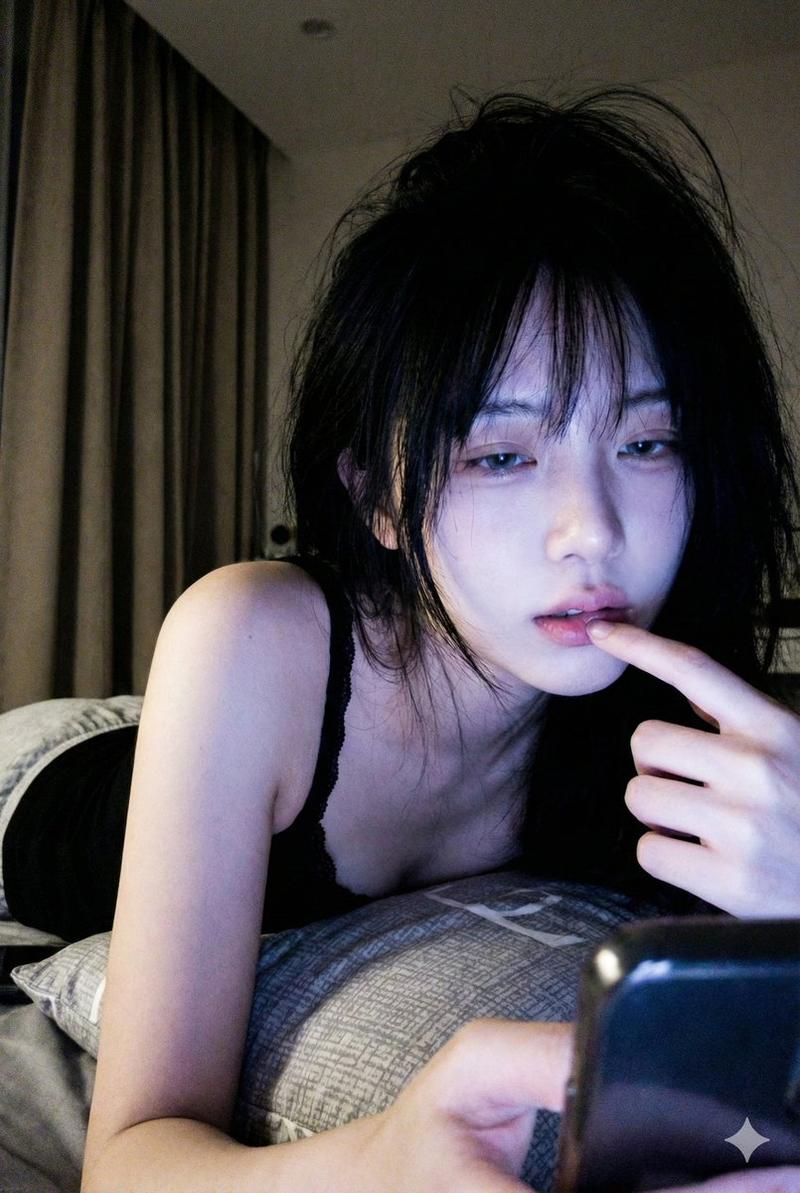
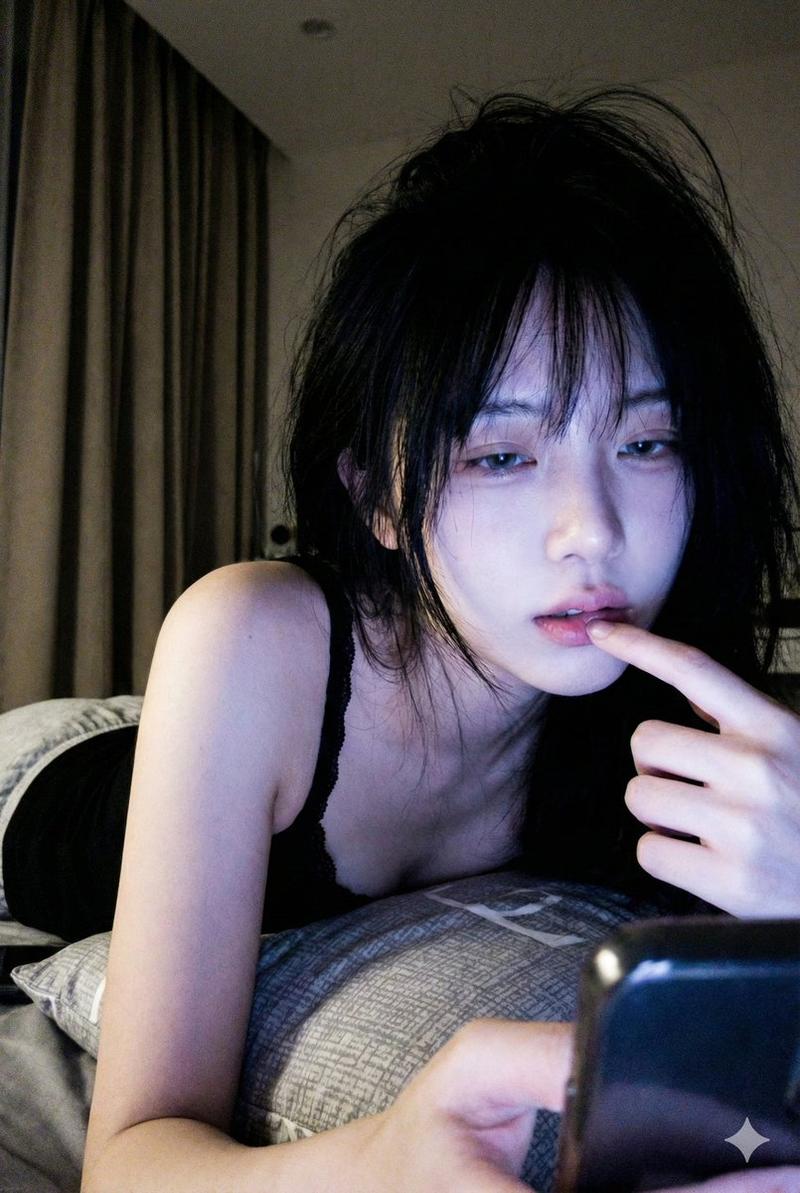
Vertical, realistic low-light phone selfie in a dim bedroom at night. Same face as reference (no changes). Cool bluish-purple screen glow lighting on a pale face; background mostly dark with beige blackout curtains on the left. Sleepy, cozy, late-night lo-fi vibe.
Close-up, slightly low angle. Subject lying on stomach, propped on a grey pillow with subtle pattern. Messy black bedhead hair with wispy bangs. Soft, dreamy/blank stare, mouth slightly open. Hand near face, index finger touching lowerlip.
Wearing a black sleeveless camisole; thin lace strap visible, left shoulder bare. Soft focus, visible grain/noise, high contrast between lit face and dark background.
Negative Prompt:
bright daylight, sunshine, studio/flash lighting, warm/orange tones, outdoor, sharp focus, professional camera, 4k clean, smooth skin, heavy makeup, cartoon, anime, 3D render, deformed hands, extra/missing fingers, out-of-focus face.
Category
创意图片
Model
Nano Banana Pro
Creator
Anissa
Views0
Source ID
9422c076-8429-4a8f-b857-6fae7f0e24a9
Published
Mar 8, 2026

Guide

About "逼真的低光手机自拍(屏幕发光)"

What is this prompt for?

"逼真的低光手机自拍(屏幕发光)" AI image prompt for Nano Banana Pro (创意图片). 生成一张垂直、逼真的手机自拍,场景为夜晚昏暗的卧室。画面要求主体面部有冷调的蓝紫色屏幕光照亮,营造出困倦的低保真氛围,可见颗粒/噪点,并指定姿势(俯卧,手靠近脸,食指轻触下唇)。 --- 垂直构…

The full copyable prompt and example visuals above are ready for AI image generation or one-click recreate in Picva.

How to use this prompt

  1. Step 1

    Open the prompt detail

    Review the example visuals, category, and full prompt text for "逼真的低光手机自拍(屏幕发光)".

  2. Step 2

    Copy the prompt

    Copy the prompt body from this page, or load it directly in Studio.

  3. Step 3

    Pick a model (Nano Banana Pro)

    Prefer Nano Banana Pro. If you switch models, keep subject and composition and tweak style terms.

  4. Step 4

    Generate and export

    Recreate the look in Picva, or export into your workflow for editing and publishing.

FAQ

What is the "逼真的低光手机自拍(屏幕发光)" prompt?
It is an AI image-generation prompt for Nano Banana Pro in the 创意图片 category. This page includes the full prompt text, example visuals, and a one-click recreate path in Picva.
How do I use this prompt to generate an image?
Copy the prompt from this page, or use Generate / Studio. Paste it into a compatible image model, or recreate the look in Picva with optional reference images.
Which model is this prompt for?
This page lists Nano Banana Pro. Most descriptive prompts also transfer to nearby image models such as GPT Image, Flux, or Midjourney with light style tweaks.
Can I use the result commercially?
You can usually copy the prompt for creation, but commercial use of the final image depends on the model terms, reference-image rights, and the generated content. Follow the source author and platform rules.