20

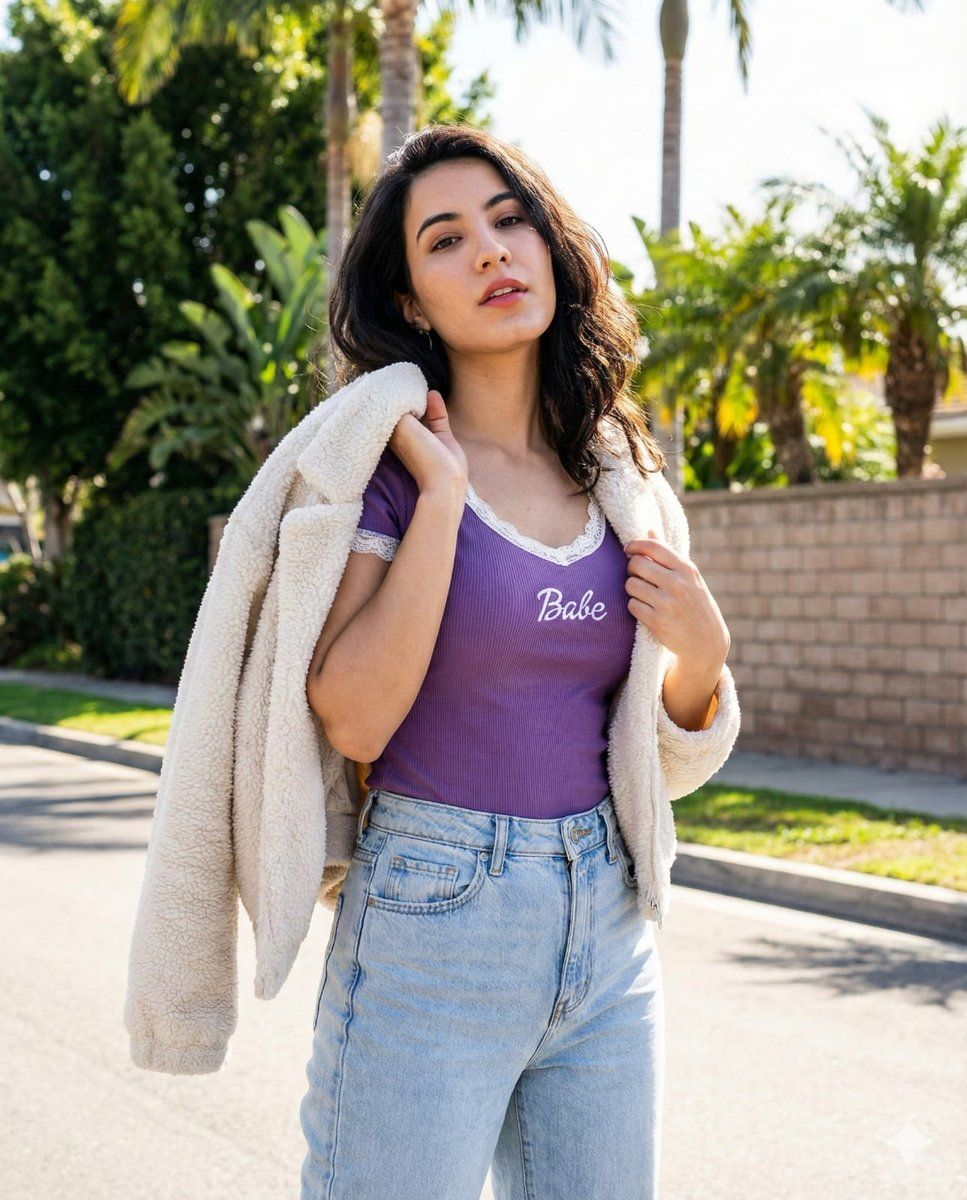
年轻女性的竖幅街头肖像
Enlarge

年轻女性的竖幅街头肖像

Prompt
create a 4:5 vertical street portrait of a young woman with confident allure, lips slightly parted and a direct gaze. She stands in subtle contrapposto, left arm bent gripping a cardigan over her shoulder, right hand holding its edge, head tilted right. Outfit: {argument name="top color and text" default="purple ribbed top with “Babe” text"} with white lace trim, light-wash high-waist jeans, and an off-white sherpa cardigan. Scene: sunlit suburban street with {argument name="background elements" default="palm trees, lush foliage, and a brick wall"}, bright daylight from the upper right creating crisp highlights and natural shadows, modern lifestyle mood with realistic texture and color.
Category
创意图片
Model
Nano Banana Pro
Creator
sush
Views0
Source ID
2a40985a-681f-4cd9-a484-3ef8ba973098
Published
Mar 8, 2026

Guide

About "年轻女性的竖幅街头肖像"

What is this prompt for?

"年轻女性的竖幅街头肖像" AI image prompt for Nano Banana Pro (创意图片). 一个详细的图像生成提示,用于创建一张 4:5 纵向街头肖像,描绘一位年轻女性,展现自信和现代生活方式的氛围。它指定了她的姿势(微妙的对立式平衡,头部微倾)、服装(紫色罗纹上衣,印有“Babe”字样,高腰…

The full copyable prompt and example visuals above are ready for AI image generation or one-click recreate in Picva.

How to use this prompt

  1. Step 1

    Open the prompt detail

    Review the example visuals, category, and full prompt text for "年轻女性的竖幅街头肖像".

  2. Step 2

    Copy the prompt

    Copy the prompt body from this page, or load it directly in Studio.

  3. Step 3

    Pick a model (Nano Banana Pro)

    Prefer Nano Banana Pro. If you switch models, keep subject and composition and tweak style terms.

  4. Step 4

    Generate and export

    Recreate the look in Picva, or export into your workflow for editing and publishing.

FAQ

What is the "年轻女性的竖幅街头肖像" prompt?
It is an AI image-generation prompt for Nano Banana Pro in the 创意图片 category. This page includes the full prompt text, example visuals, and a one-click recreate path in Picva.
How do I use this prompt to generate an image?
Copy the prompt from this page, or use Generate / Studio. Paste it into a compatible image model, or recreate the look in Picva with optional reference images.
Which model is this prompt for?
This page lists Nano Banana Pro. Most descriptive prompts also transfer to nearby image models such as GPT Image, Flux, or Midjourney with light style tweaks.
Can I use the result commercially?
You can usually copy the prompt for creation, but commercial use of the final image depends on the model terms, reference-image rights, and the generated content. Follow the source author and platform rules.







