18

电影节海报生成
Enlarge

电影节海报生成

Prompt
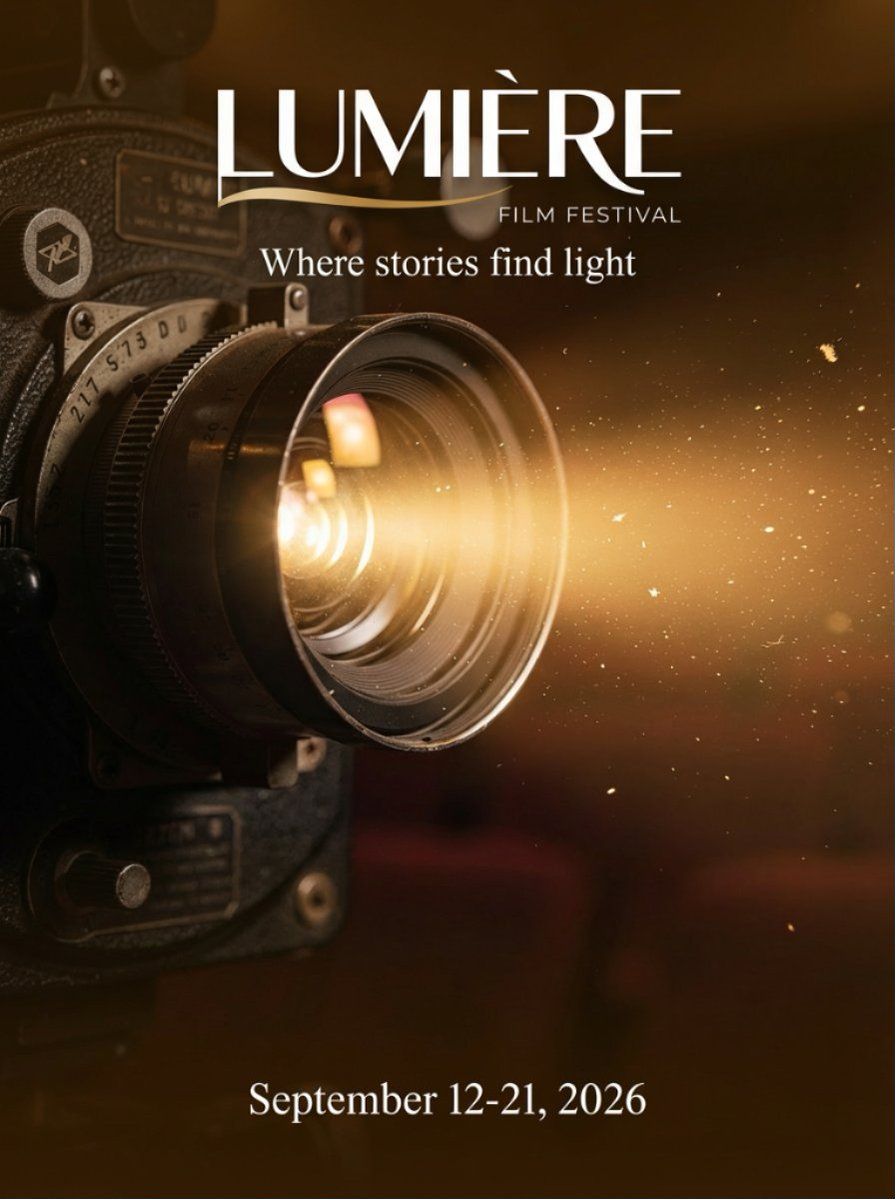
Film festival poster for {argument name="festival name" default="LUMIERE FILM FESTIVAL"} with tagline {argument name="tagline" default="Where stories find light"} and dates {argument name="dates" default="September 12-21, 2026"} at bottom. Silhouette of single person standing in vintage movie theater aisle facing glowing white screen, dramatic golden backlight, dust particles in light beam, red velvet seats visible, warm amber and gold tones, elegant serif typography for title at top, sophisticated layout, print-ready poster design.

Minimalist film festival poster for LUMIERE FILM FESTIVAL with tagline Where stories find light and dates September 12-21, 2026 centered at bottom. Single golden light beam cutting diagonally through black void, dust particles suspended in light, elegant negative space, sophisticated serif typography, art house cinema aesthetic, high contrast, print-ready design.
Category
创意图片
Model
Nano Banana Pro
Views0
Source ID
6f0e0747-5fa8-42f5-958f-0adc8b6f1beb
Published
Mar 8, 2026

Guide

About "电影节海报生成"

What is this prompt for?

"电影节海报生成" AI image prompt for Nano Banana Pro (创意图片). 一个双重提示结构,旨在生成一张完整的、可用于印刷的电影节海报,包括图像、排版和布局。第一个提示描述了老式电影院内的一个戏剧性场景,而第二个提示则追求极简主义、高对比度的艺术影院美学。 --- 电影节海报,用于…

The full copyable prompt and example visuals above are ready for AI image generation or one-click recreate in Picva.

How to use this prompt

  1. Step 1

    Open the prompt detail

    Review the example visuals, category, and full prompt text for "电影节海报生成".

  2. Step 2

    Copy the prompt

    Copy the prompt body from this page, or load it directly in Studio.

  3. Step 3

    Pick a model (Nano Banana Pro)

    Prefer Nano Banana Pro. If you switch models, keep subject and composition and tweak style terms.

  4. Step 4

    Generate and export

    Recreate the look in Picva, or export into your workflow for editing and publishing.

FAQ

What is the "电影节海报生成" prompt?
It is an AI image-generation prompt for Nano Banana Pro in the 创意图片 category. This page includes the full prompt text, example visuals, and a one-click recreate path in Picva.
How do I use this prompt to generate an image?
Copy the prompt from this page, or use Generate / Studio. Paste it into a compatible image model, or recreate the look in Picva with optional reference images.
Which model is this prompt for?
This page lists Nano Banana Pro. Most descriptive prompts also transfer to nearby image models such as GPT Image, Flux, or Midjourney with light style tweaks.
Can I use the result commercially?
You can usually copy the prompt for creation, but commercial use of the final image depends on the model terms, reference-image rights, and the generated content. Follow the source author and platform rules.