20

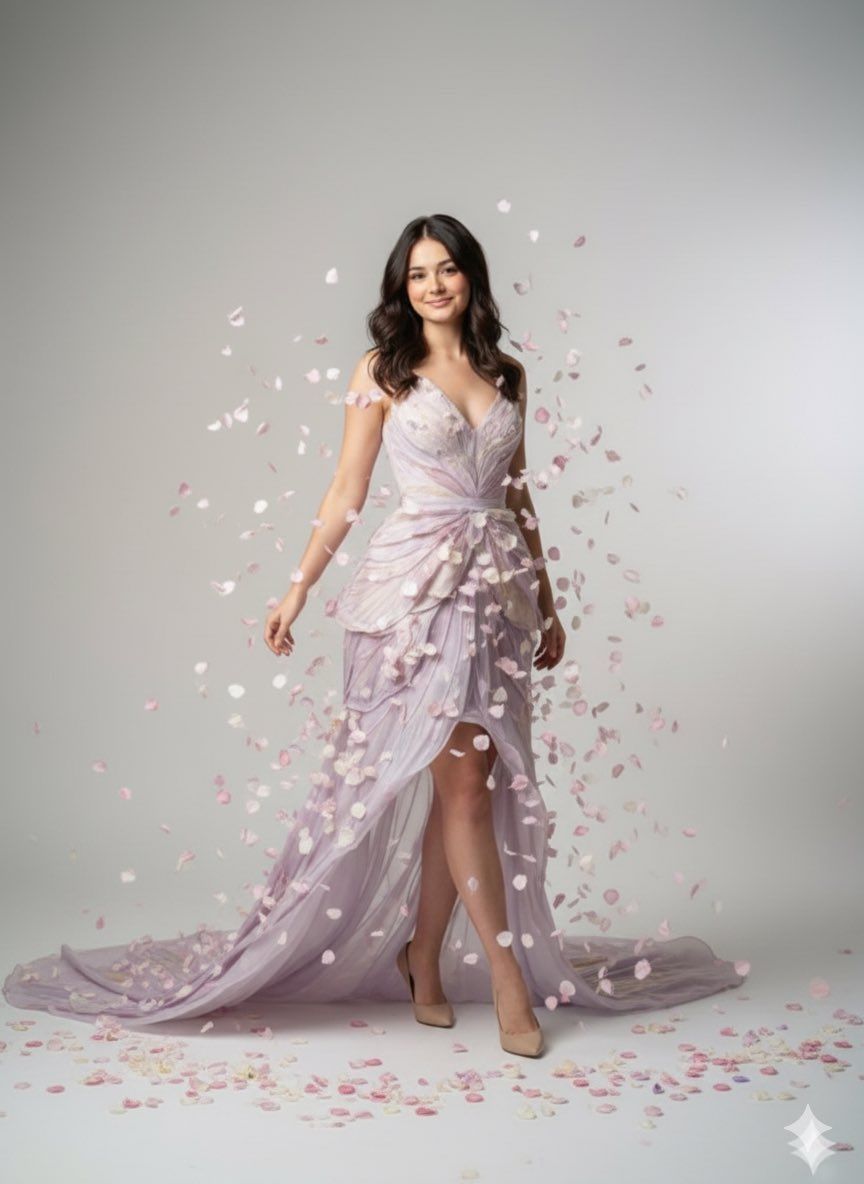
优雅蜕变时尚肖像提示
Enlarge

优雅蜕变时尚肖像提示

Prompt
{
  "render_goal": "Elegant metamorphosis fashion portrait",
  "subject": {
    "pose": "{argument name="pose" default="female standing gracefully with one leg forward"}",
    "expression": "serene confident smile"
  },
  "wardrobe": "minimal couture gown in {argument name="gown color" default="pale lavender"} with silk elements transforming into butterfly-wing textures",
  "environment": {
    "location": "neutral editorial backdrop",
    "props": "soft silk wing fragments floating naturally, no glow"
  }
}
Category
创意图片
Model
Nano Banana Pro
Creator
Hoor
Views0
Source ID
6e4e3602-f827-45d8-9c59-c0e209220e4a
Published
Mar 8, 2026

Guide

About "优雅蜕变时尚肖像提示"

What is this prompt for?

"优雅蜕变时尚肖像提示" AI image prompt for Nano Banana Pro (创意图片). 一个用于优雅时尚肖像的结构化图像生成提示。它详细说明了拍摄对象的姿势、表情、服装细节(简约高级定制礼服,幻化为蝴蝶翅膀),以及环境(中性编辑背景,点缀着漂浮的丝绸翅膀碎片)。 --- ```json {…

The full copyable prompt and example visuals above are ready for AI image generation or one-click recreate in Picva.

How to use this prompt

  1. Step 1

    Open the prompt detail

    Review the example visuals, category, and full prompt text for "优雅蜕变时尚肖像提示".

  2. Step 2

    Copy the prompt

    Copy the prompt body from this page, or load it directly in Studio.

  3. Step 3

    Pick a model (Nano Banana Pro)

    Prefer Nano Banana Pro. If you switch models, keep subject and composition and tweak style terms.

  4. Step 4

    Generate and export

    Recreate the look in Picva, or export into your workflow for editing and publishing.

FAQ

What is the "优雅蜕变时尚肖像提示" prompt?
It is an AI image-generation prompt for Nano Banana Pro in the 创意图片 category. This page includes the full prompt text, example visuals, and a one-click recreate path in Picva.
How do I use this prompt to generate an image?
Copy the prompt from this page, or use Generate / Studio. Paste it into a compatible image model, or recreate the look in Picva with optional reference images.
Which model is this prompt for?
This page lists Nano Banana Pro. Most descriptive prompts also transfer to nearby image models such as GPT Image, Flux, or Midjourney with light style tweaks.
Can I use the result commercially?
You can usually copy the prompt for creation, but commercial use of the final image depends on the model terms, reference-image rights, and the generated content. Follow the source author and platform rules.







