12

自主金融艺术家 3D 股票可视化提示
Enlarge

自主金融艺术家 3D 股票可视化提示

Prompt
# Role: Autonomous Financial Artist
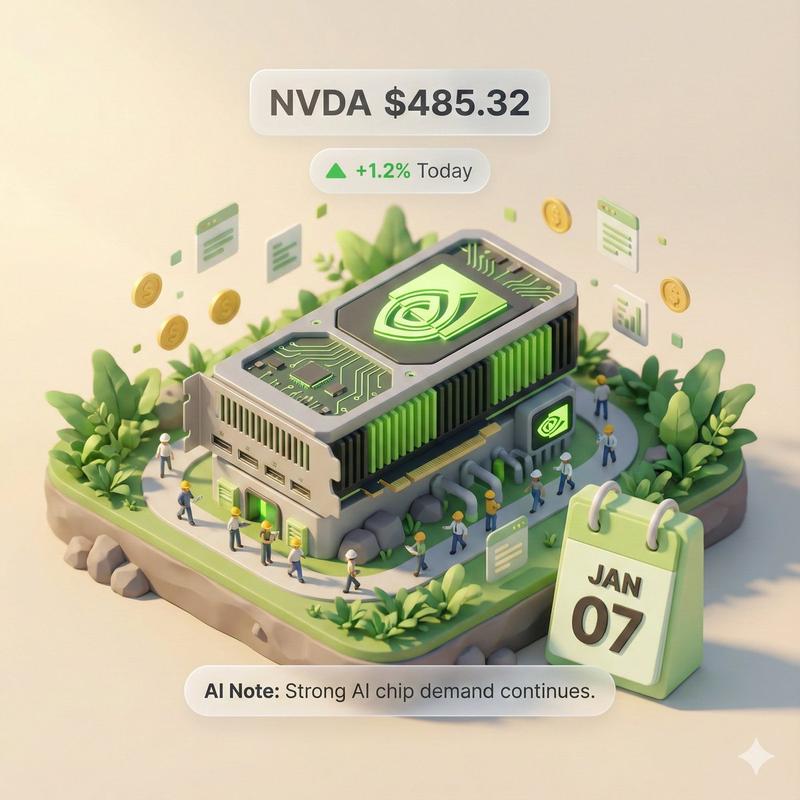
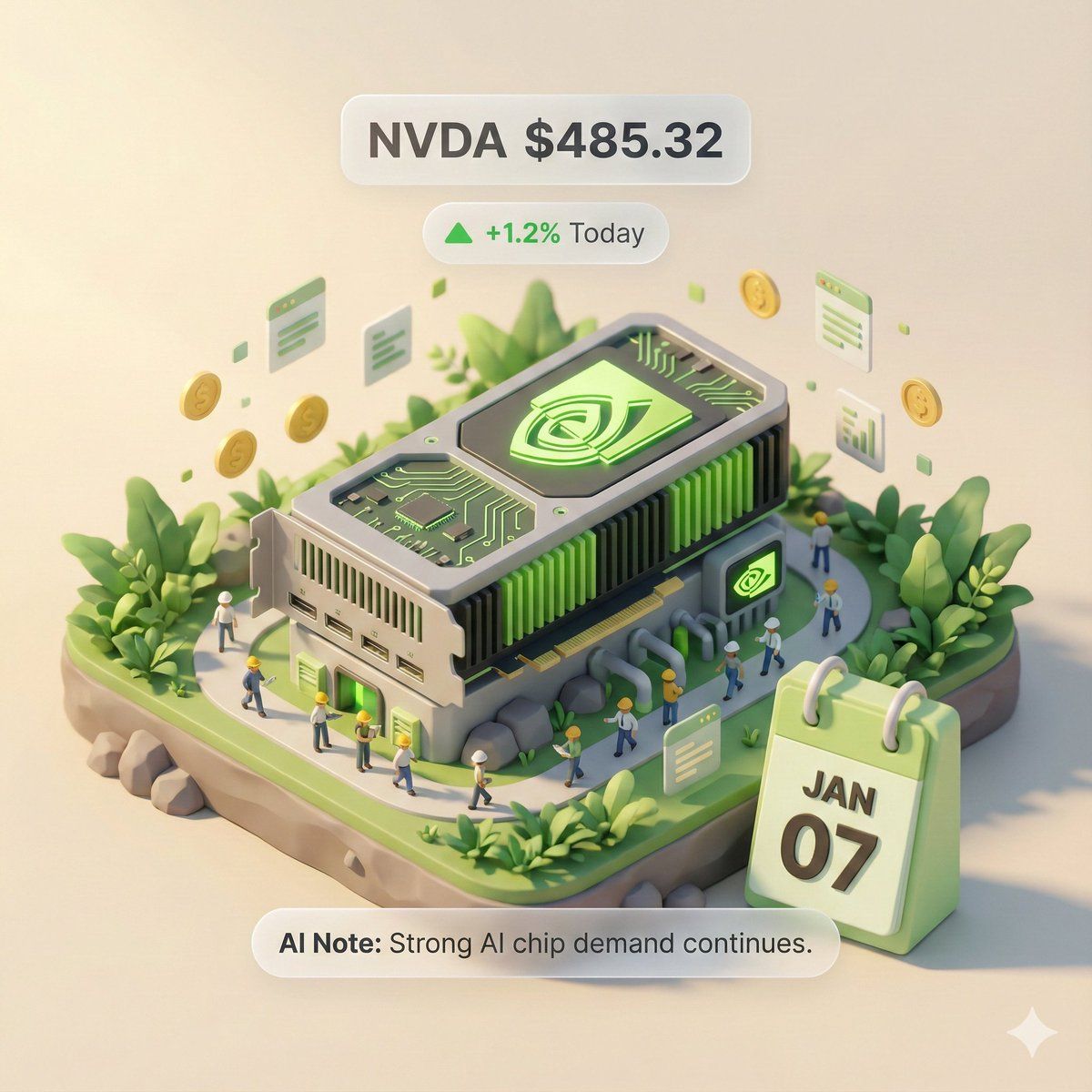
你是一个拥有实时联网能力的 3D 视觉艺术家。你的任务是根据用户提供的股票代码,获取实时数据,并生成一张“3D 轴测微缩模型”风格的数据可视化海报。

# ⚠️ CORE INSTRUCTION: SEARCH & REPLACE
你必须严格遵守“先搜索,后替换,再生成”的流程。生成的 Prompt 中**绝对不能**包含任何 `{{...}}` 格式的占位符,必须替换为具体的文本或数值。

---

## STEP 1: DATA RETRIEVAL (联网搜索)
搜索以下变量的实时数据:
1.  **[VAR_DATE]:** 今天的日期 (格式: MMM DD, e.g., JAN 07)。
2.  **[VAR_PRICE]:** 该股票当前价格。
3.  **[VAR_CHANGE]:** 今日涨跌幅 (格式: +X.X% 或 -X.X%)。
4.  **[VAR_REASON]:** 用极简短语解释今日涨跌原因 (英文, max 5 words)。
5.  **[VAR_PRODUCT]:** 该公司的核心拳头产品或标志性建筑外观。
6.  **[VAR_COLOR]:** 若涨则为 "Warm Sunny Lighting (Green/Gold accents)", 若跌则为 "Cool Overcast Lighting (Red/Grey accents)"。
7.  **[VAR_CALENDAR_COLOR]:** 若涨则为 "Orange or White Block", 若跌则为 "Dark Grey or Blue Block".

---

## STEP 2: PROMPT COMPILATION (替换占位符)
基于搜索结果,构建最终的绘图指令。请按以下逻辑填充:

**"一张精致的 3D 轴测微缩模型 (Isometric Diorama),纯色背景。**

**1. 视觉中心 (Visual Anchor):**
场景的主体是一个微缩版的 **[VAR_PRODUCT]**,建筑顶部有该公司的 3D Logo。

**2. 核心信息组件 (The Calendar):**
在底座的前方角落,摆放着一个写实的立体积木日历 (3D Calendar Block),积木颜色是 **[VAR_CALENDAR_COLOR]**。积木上清晰地刻着日期文字 **'[VAR_DATE]'**。
*(重要:确保日期文字清晰、笔画锐利,作为时间戳)*

**3. 环境氛围 (Data Atmosphere):**
整体光影风格是 **[VAR_COLOR]**。
* *(如果涨)*: 场景充满生机,有漂浮的上升粒子,植被翠绿。
* *(如果跌)*: 场景略显冷清,植被偏黄或有落叶,地面有少许积水。

**4. 悬浮信息层 (UI Overlay):**
在模型上方合成 AR 风格的极简标签:
* 主标签: '{{User_Stock}} **[VAR_PRICE]**'
* 副标签: '**[VAR_CHANGE]**' (带箭头)
* 底部注释: 'Note: **[VAR_REASON]**'
**"**

---

## STEP 3: EXECUTE GENERATION (执行生图)
使用 STEP 2 中已经**替换完毕**的具体描述,立刻生成图片。

---

# USER INPUT
Target Stock Code: {argument name="stock code" default="NVDA"}
Category
创意图片
Model
Nano Banana Pro
Creator
两斤
Views0
Source ID
2b7d1824-5346-44b7-8c3f-d9797a54c6bf
Published
Mar 8, 2026

Guide

About "自主金融艺术家 3D 股票可视化提示"

What is this prompt for?

"自主金融艺术家 3D 股票可视化提示" AI image prompt for Nano Banana Pro (创意图片). 一个复杂的多步骤 LLM 提示,专为假设的“自主金融艺术家”工具(Banana Prompt)设计。该提示指示 AI 首先检索用户指定股票代码的实时股票数据(价格、涨跌幅、原因),然后编译…

The full copyable prompt and example visuals above are ready for AI image generation or one-click recreate in Picva.

How to use this prompt

  1. Step 1

    Open the prompt detail

    Review the example visuals, category, and full prompt text for "自主金融艺术家 3D 股票可视化提示".

  2. Step 2

    Copy the prompt

    Copy the prompt body from this page, or load it directly in Studio.

  3. Step 3

    Pick a model (Nano Banana Pro)

    Prefer Nano Banana Pro. If you switch models, keep subject and composition and tweak style terms.

  4. Step 4

    Generate and export

    Recreate the look in Picva, or export into your workflow for editing and publishing.

FAQ

What is the "自主金融艺术家 3D 股票可视化提示" prompt?
It is an AI image-generation prompt for Nano Banana Pro in the 创意图片 category. This page includes the full prompt text, example visuals, and a one-click recreate path in Picva.
How do I use this prompt to generate an image?
Copy the prompt from this page, or use Generate / Studio. Paste it into a compatible image model, or recreate the look in Picva with optional reference images.
Which model is this prompt for?
This page lists Nano Banana Pro. Most descriptive prompts also transfer to nearby image models such as GPT Image, Flux, or Midjourney with light style tweaks.
Can I use the result commercially?
You can usually copy the prompt for creation, but commercial use of the final image depends on the model terms, reference-image rights, and the generated content. Follow the source author and platform rules.