静电图生成
Prompt
静電気で悩んでるお客様が多いので前に作った図解を引っぱり出してきました
NanoBanana Proで作成
最初は男の子だったけど、やっぱり女性の方がイメージしやすくて変更◎
- Category
- 创意图片
- Model
- Nano Banana Pro
- Creator
- ミチコ /大人着回しスタイリスト
- Source ID
- 3eb97e1e-dd51-4f78-93f0-4cb30ddfd653
- Published
- Mar 8, 2026
Views0
20
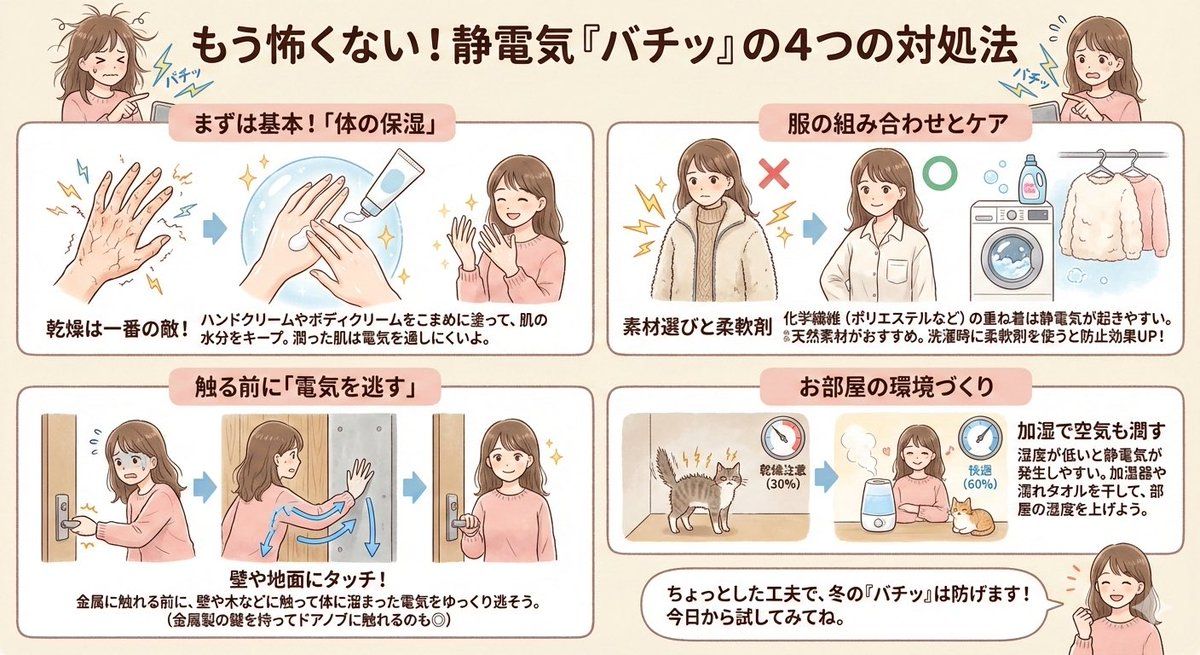
静電気で悩んでるお客様が多いので前に作った図解を引っぱり出してきました NanoBanana Proで作成 最初は男の子だったけど、やっぱり女性の方がイメージしやすくて変更◎
Guide
"静电图生成" AI image prompt for Nano Banana Pro (创意图片). 用户使用 NanoBanana Pro 制作了一张关于静电的解释图。他们最初生成了一个男性角色,但为了更好地引起共鸣,改用了一个女性角色,这表明他们根据目标受众调整了提示词。 --- 由于许多客户都饱受静电困扰,我…
The full copyable prompt and example visuals above are ready for AI image generation or one-click recreate in Picva.
Step 1
Review the example visuals, category, and full prompt text for "静电图生成".
Step 2
Copy the prompt body from this page, or load it directly in Studio.
Step 3
Prefer Nano Banana Pro. If you switch models, keep subject and composition and tweak style terms.
Step 4
Recreate the look in Picva, or export into your workflow for editing and publishing.

















