10

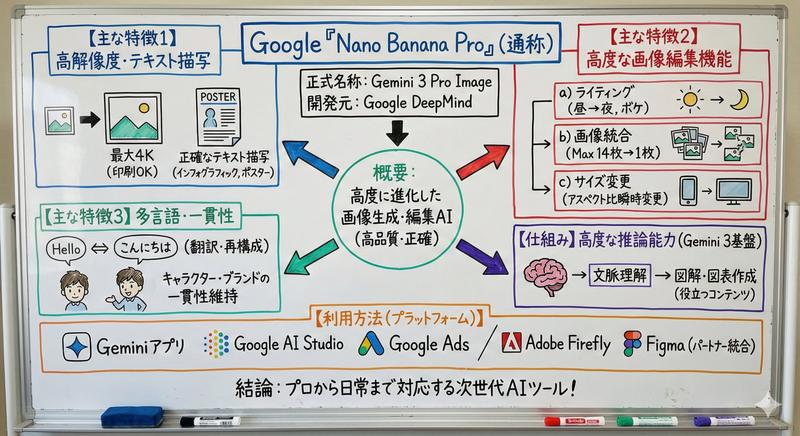
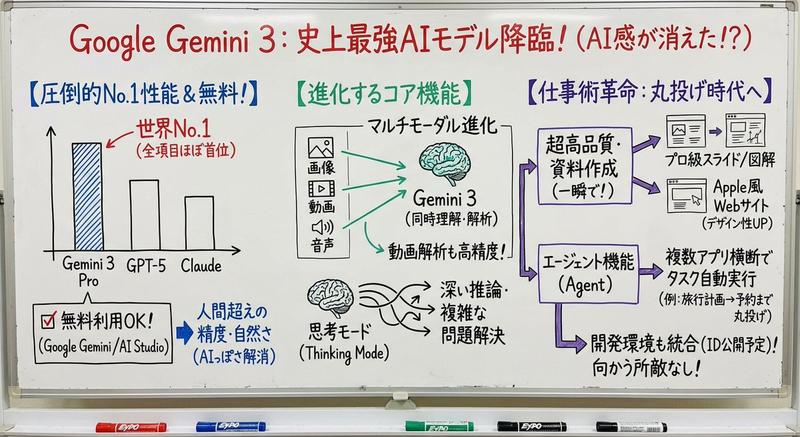
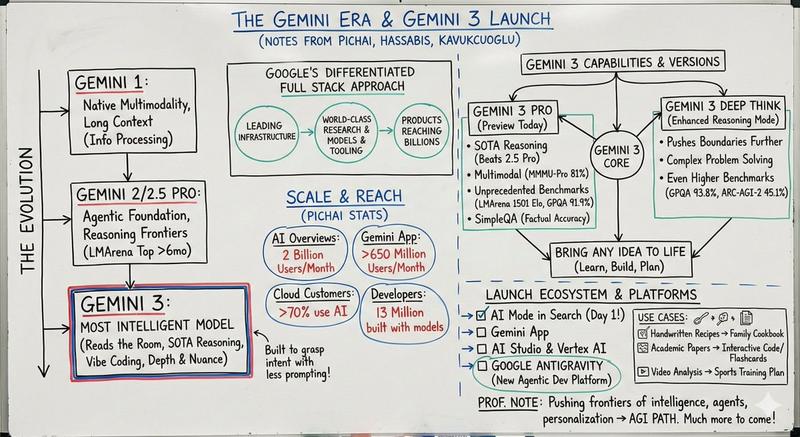
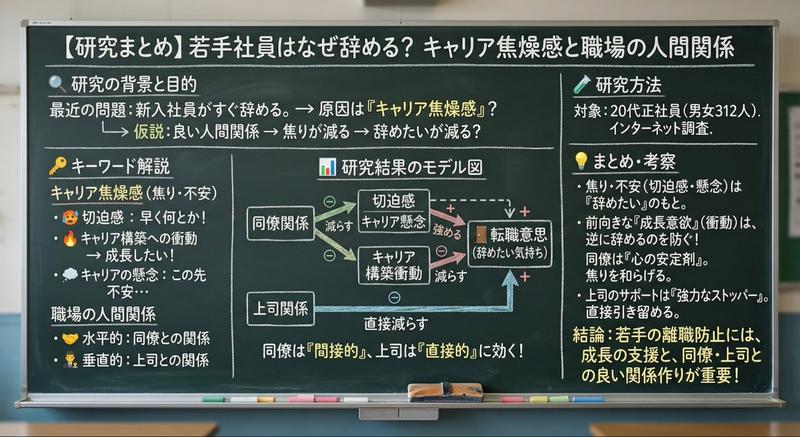
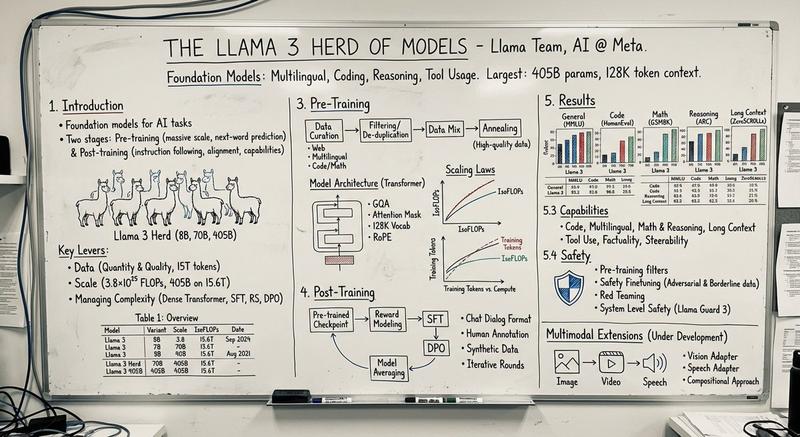
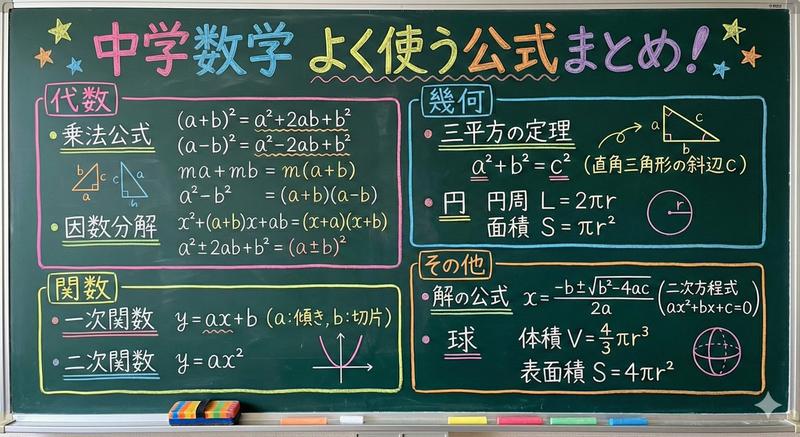
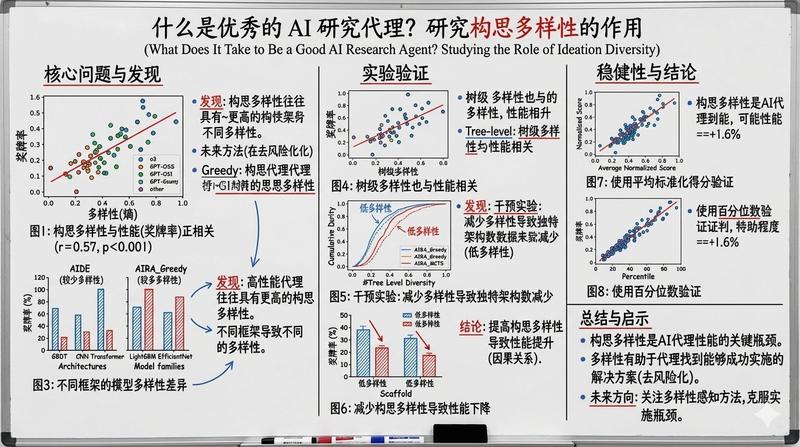
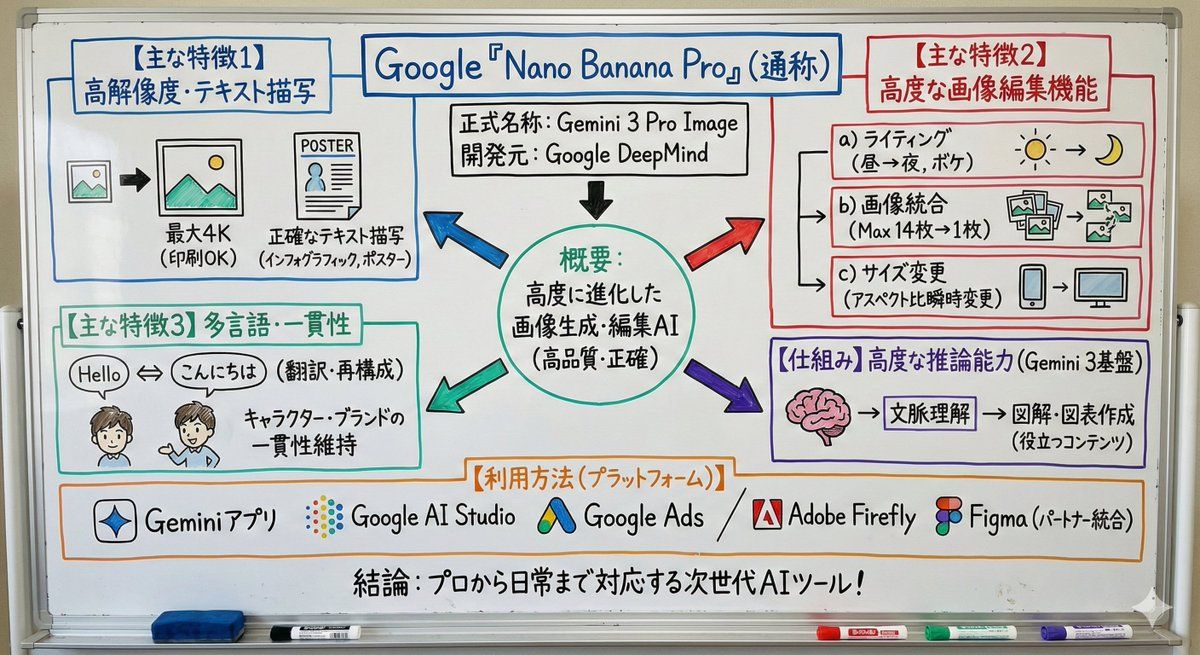
白板风格的文本简图
Enlarge

白板风格的文本简图

Prompt
このテキストを、ホワイトボード風のシンプルな図解にして。

ポイント↓
・メインの概念を中央に配置
・ 矢印で流れや関係性を示す
・ 重要な部分は枠で囲む
・説明は短く、要点だけ

サイズは16:9で、スマホで見やすいスッキリした図解にしてください。
Category
创意图片
Model
Nano Banana Pro
Views0
Source ID
c2fa3d02-abf9-4d41-9f44-9bcabd854da3
Published
Mar 8, 2026

Guide

About "白板风格的文本简图"

What is this prompt for?

"白板风格的文本简图" AI image prompt for Nano Banana Pro (创意图片). 一个提示,可以将文本转换为简洁的 16:9 白板风格图表,包含核心概念、箭头和突出显示的关键点。 --- 将此文本转换为简单的白板式图表。 要点: - 将主要概念置于中心 - 使用箭头表示流程和关系 - 将…

The full copyable prompt and example visuals above are ready for AI image generation or one-click recreate in Picva.

How to use this prompt

  1. Step 1

    Open the prompt detail

    Review the example visuals, category, and full prompt text for "白板风格的文本简图".

  2. Step 2

    Copy the prompt

    Copy the prompt body from this page, or load it directly in Studio.

  3. Step 3

    Pick a model (Nano Banana Pro)

    Prefer Nano Banana Pro. If you switch models, keep subject and composition and tweak style terms.

  4. Step 4

    Generate and export

    Recreate the look in Picva, or export into your workflow for editing and publishing.

FAQ

What is the "白板风格的文本简图" prompt?
It is an AI image-generation prompt for Nano Banana Pro in the 创意图片 category. This page includes the full prompt text, example visuals, and a one-click recreate path in Picva.
How do I use this prompt to generate an image?
Copy the prompt from this page, or use Generate / Studio. Paste it into a compatible image model, or recreate the look in Picva with optional reference images.
Which model is this prompt for?
This page lists Nano Banana Pro. Most descriptive prompts also transfer to nearby image models such as GPT Image, Flux, or Midjourney with light style tweaks.
Can I use the result commercially?
You can usually copy the prompt for creation, but commercial use of the final image depends on the model terms, reference-image rights, and the generated content. Follow the source author and platform rules.