20

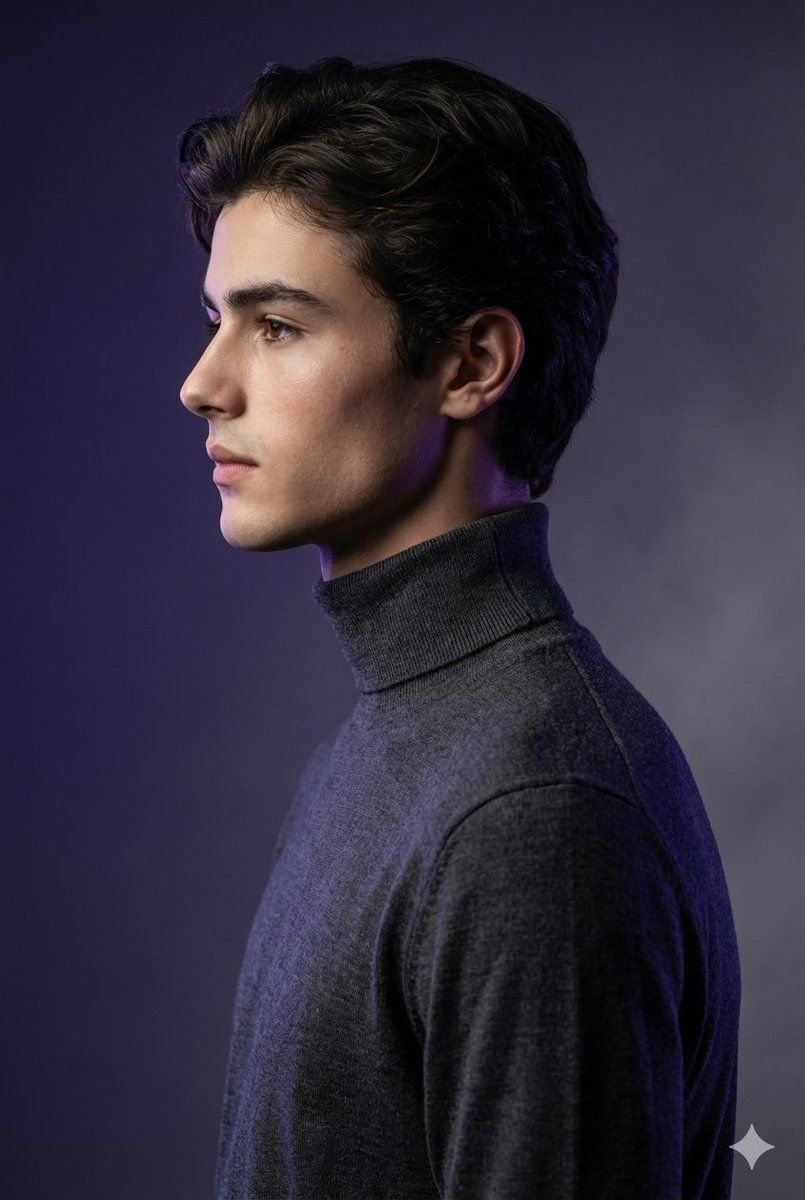
高定工作室肖像照,带身份锁定功能
Enlarge

高定工作室肖像照,带身份锁定功能

Prompt
Create a high-fashion studio portrait of a man, using the attached reference photo for face and appearance, with a bold, artistic aesthetic.

The man is captured in sharp side profile, standing against a monochromatic gradient background blending deep violet and smoky gray, evoking a mysterious, futuristic mood.

Outfit:

Charcoal gray turtleneck, elongating the neck and creating dramatic contrast with the background.

Lighting:

Moody, sculptural shadows emphasizing cheekbones and jawline.

Subtle purple-blue rim light outlining the face, adding depth and a futuristic glow.

Art direction:

Inspired by Vogue Homme and Numero Homme editorial photography.

A balance of elegance, avant-garde, and surreal minimalism.

Technical details: Leica SL2 + 85mm

f/1.2 lens, aperture f/2.0, ISO 100, shutter 1/200s.

Ultra-high resolution 8K, perfect for luxury magazine covers.
Category
创意图片
Model
Nano Banana Pro
Creator
Harboriis
Views0
Source ID
ba9b8780-623f-41a0-b5aa-78aaf6c41190
Published
Mar 8, 2026

Guide

About "高定工作室肖像照,带身份锁定功能"

What is this prompt for?

"高定工作室肖像照,带身份锁定功能" AI image prompt for Nano Banana Pro (创意图片). 一个用于生成男士高级时装杂志工作室肖像的提示,要求使用上传的参考照片来确定面部和外貌。它指定了锐利的侧面轮廓、忧郁的紫/灰渐变背景、雕塑感的光线,以及模仿徕卡相机设置的技术细节,以呈现 8K…

The full copyable prompt and example visuals above are ready for AI image generation or one-click recreate in Picva.

How to use this prompt

  1. Step 1

    Open the prompt detail

    Review the example visuals, category, and full prompt text for "高定工作室肖像照,带身份锁定功能".

  2. Step 2

    Copy the prompt

    Copy the prompt body from this page, or load it directly in Studio.

  3. Step 3

    Pick a model (Nano Banana Pro)

    Prefer Nano Banana Pro. If you switch models, keep subject and composition and tweak style terms.

  4. Step 4

    Generate and export

    Recreate the look in Picva, or export into your workflow for editing and publishing.

FAQ

What is the "高定工作室肖像照,带身份锁定功能" prompt?
It is an AI image-generation prompt for Nano Banana Pro in the 创意图片 category. This page includes the full prompt text, example visuals, and a one-click recreate path in Picva.
How do I use this prompt to generate an image?
Copy the prompt from this page, or use Generate / Studio. Paste it into a compatible image model, or recreate the look in Picva with optional reference images.
Which model is this prompt for?
This page lists Nano Banana Pro. Most descriptive prompts also transfer to nearby image models such as GPT Image, Flux, or Midjourney with light style tweaks.
Can I use the result commercially?
You can usually copy the prompt for creation, but commercial use of the final image depends on the model terms, reference-image rights, and the generated content. Follow the source author and platform rules.








