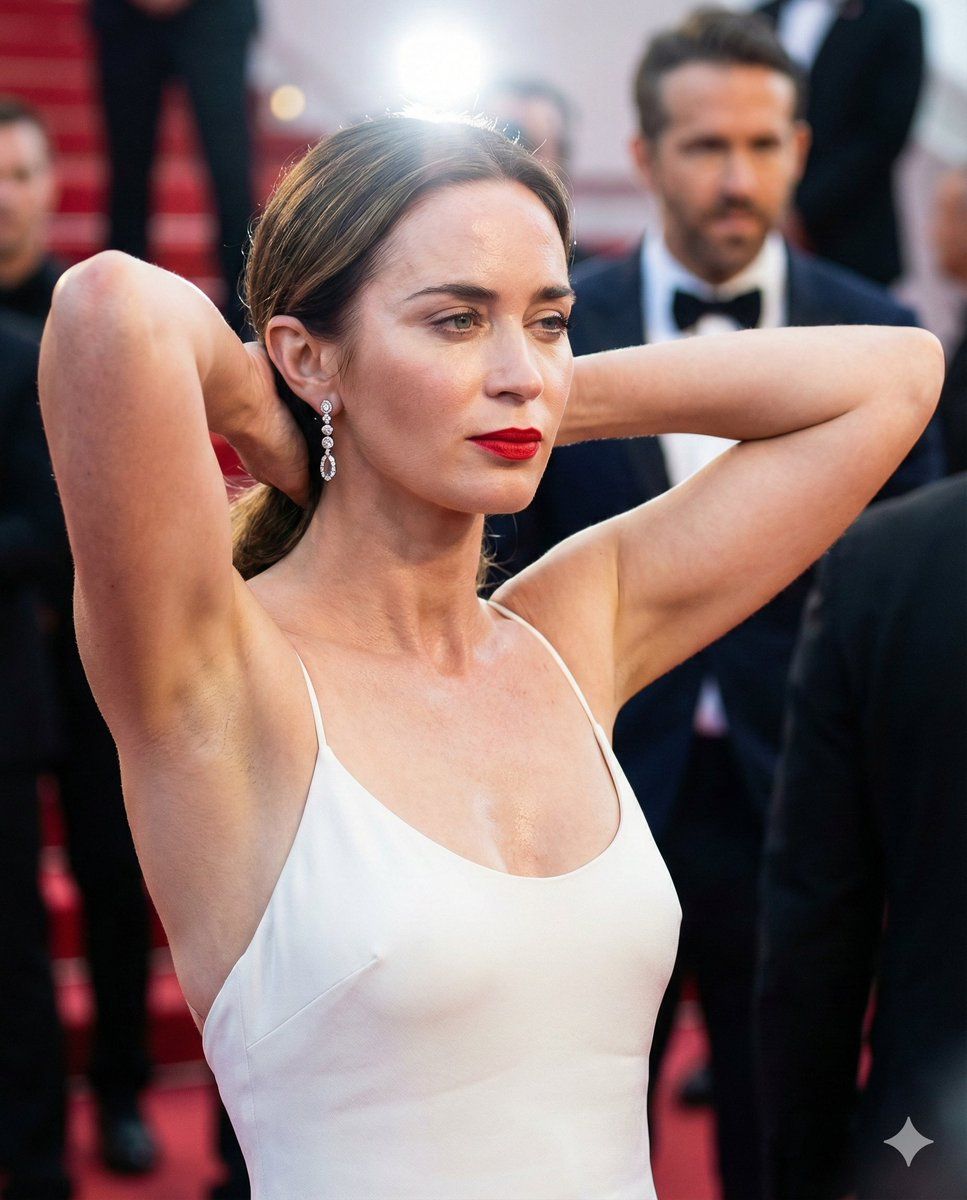
艾米莉·布朗特红毯肖像,极致技术细节呈现
Prompt
{ "output_schema": { "metadata": { "camera_simulation": { "brand_model": "Sony A7R IV (61MP Exmor R CMOS Sensor)", "lens_characteristics": "Sony FE 85mm f/1.4 GM, razor-sharp optical clarity with organic rendering, subtle chromatic aberration at frame edges", "focal_length_mm": "85mm (telephoto portrait compression)", "aperture_f": "f/1.8 (creamy bokeh, sharp focus on facial features while ears and background melt)", "shutter_speed": "1/200s (perfectly frozen movement with natural skin softness)", "ISO_and_Grain": "ISO 400, clean digital shadows with fine, high-frequency luminance noise for realism", "distance_estimate": "1.5 meters (Medium Close-Up)" }, "lighting_physics": { "primary_source": "High-intensity event flash with bounce-diffuser, creating sharp catchlights in eyes", "subsurface_scattering": "High; warm red glow through the cartilage of the ears and edges of the nostrils", "global_illumination": "Warm ambient floor-bounce from red carpet, filling neck shadows with subtle crimson tones", "light_modifiers": "Direct flash-induced specular highlights on skin oils and lip gloss", "color_temperature_k": "5500K (Daylight balanced flash) against warm interior background", "volumetric_lighting": "Subtle dust motes visible in the flash-path, slight atmospheric haze from event floor", "specular_highlights": "Moisture-glint on the philtrum, sweat-sheen on the collarbones, micro-reflections in dilated pupils" } }, "composition_and_framing": { "aspect_ratio": "4:5 (Portrait)", "camera_angles": "Slight low-angle, chest-level perspective to emphasize the pose", "framing_technique": "Candid 'paparazzi' style, aggressive framing focusing on torso and head, slight 'dirty frame' with out-of-focus background figure", "subject_geometry": "Symmetrical arm placement framing the face, strong vertical line of the spine", "background_depth": "Layered Z-axis; subject sharp, background premiere-poster blurred into abstract shapes" }, "subject_physiometry": { "demographics_and_build": { "age_estimate": "38-42", "ethnicity_specifics": "English-Irish ancestry, fair skin with cool pink undertones and subtle sun-kissed tan lines", "body_type_category": "Athletic-lean, toned upper body with feminine curves", "anthropometric_ratios": "Strong biacromial width, elegant long neck" }, "skeletal_and_muscular_detail": { "skeletal_prominence": "Sharp, prominent clavicles; visible manubrium; slight protrusion of the acromion process in the shoulders", "muscle_engagement": "Tensed deltoids and triceps from the overhead arm-pull, visible sternocleidomastoid tendons in the neck", "postural_dynamics": "Arms raised behind head, chest expanded, slight arch in the upper thoracic spine" }, "micro_epidermal_texture": { "skin_state": "Visible skin pores on cheeks and nose, fine vellus hair on the forearms, localized goosebumps on the upper arms", "imperfections": "Small mole near the collarbone, slight redness on the chest from h- Category
- 创意图片
- Model
- Nano Banana Pro
- Creator
- QuestGlitch
- Source ID
- 081b711d-7cd7-4b63-9922-e30bb300a124
- Published
- Mar 8, 2026
Views0

















