比基尼滑雪网红快照提示
Prompt
{
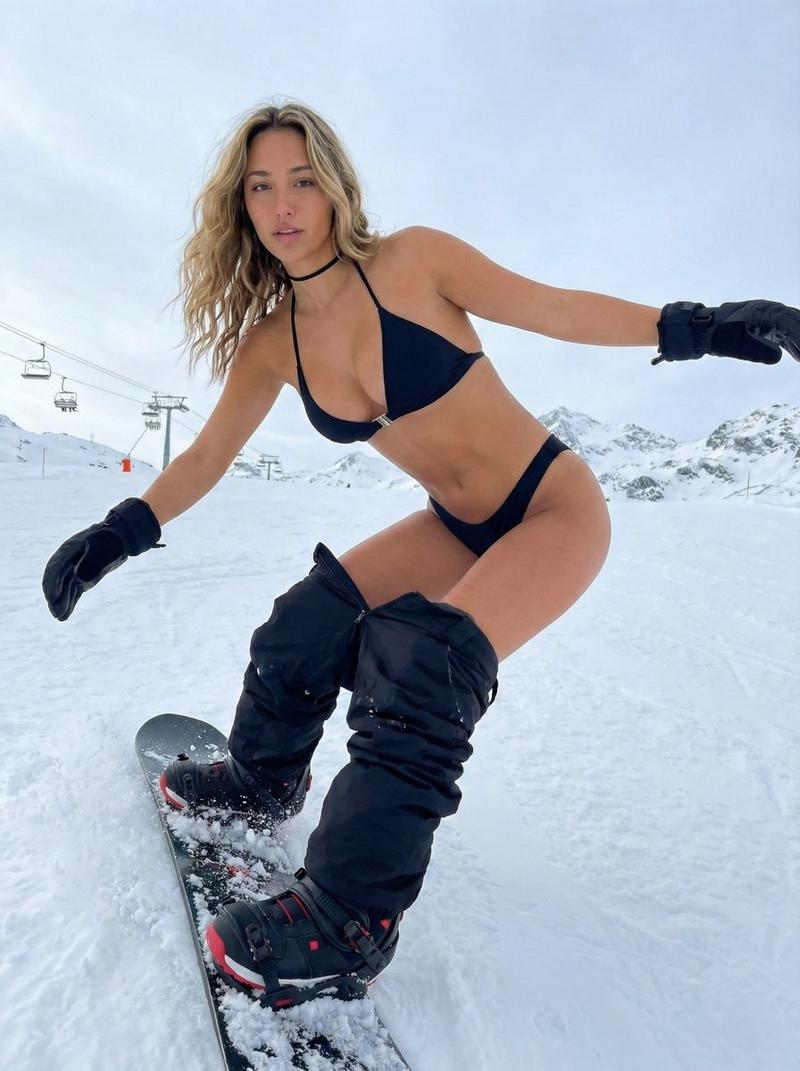
"subject": {
"description": "Young woman with long platinum blonde hair styled in a high ponytail with distinct long braids and loose strands framing the face.",
"body_type": "Slender and fit physique with a prominent, visually dominant bust volume showing natural gravity and fullness. Narrow waist, toned abdomen, and curvy hips. Skin is fair with realistic texture.",
"outfit": {
"upper_body": "Black triangle bikini top with a small silver clasp in the center, accentuating the chest.",
"lower_body": "Black bikini bottoms with thin straps pulled high on the hips. Black snowboard pants are unzipped and pulled down around the shins and calves, exposing the thighs and hips.",
"accessories": "Black winter gloves, thin black choker necklace.",
"footwear": "Chunky black snowboard boots with red accents."
},
"equipment": "Black snowboard attached to feet, positioned diagonally across the frame."
},
"pose": {
"action": "Dynamic snowboarding stance, carving on a snowy slope.",
"posture": "Knees bent in a crouch, leaning forward slightly. Torso twisted slightly towards the camera. Left arm extended outward to the side for balance, right arm tucked closer to the body near the legs.",
"head_position": "Head turned slightly to her right, looking off-camera.",
"weight_distribution": "Balanced on the snowboard edge, conveying motion and stability."
},
"environment": {
"setting": "Alpine ski resort slope.",
"background_elements": [
"Snow-covered mountains in the distance.",
"Ski lift cables and chairs visible in the mid-ground.",
"Expansive white snow ground texture.",
"Overcast, cloudy sky."
],
"atmosphere": "Cold, winter atmosphere."
},
"camera": {
"angle": "Low angle shot, looking up at the subject to emphasize height and movement.",
"lens": "Wide-angle lens, slightly distorting the perspective to enhance the dynamic feel (fisheye influence).",
"framing": "Full body shot capturing the snowboard and surroundings.",
"depth_of_field": "Subject in sharp focus, background slightly softer but visible."
},
"lighting": {
"type": "Natural overcast daylight.",
"quality": "Soft, diffuse lighting with no harsh shadows.",
"tone": "Cool, blue-tinted ambient light typical of snowy environments.",
"shadows": "Subtle shading on the skin and snow, defining form without high contrast."
},
"mood_and_expression": {
"expression": "Wide, genuine smile with visible teeth, conveying joy and excitement.",
"mood": "Playful, energetic, adventurous, and confident."
},
"style_and_realism": {
"style": "Photorealistic influencer snapshot.",
"aesthetic": "High-fidelity social media aesthetic with slight chromatic aberration effects on the edges (motion blur feel).",
"rendering": "Unreal Engine 5 level detail on skin texture and snow particles."
},
"colors_and_tone": {
"palette": "Dominant cool whites and blues from the snow and sky, contrasted with the stark black "
}- Category
- 创意图片
- Model
- Nano Banana Pro
- Creator
- brindley
- Source ID
- d91d9e48-2df2-4180-b15f-0e696ea60370
- Published
- Mar 8, 2026
Views0