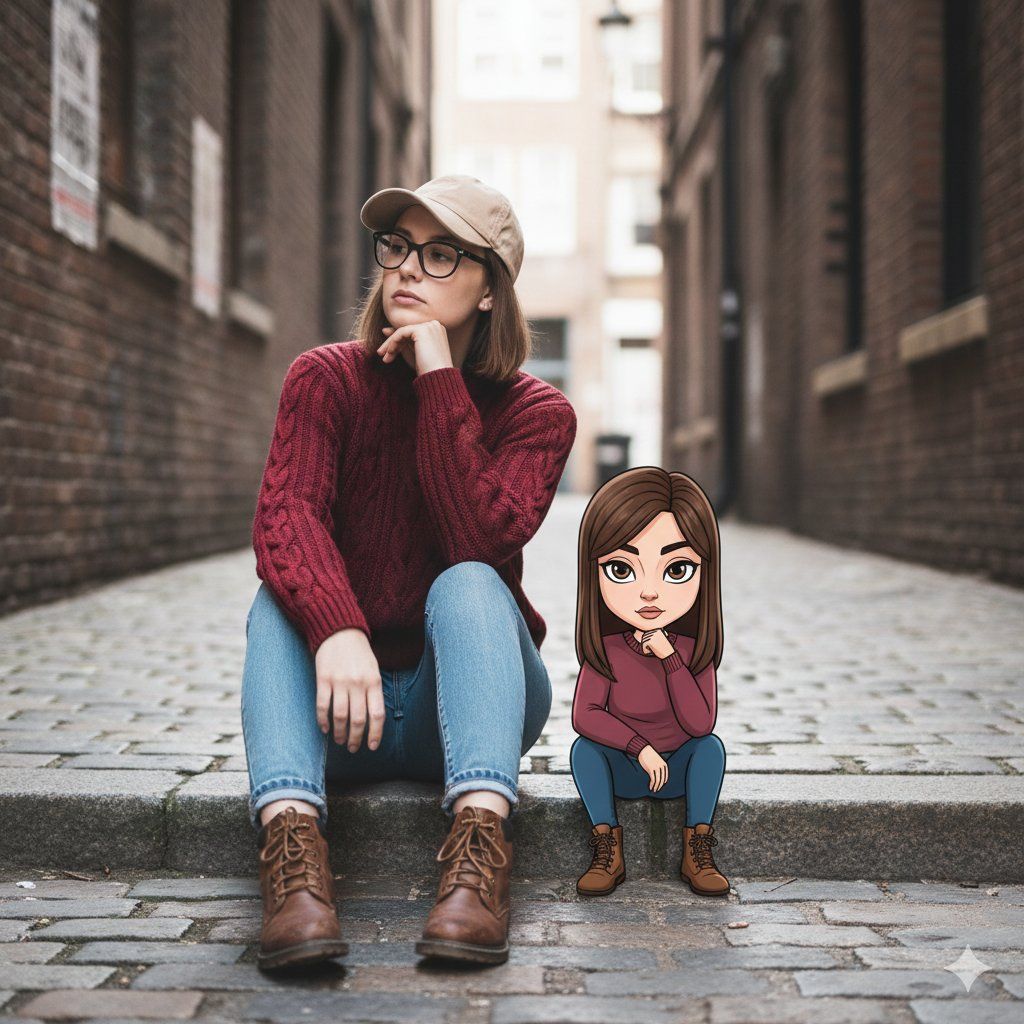
电影街头人像与奇幻插画头像
Prompt
{
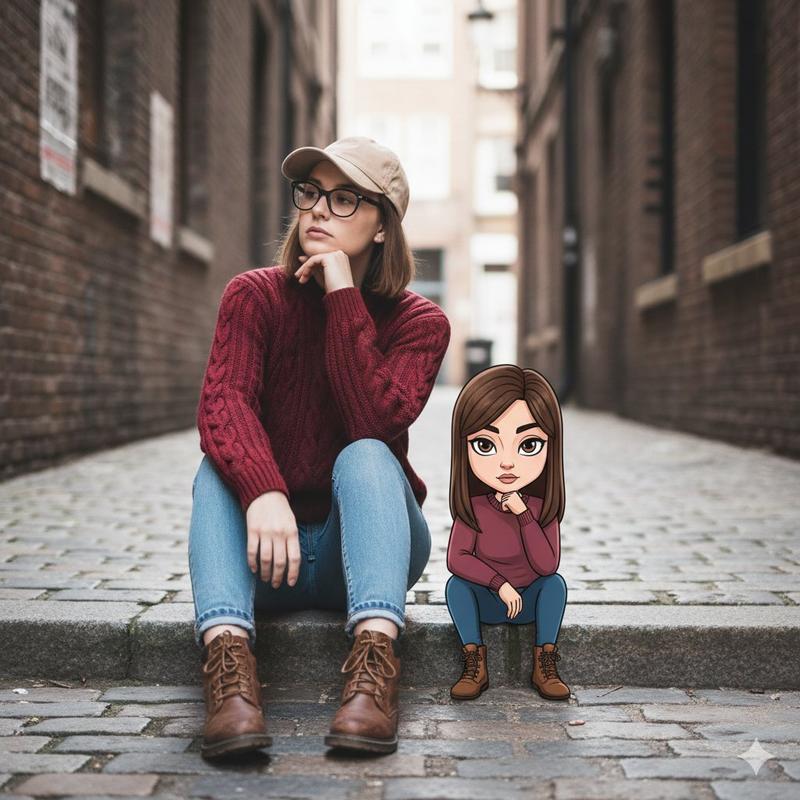
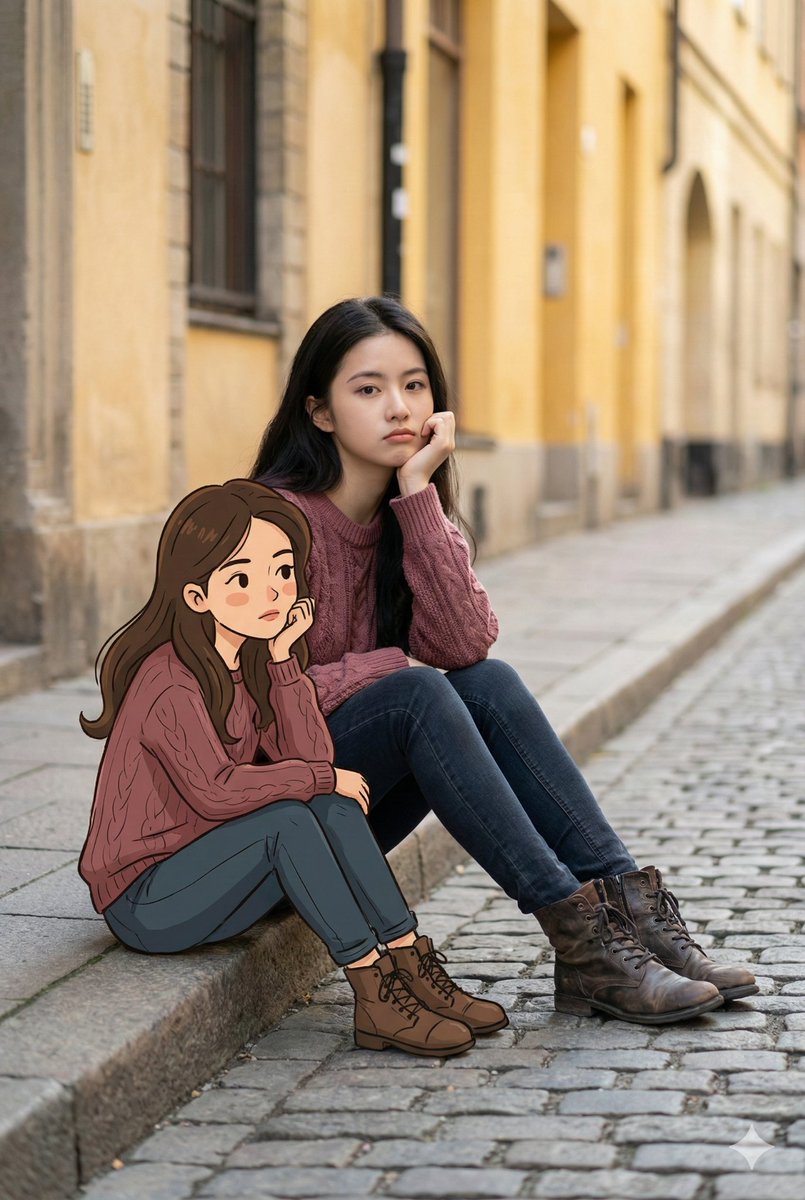
  "Objective": "Create a cinematic lifestyle street portrait that blends realism with a whimsical illustrated character for modern visual storytelling",
  "PersonaDetails": {
    "PrimarySubject": {
      "Type": "Young woman",
      "Pose": "Sitting on stone steps, resting chin on hand",
      "Expression": "Thoughtful, calm, introspective",
      "Gaze": "Looking slightly away from the camera",
      "Accessories": [
        "Glasses",
        "Beige baseball cap"
      ],
      "Wardrobe": {
        "Top": "{argument name="sweater color" default="Maroon"} knit sweater",
        "Bottom": "Blue jeans",
        "Footwear": "Brown leather boots"
      }
    },
    "SecondarySubject": {
      "Type": "Stylized cartoon avatar version of the woman",
      "Scale": "Small, seated beside the woman",
      "Style": "Illustrated / cartoon character",
      "Pose": "Mirroring the same thoughtful pose",
      "Wardrobe": "Matching outfit to the real subject",
      "Expression": "Playful yet reflective"
    }
  },
  "SceneDescription": {
    "Location": "Narrow urban alleyway",
    "Foreground": "Stone steps with realistic texture",
    "Background": {
      "Elements": "Brick walls and alley details",
      "Treatment": "Softly blurred for depth"
    },
    "Atmosphere": "Quiet urban moment, intimate and lived-in"
  },
  "Composition": {
    "Framing": "Medium lifestyle portrait",
    "CinematicStyle": "Balanced framing emphasizing interaction",
    "DepthOfField": "Shallow depth of field",
    "Focus": "Sharp focus on both the woman and the avatar"
  },
  "LightingAndColor": {
    "Lighting": "Natural soft daylight",
    "ShadowQuality": "Gentle, realistic shadows",
    "ColorPalette": "Warm urban neutrals with maroon and beige accents"
  },
  "ArtDirection": {
    "StyleFusion": [
      "Photorealistic street photography",
      "Stylized illustrated character design"
    ],
    "Aesthetic": "Whimsical yet grounded",
    "ScaleContrast": "Clear size difference enhancing playful storytelling",
    "TextureDetail": [
      "Clothing knit and denim texture",
      "Stone pavement and brick surfaces"
    ]
  },
  "PhotographyStyle": {
    "Genre": "Cinematic lifestyle street photography",
    "LensLook": "50mm lens perspective",
    "DetailLevel": "High detail with natural softness"
  },
  "Mood": {
    "Tone": "Thoughtful, playful, modern",
    "NarrativeFeel": "Personal reflection with imaginative contrast"
  },
  "NegativePrompt": [
    "harsh lighting",
    "studio environment",
    "oversaturated colors",
    "uncanny avatar",
    "low-detail illustration",
    "blurry subject",
    "cartoon-only style"
  ],
  "ResponseFormat": {
    "Type": "Single image",
    "Orientation": "Portrait",
    "AspectRatio": "2:3"
  }
}- Category
- 创意图片
- Model
- Nano Banana Pro
- Creator
- Taaruk
- Source ID
- b68b552a-62d6-4102-990c-32d4ec085bfb
- Published
- Mar 8, 2026
Views0