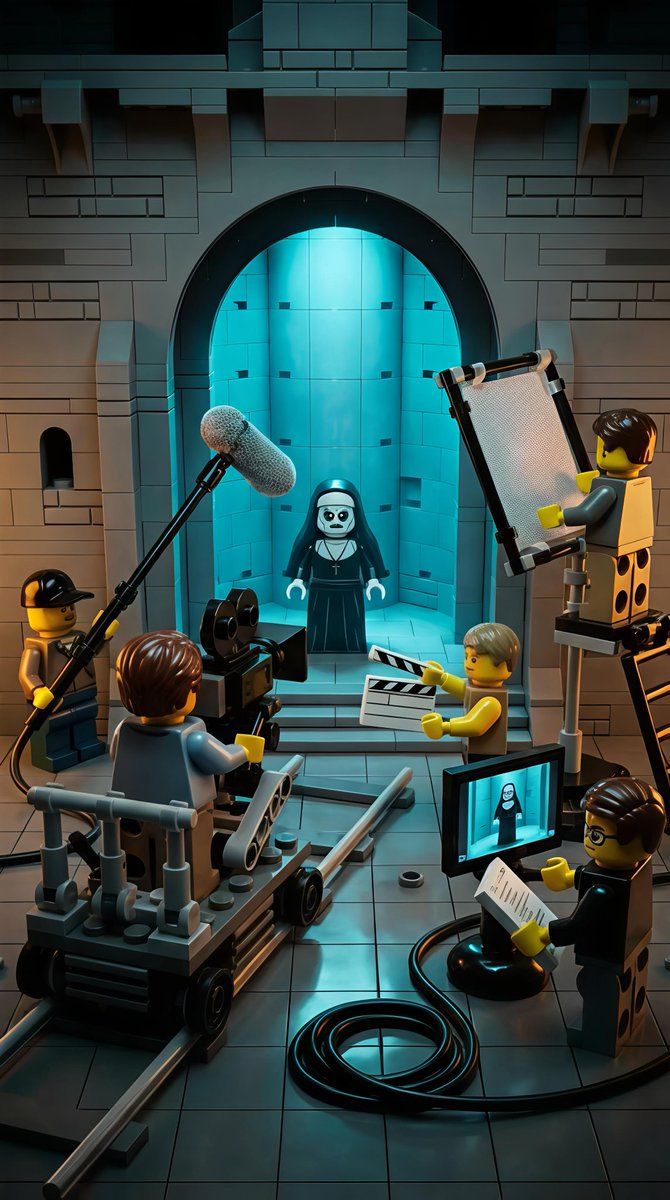
乐高微缩透视模型:《修女》恐怖电影场景
Prompt
{
  "scene_overview": {
    "setting": "Gothic stone interior resembling a church or cathedral set",
    "environment_style": "LEGO miniature diorama",
    "location_type": "Film set / behind-the-scenes movie production",
    "time_of_day": "Interior, controlled lighting (cinematic night-like mood)",
    "atmosphere": "Cinematic, eerie, theatrical, controlled",
    "mood": "Dark humor, spooky, playful, creative",
    "genre_influence": ["Horror", "Behind-the-scenes filmmaking", "Fantasy"]
  },

  "primary_subject": {
    "type": "LEGO minifigure character",
    "role": "Nun / horror character",
    "appearance": {
      "outfit": "Black nun habit with white collar",
      "face": "Pale white face, dark hollow eyes, eerie expression",
      "accessories": "Cross necklace",
      "pose": "Standing still, facing forward"
    },
    "positioning": {
      "location": "Centered within a large stone archway",
      "background": "Glowing blue-lit alcove or chamber"
    }
  },

  "supporting_characters": {
    "crew_members": [
      {
        "role": "Camera operator",
        "object_interaction": "Operating a large LEGO film camera",
        "position": "Front-left, seated on a camera dolly"
      },
      {
        "role": "Boom microphone operator",
        "object_interaction": "Holding boom mic extended toward subject",
        "position": "Upper-left foreground"
      },
      {
        "role": "Lighting technician",
        "object_interaction": "Holding a rectangular light reflector",
        "position": "Right side, elevated on a stand"
      },
      {
        "role": "Clapperboard operator",
        "object_interaction": "Holding a clapperboard",
        "position": "Front-center-right"
      },
      {
        "role": "Director / Script supervisor",
        "object_interaction": "Holding clipboard and papers",
        "position": "Bottom-right foreground"
      }
    ],
    "style": "All characters are LEGO minifigures with yellow skin tone and varied hairpieces"
  },

  "props_and_equipment": {
    "film_equipment": [
      "LEGO cinema camera",
      "Camera dolly on rails",
      "Boom microphone with fuzzy windscreen",
      "Lighting reflector panel",
      "Clapperboard",
      "Monitor screen displaying the nun character",
      "Cables coiled on the floor"
    ],
    "architectural_elements": [
      "Stone brick walls",
      "Large arched doorway",
      "Recessed alcove",
      "Tiled stone floor"
    ]
  },
  "lighting": {
    "primary_light": "Strong cyan-blue glow from behind the nun",
    "secondary_lighting": "Warm neutral studio lighting on crew and foreground",
    "contrast": "High contrast between cold blue background and warm foreground tones",
    "style": "Cinematic, dramatic, horror-inspired lighting"
  },

  "color_palette": {
    "dominant_colors": ["Dark gray", "Black", "Cyan blue"],
"accent_colors": ["Warm yellow (- Category
- 创意图片
- Model
- Nano Banana Pro
- Creator
- Chandan Singh
- Source ID
- 6fb302e4-01d9-4a05-b851-128d4b632f42
- Published
- Mar 8, 2026
Views7