20

混合媒体数字拼贴画(单色与霓虹)
Enlarge

混合媒体数字拼贴画(单色与霓虹)

Prompt
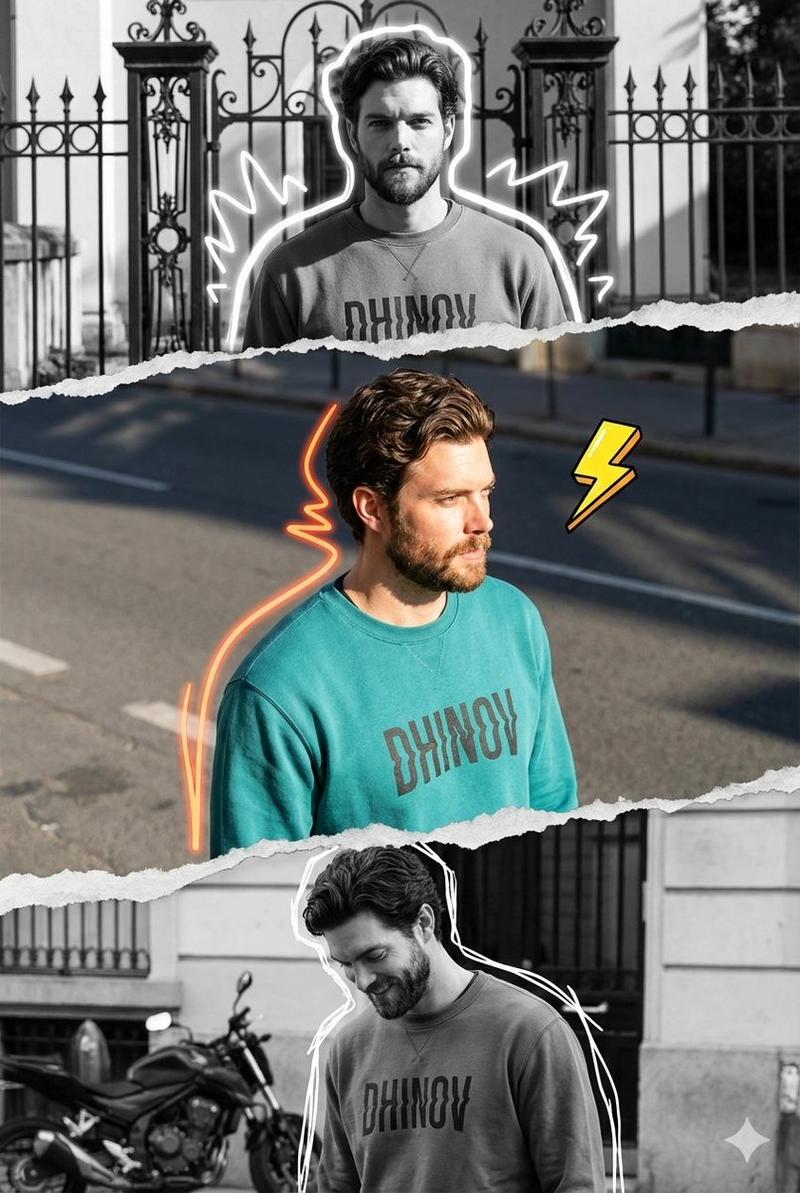
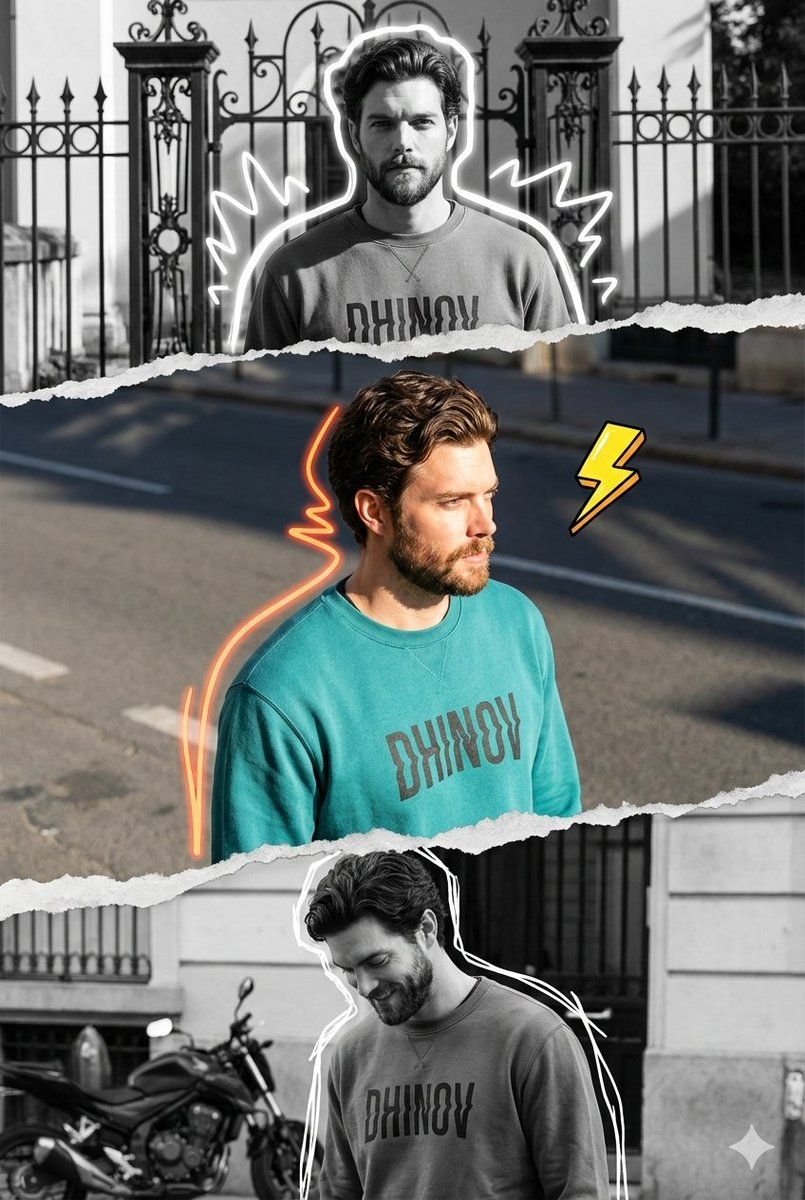
A vertical mixed-media digital collage composition featuring a triptych of the same male subject, separated by realistic torn pieces of paper with rough edges that create a layered effect. The central horizontal strip is rendered in vibrant full color, capturing the subject with the face from the uploaded reference photo, in a three-quarter angle view facing right, illuminated by bright natural sunlight that casts sharp shadows on the asphalt road. He wears a teal crewneck sweatshirt with the word "{argument name="text on shirt" default="DHINOV"}" written in a distorted font, accented by an illustration-style neon orange squiggle that follows the lines of his back and hair, accompanied by a cartoonish yellow lightning bolt element floating in a bold line.

The top and bottom are rendered in high-contrast black-and-white monochrome.

The top shows the subject standing facing forward in front of an ornamental iron gate and fence, framed by a glowing white doodle outline with jagged shapes.

The bottom section shows the subject looking down with a slight smile, standing near a parked motorbike and a building facade, also outlined in white scribbles.

The overall aesthetic blends urban streetwear photography with scrapbook-style editing, featuring high-resolution fabric textures and paper edges, 8K quality, and a modern, trendy social media editing feel.
Category
创意图片
Model
Nano Banana Pro
Creator
𝐌
Views0
Source ID
71a8f74d-5a44-4dc1-91d8-fced88a10879
Published
Mar 8, 2026

Guide

About "混合媒体数字拼贴画(单色与霓虹)"

What is this prompt for?

"混合媒体数字拼贴画(单色与霓虹)" AI image prompt for Nano Banana Pro (创意图片). 一个详细的提示,用于创建垂直混合媒体数字拼贴三联画。中央条带色彩鲜艳,带有霓虹灯点缀和特定的文本叠加,而顶部和底部面板则是高对比度的黑白单色,所有部分都由逼真的撕纸边缘隔开。 --- 一幅垂直…

The full copyable prompt and example visuals above are ready for AI image generation or one-click recreate in Picva.

How to use this prompt

  1. Step 1

    Open the prompt detail

    Review the example visuals, category, and full prompt text for "混合媒体数字拼贴画(单色与霓虹)".

  2. Step 2

    Copy the prompt

    Copy the prompt body from this page, or load it directly in Studio.

  3. Step 3

    Pick a model (Nano Banana Pro)

    Prefer Nano Banana Pro. If you switch models, keep subject and composition and tweak style terms.

  4. Step 4

    Generate and export

    Recreate the look in Picva, or export into your workflow for editing and publishing.

FAQ

What is the "混合媒体数字拼贴画(单色与霓虹)" prompt?
It is an AI image-generation prompt for Nano Banana Pro in the 创意图片 category. This page includes the full prompt text, example visuals, and a one-click recreate path in Picva.
How do I use this prompt to generate an image?
Copy the prompt from this page, or use Generate / Studio. Paste it into a compatible image model, or recreate the look in Picva with optional reference images.
Which model is this prompt for?
This page lists Nano Banana Pro. Most descriptive prompts also transfer to nearby image models such as GPT Image, Flux, or Midjourney with light style tweaks.
Can I use the result commercially?
You can usually copy the prompt for creation, but commercial use of the final image depends on the model terms, reference-image rights, and the generated content. Follow the source author and platform rules.