20

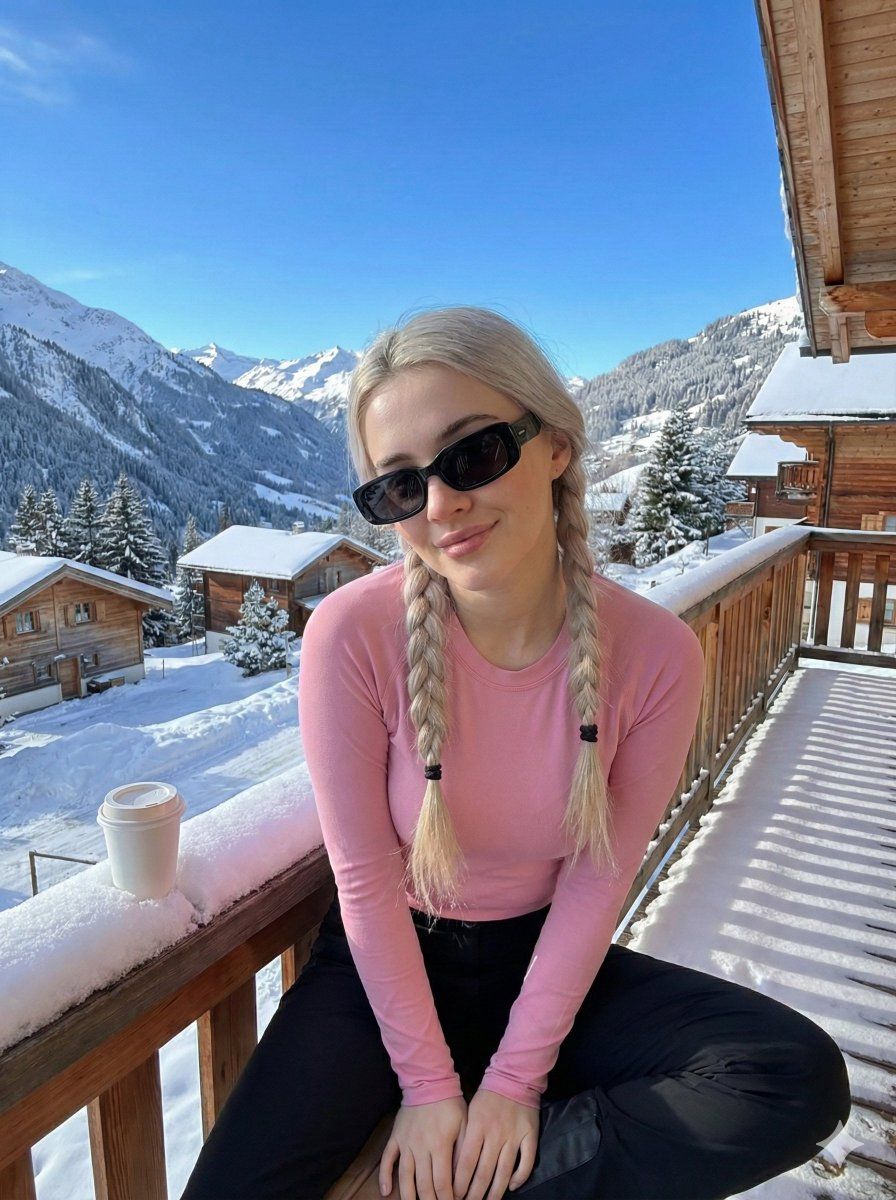
Image-to-Image 冬季高山肖像
Enlarge

Image-to-Image 冬季高山肖像

Prompt
{
  "type": "image_to_image",
  "model": "stable-diffusion-xl",
  "prompt": "Use the uploaded image as the main reference and keep the same person, face structure, skin tone, and identity. Create an ultra-realistic outdoor winter portrait on a wooden balcony in snowy alpine mountains. The person is leaning slightly forward toward the camera with a playful kiss-pout expression. Platinum blonde hair styled into two long braided pigtails. Wearing a fitted black long-sleeve top and black pants. Stylish black rectangular sunglasses. Natural fair skin texture with realistic pores and highlights. Background includes snow-covered mountains, pine trees, wooden cabins, and a clear blue winter sky. Fresh snow visible on the balcony railing. A white coffee cup placed casually on the wooden railing. Bright natural winter daylight, crisp sunlight, realistic shadows. Shot with a wide-angle lens, travel lifestyle photography, Instagram aesthetic, ultra-detailed, hyper-realistic, professional photo.",
  "negative_prompt": "blurry, low quality, distorted face, wrong identity, extra fingers, extra limbs, bad anatomy, cartoon, anime, CGI, plastic skin, overexposed snow, watermark, logo, text",
  "settings": {
    "denoise_strength": 0.5,
    "cfg_scale": 7,
    "steps": 30,
    "sampler": "DPM++ 2M Karras",
    "aspect_ratio": "3:4",
    "seed": -1
  }
}
Category
创意图片
Model
Nano Banana Pro
Creator
Sudee🥀
Views0
Source ID
8c3d51ac-6e19-4cf2-91ff-8bde93de525b
Published
Mar 8, 2026

Guide

About "Image-to-Image 冬季高山肖像"

What is this prompt for?

"Image-to-Image 冬季高山肖像" AI image prompt for Nano Banana Pro (创意图片). 一个用于 Gemini Nano Banana Pro 的结构化提示,它使用 Stable Diffusion XL 模型进行图像到图像的生成。它需要上传一张参考图像以保留主体的身份…

The full copyable prompt and example visuals above are ready for AI image generation or one-click recreate in Picva.

How to use this prompt

  1. Step 1

    Open the prompt detail

    Review the example visuals, category, and full prompt text for "Image-to-Image 冬季高山肖像".

  2. Step 2

    Copy the prompt

    Copy the prompt body from this page, or load it directly in Studio.

  3. Step 3

    Pick a model (Nano Banana Pro)

    Prefer Nano Banana Pro. If you switch models, keep subject and composition and tweak style terms.

  4. Step 4

    Generate and export

    Recreate the look in Picva, or export into your workflow for editing and publishing.

FAQ

What is the "Image-to-Image 冬季高山肖像" prompt?
It is an AI image-generation prompt for Nano Banana Pro in the 创意图片 category. This page includes the full prompt text, example visuals, and a one-click recreate path in Picva.
How do I use this prompt to generate an image?
Copy the prompt from this page, or use Generate / Studio. Paste it into a compatible image model, or recreate the look in Picva with optional reference images.
Which model is this prompt for?
This page lists Nano Banana Pro. Most descriptive prompts also transfer to nearby image models such as GPT Image, Flux, or Midjourney with light style tweaks.
Can I use the result commercially?
You can usually copy the prompt for creation, but commercial use of the final image depends on the model terms, reference-image rights, and the generated content. Follow the source author and platform rules.








