15

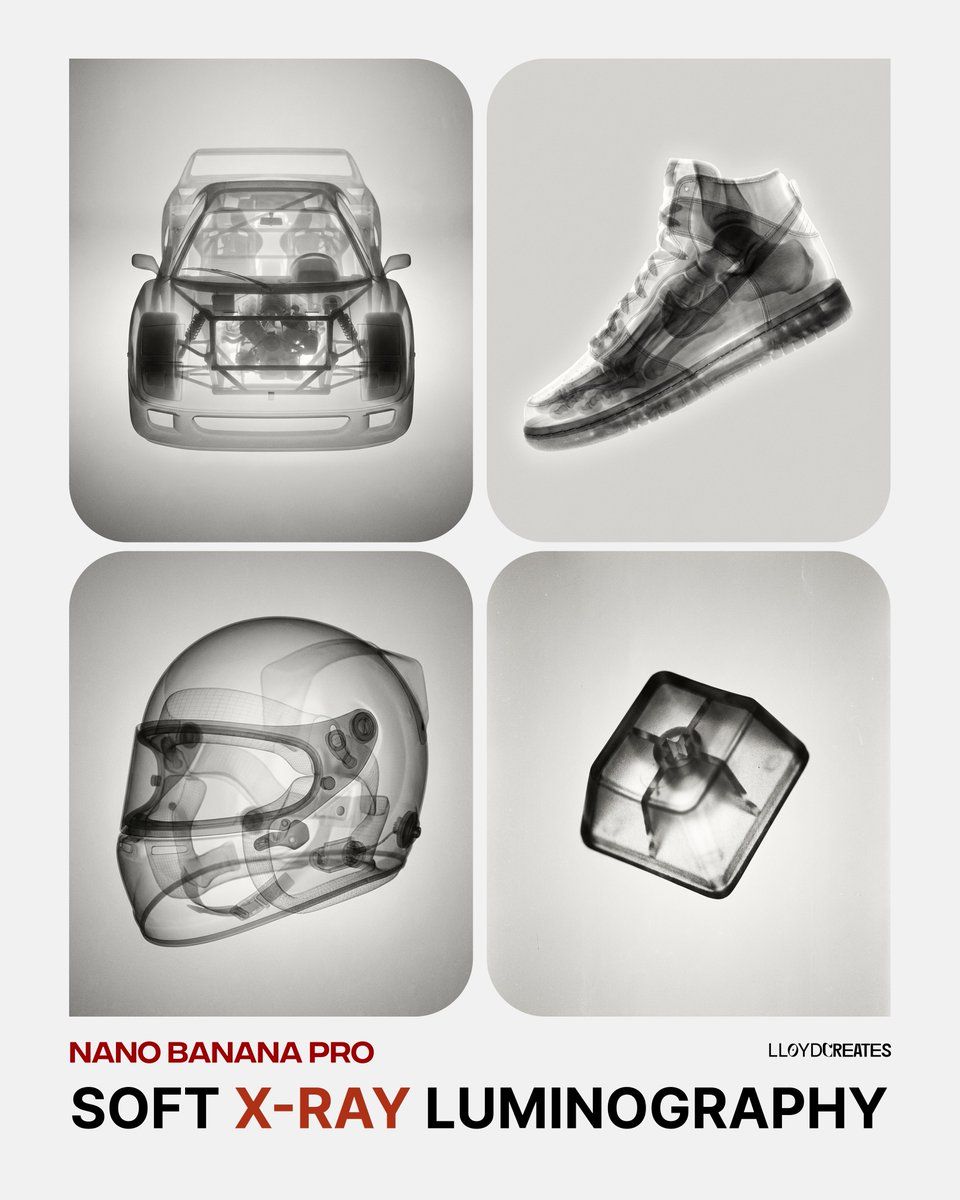
软 X 射线发光照相风格模板
Enlarge

软 X 射线发光照相风格模板

Prompt
{
  "prompt": "A {argument name="object" default="pomegranate"}, rendered in an artistic black and white X-ray photography style. Soft, ethereal translucent quality revealing internal structures and subtle details. Gentle luminosity with delicate tonal gradations from deep blacks to bright whites. Fine film grain texture throughout. Dreamlike and organic aesthetic with smooth gradients. Studio lighting creating soft highlights and dimensional depth. High contrast yet maintaining softness. Analog photography feel with subtle imperfections and grain. Minimalist composition always against a light soft gray background. Scientific meets artistic visualization.",

  "negative_prompt": "color, harsh shadows, digital rendering, sharp edges, cluttered background, text, logos, overly saturated, neon, cartoonish, 3D render artifacts, noise, compression artifacts, busy composition",

  "style_parameters": {
    "mood": "ethereal, scientific, artistic",
    "lighting": "soft studio lighting, gentle luminosity",
    "texture": "fine film grain, analog photography",
    "contrast": "high but soft",
    "background": "light gray, minimalist, neutral"
  },

  "usage_example": "Replace {object} with: 'pomegranate', 'seashell', 'flower petals', 'human hand', 'butterfly wings', etc."
}
Category
创意图片
Model
Nano Banana Pro
Views0
Source ID
fa7a2e39-dfd4-4169-ae13-a385c40a5697
Published
Mar 8, 2026

Guide

About "软 X 射线发光照相风格模板"

What is this prompt for?

"软 X 射线发光照相风格模板" AI image prompt for Nano Banana Pro (创意图片). 一个可复用的提示模板,用于生成各种物体的艺术黑白 X 射线风格图像,强调柔和的光泽、细腻的胶片颗粒和在浅灰色背景下的极简构图。 --- ```json { "prompt": "一个 {argum…

The full copyable prompt and example visuals above are ready for AI image generation or one-click recreate in Picva.

How to use this prompt

  1. Step 1

    Open the prompt detail

    Review the example visuals, category, and full prompt text for "软 X 射线发光照相风格模板".

  2. Step 2

    Copy the prompt

    Copy the prompt body from this page, or load it directly in Studio.

  3. Step 3

    Pick a model (Nano Banana Pro)

    Prefer Nano Banana Pro. If you switch models, keep subject and composition and tweak style terms.

  4. Step 4

    Generate and export

    Recreate the look in Picva, or export into your workflow for editing and publishing.

FAQ

What is the "软 X 射线发光照相风格模板" prompt?
It is an AI image-generation prompt for Nano Banana Pro in the 创意图片 category. This page includes the full prompt text, example visuals, and a one-click recreate path in Picva.
How do I use this prompt to generate an image?
Copy the prompt from this page, or use Generate / Studio. Paste it into a compatible image model, or recreate the look in Picva with optional reference images.
Which model is this prompt for?
This page lists Nano Banana Pro. Most descriptive prompts also transfer to nearby image models such as GPT Image, Flux, or Midjourney with light style tweaks.
Can I use the result commercially?
You can usually copy the prompt for creation, but commercial use of the final image depends on the model terms, reference-image rights, and the generated content. Follow the source author and platform rules.