20

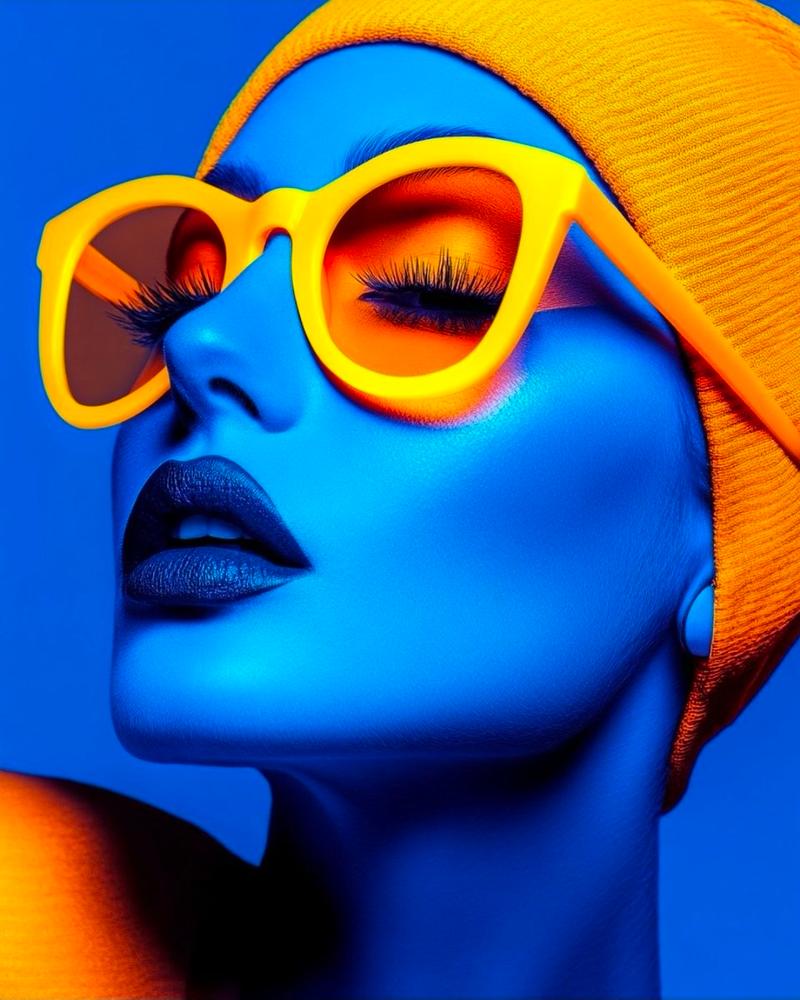
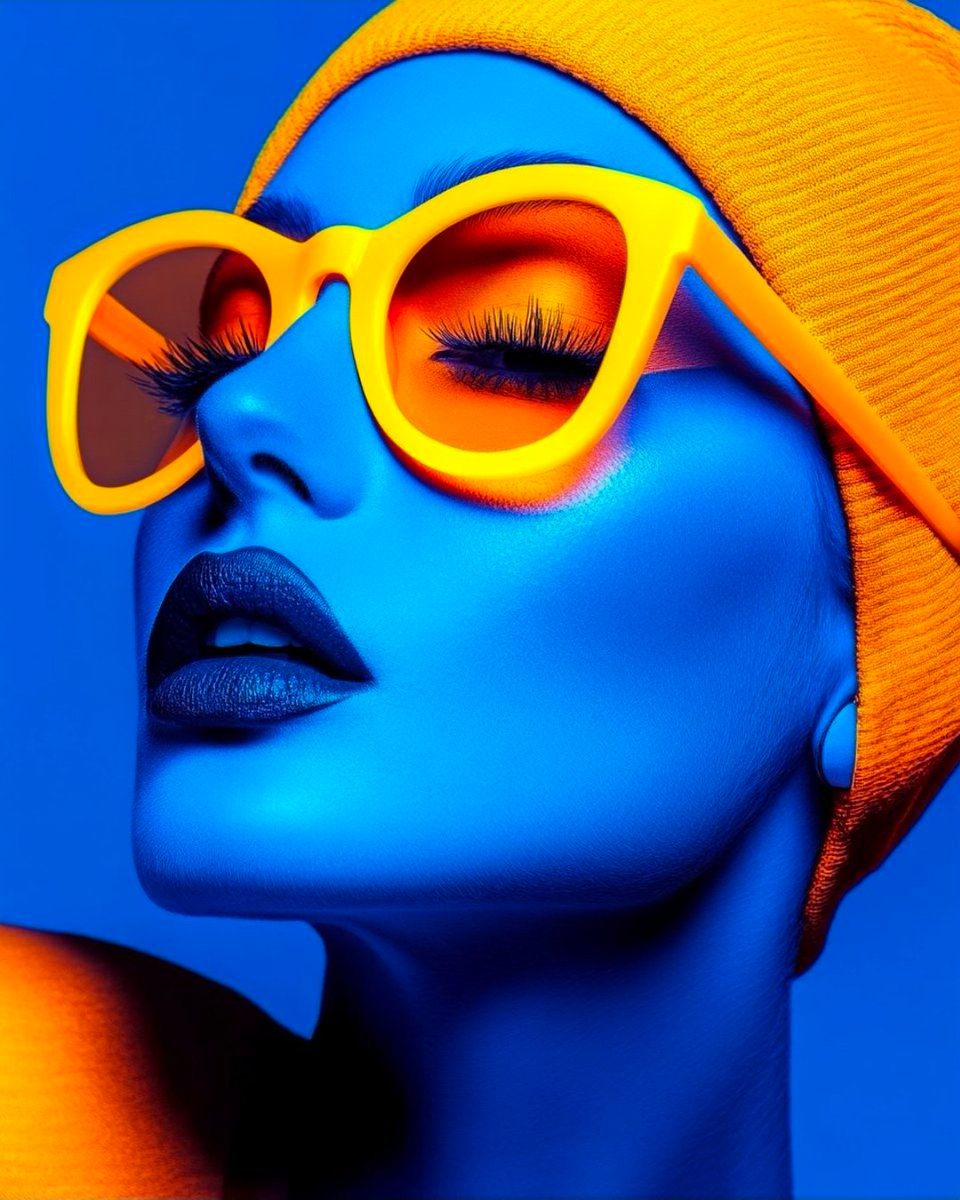
赛博朋克时尚肖像,电光蓝皮肤
Enlarge

赛博朋克时尚肖像,电光蓝皮肤

Prompt
Ultra-stylized futuristic fashion portrait of a woman, electric blue skin tone, wearing bold oversized {argument name="sunglasses color" default="yellow"} sunglasses with {argument name="lens color" default="orange reflective"} lenses, vibrant orange eyeshadow and long dramatic eyelashes, matte blue lips, minimalistic expression, head slightly tilted upward, wearing a textured orange beanie. High contrast color palette (blue & orange), neon cyberpunk aesthetic, studio lighting, smooth skin texture, hyper-realistic, ultra sharp focus, 8K resolution, editorial fashion photography, modern art style, clean background, cinematic lighting, luxury fashion vibe.
blur, low resolution, grain, noise, distortion, asymmetrical face, extra limbs, watermark, text, logo, oversharpen.
Category
创意图片
Model
Nano Banana Pro
Views0
Source ID
c8778aa9-d16a-4ad3-b03e-10907a3f7097
Published
Mar 8, 2026

Guide

About "赛博朋克时尚肖像,电光蓝皮肤"

What is this prompt for?

"赛博朋克时尚肖像,电光蓝皮肤" AI image prompt for Nano Banana Pro (创意图片). 这是一个详细的图像生成提示,用于创建一张超风格化、高对比度的未来主义时尚肖像。主体是一位拥有电蓝色皮肤的女性,戴着醒目的黄色太阳镜和一顶有纹理的橙色毛线帽。提示指定了霓虹赛博朋克美学、影棚布光、超…

The full copyable prompt and example visuals above are ready for AI image generation or one-click recreate in Picva.

How to use this prompt

  1. Step 1

    Open the prompt detail

    Review the example visuals, category, and full prompt text for "赛博朋克时尚肖像,电光蓝皮肤".

  2. Step 2

    Copy the prompt

    Copy the prompt body from this page, or load it directly in Studio.

  3. Step 3

    Pick a model (Nano Banana Pro)

    Prefer Nano Banana Pro. If you switch models, keep subject and composition and tweak style terms.

  4. Step 4

    Generate and export

    Recreate the look in Picva, or export into your workflow for editing and publishing.

FAQ

What is the "赛博朋克时尚肖像,电光蓝皮肤" prompt?
It is an AI image-generation prompt for Nano Banana Pro in the 创意图片 category. This page includes the full prompt text, example visuals, and a one-click recreate path in Picva.
How do I use this prompt to generate an image?
Copy the prompt from this page, or use Generate / Studio. Paste it into a compatible image model, or recreate the look in Picva with optional reference images.
Which model is this prompt for?
This page lists Nano Banana Pro. Most descriptive prompts also transfer to nearby image models such as GPT Image, Flux, or Midjourney with light style tweaks.
Can I use the result commercially?
You can usually copy the prompt for creation, but commercial use of the final image depends on the model terms, reference-image rights, and the generated content. Follow the source author and platform rules.