20

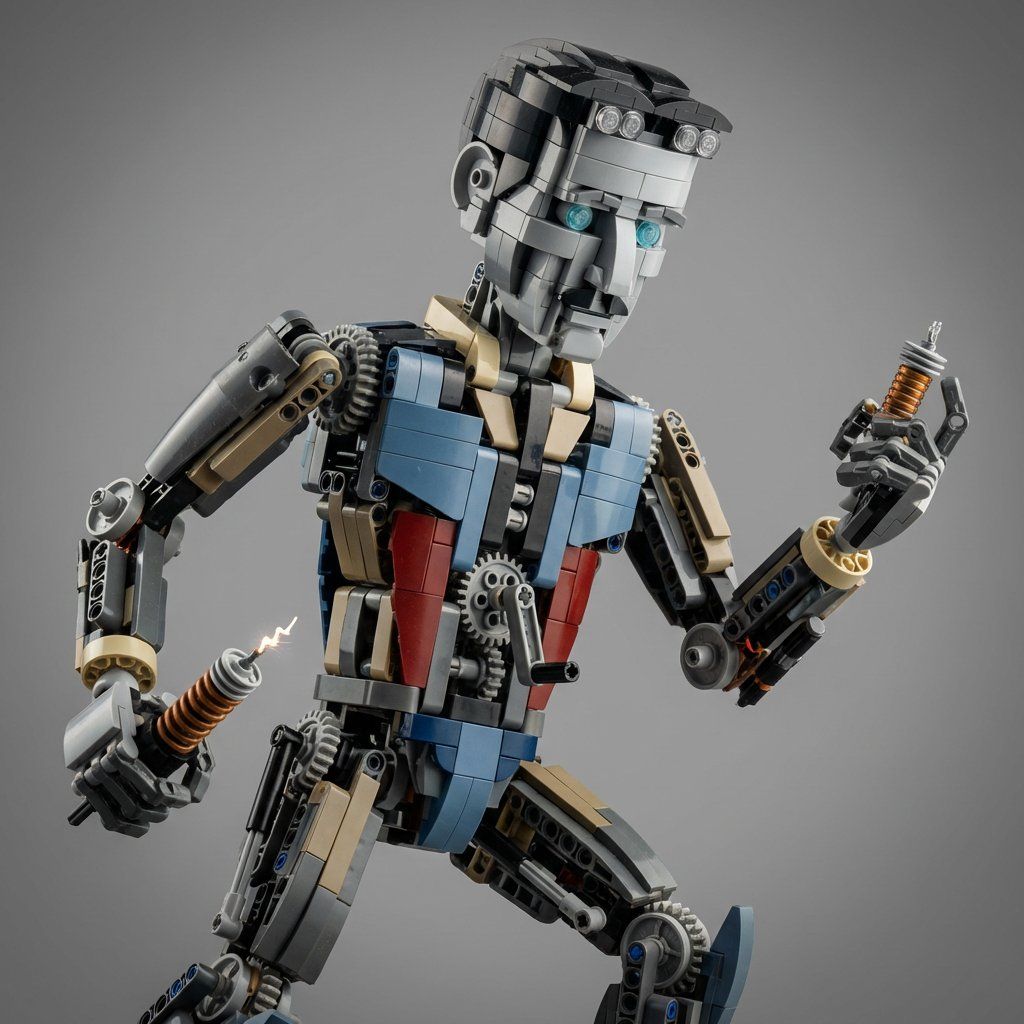
乐高机械组套件混搭的超真实微距摄影
Enlarge

乐高机械组套件混搭的超真实微距摄影

Prompt
Nikola Tesla -> System Instruction: Edit {argument name="subject" default="Nikola Tesla"} into a hyper-real macro studio product shot of a LEGO Technic-style kitbash doing a clever pose

1) Zone Mapping:
A: Head/front built from curved slopes; eyes/headlights = transparent studs/lenses.
B: Body built from Technic beams and panels; pattern lines become color-blocked parts and connector geometry.
C: Extremities use axles, gears, shock absorbers, and linkages.

2) Mechanism Logic:
Expose gear trains and differentials that plausibly drive motion. If creature: crank mechanism in torso. If car: visible gearbox + suspension.

3) Photo Rules:
Studio grey seamless, shallow DOF, realistic plastic micro-scratches. Absolutely no text, no box art, no instructions visible. 1:1, 8k.
Category
创意图片
Model
Nano Banana Pro
Creator
Gadgetify
Views0
Source ID
600cfee9-59b0-4361-b8fe-ea4e20f50fd3
Published
Mar 8, 2026

Guide

About "乐高机械组套件混搭的超真实微距摄影"

What is this prompt for?

"乐高机械组套件混搭的超真实微距摄影" AI image prompt for Nano Banana Pro (创意图片). 此提示旨在将一个主题(在本例中是尼古拉·特斯拉)转化为乐高机械组风格的机械套件的超逼真微距工作室产品照片。它包含有关构建区域映射、机械逻辑和工作室美学特定摄影规则的详细说明,强调浅景深和逼真…

The full copyable prompt and example visuals above are ready for AI image generation or one-click recreate in Picva.

How to use this prompt

  1. Step 1

    Open the prompt detail

    Review the example visuals, category, and full prompt text for "乐高机械组套件混搭的超真实微距摄影".

  2. Step 2

    Copy the prompt

    Copy the prompt body from this page, or load it directly in Studio.

  3. Step 3

    Pick a model (Nano Banana Pro)

    Prefer Nano Banana Pro. If you switch models, keep subject and composition and tweak style terms.

  4. Step 4

    Generate and export

    Recreate the look in Picva, or export into your workflow for editing and publishing.

FAQ

What is the "乐高机械组套件混搭的超真实微距摄影" prompt?
It is an AI image-generation prompt for Nano Banana Pro in the 创意图片 category. This page includes the full prompt text, example visuals, and a one-click recreate path in Picva.
How do I use this prompt to generate an image?
Copy the prompt from this page, or use Generate / Studio. Paste it into a compatible image model, or recreate the look in Picva with optional reference images.
Which model is this prompt for?
This page lists Nano Banana Pro. Most descriptive prompts also transfer to nearby image models such as GPT Image, Flux, or Midjourney with light style tweaks.
Can I use the result commercially?
You can usually copy the prompt for creation, but commercial use of the final image depends on the model terms, reference-image rights, and the generated content. Follow the source author and platform rules.









