17

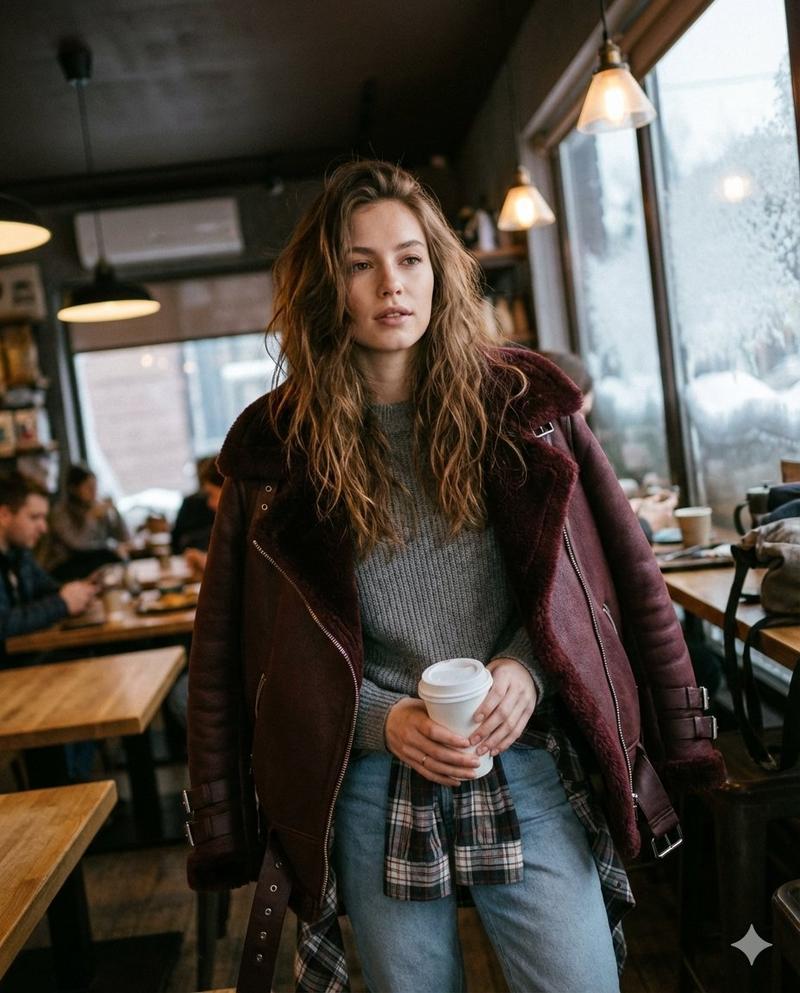
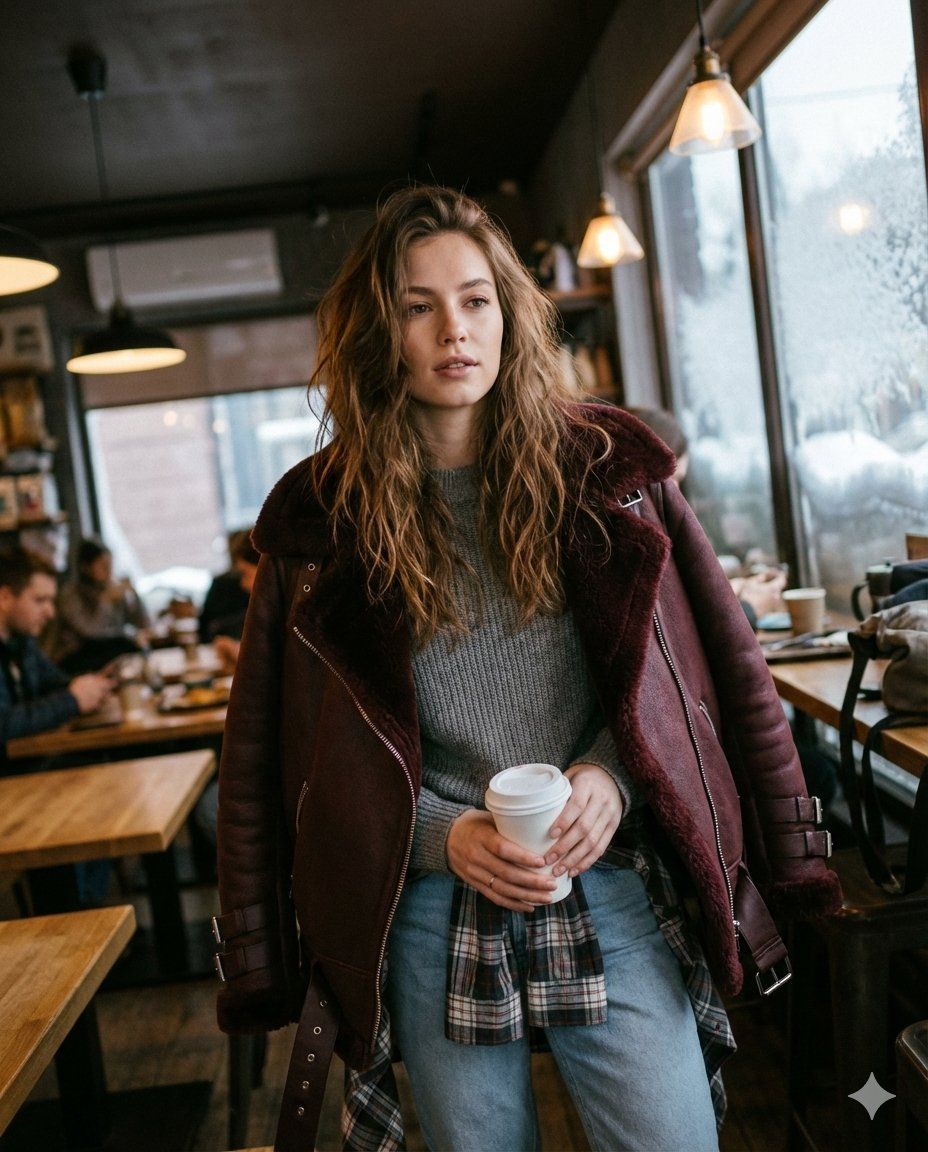
咖啡馆里女士的坦率中景照片
Enlarge

咖啡馆里女士的坦率中景照片

Prompt
A candid medium shot of a poised young woman standing centered in a dark cafe interior. She wears an oversized burgundy aviator shearling jacket over a gray sweater, a plaid shirt tied at the waist, and light blue jeans. Her long brown hair falls naturally, and she holds a white disposable coffee cup near her waist. Warm interior lighting blends with cool daylight through a frosted snowy window, casting soft shadows that highlight the textures of her jacket, sweater, and denim. The background is softly blurred for focus, with a casual framing and slight tilt evoking authentic iPhone photography A subtle film grain adds tactile warmth. The palette balances dark neutrals with burgundy, gray, and light blue, conveying a cozy winter urban mood with hyper-real clarity and textures, image ratio 4:5.
Category
创意图片
Model
Nano Banana Pro
Creator
Harboriis
Views0
Source ID
b7629806-19bc-4132-841a-ce050b1a96c7
Published
Mar 8, 2026

Guide

About "咖啡馆里女士的坦率中景照片"

What is this prompt for?

"咖啡馆里女士的坦率中景照片" AI image prompt for Nano Banana Pro (创意图片). 一个为 Google Gemini Nano Banana Pro 设计的详细图像生成提示,旨在创建一个超现实、抓拍式的年轻女性在昏暗咖啡馆里的中景照片,重点突出特定的服装、光线和纹理细节。 ---…

The full copyable prompt and example visuals above are ready for AI image generation or one-click recreate in Picva.

How to use this prompt

  1. Step 1

    Open the prompt detail

    Review the example visuals, category, and full prompt text for "咖啡馆里女士的坦率中景照片".

  2. Step 2

    Copy the prompt

    Copy the prompt body from this page, or load it directly in Studio.

  3. Step 3

    Pick a model (Nano Banana Pro)

    Prefer Nano Banana Pro. If you switch models, keep subject and composition and tweak style terms.

  4. Step 4

    Generate and export

    Recreate the look in Picva, or export into your workflow for editing and publishing.

FAQ

What is the "咖啡馆里女士的坦率中景照片" prompt?
It is an AI image-generation prompt for Nano Banana Pro in the 创意图片 category. This page includes the full prompt text, example visuals, and a one-click recreate path in Picva.
How do I use this prompt to generate an image?
Copy the prompt from this page, or use Generate / Studio. Paste it into a compatible image model, or recreate the look in Picva with optional reference images.
Which model is this prompt for?
This page lists Nano Banana Pro. Most descriptive prompts also transfer to nearby image models such as GPT Image, Flux, or Midjourney with light style tweaks.
Can I use the result commercially?
You can usually copy the prompt for creation, but commercial use of the final image depends on the model terms, reference-image rights, and the generated content. Follow the source author and platform rules.