13

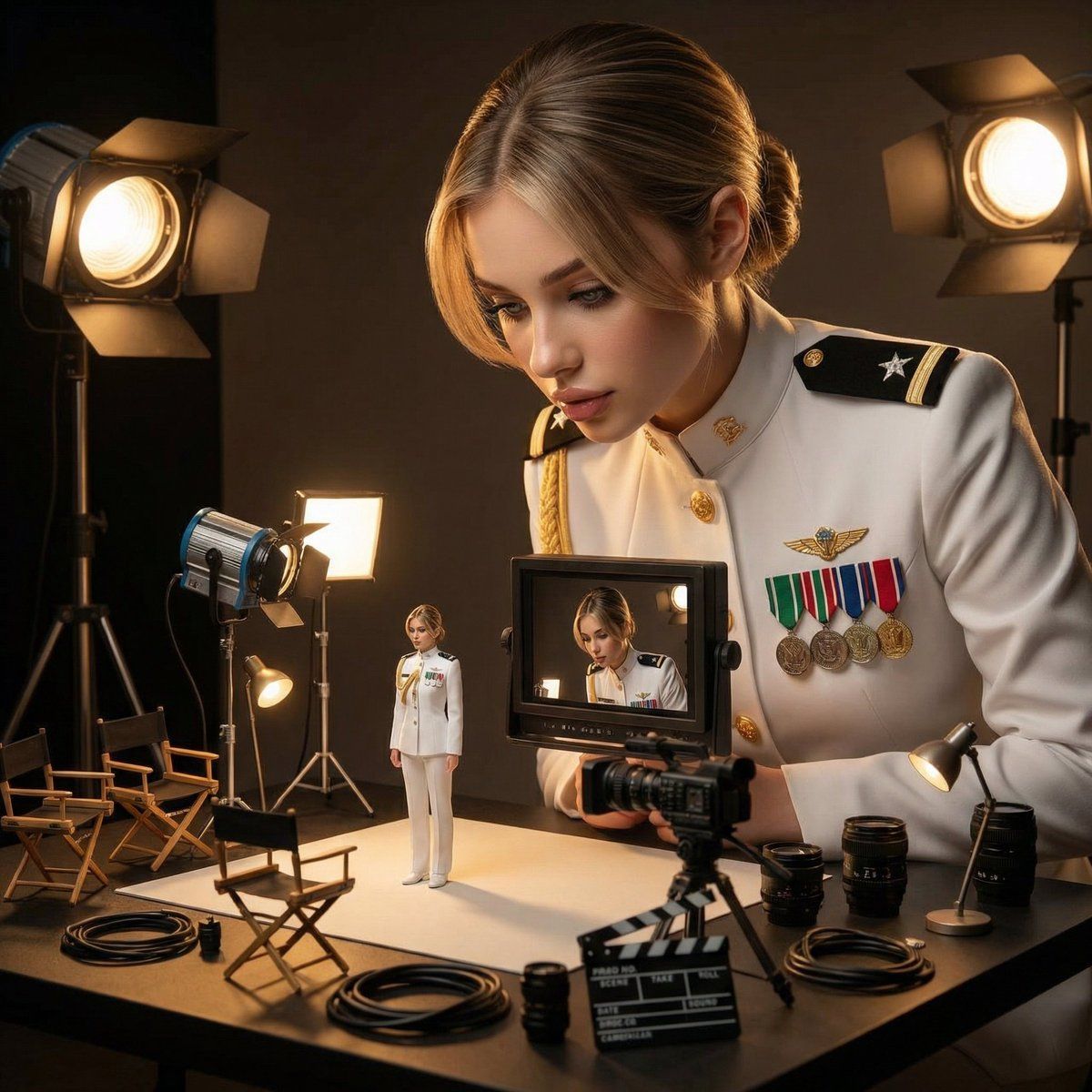
女性监督微缩版自己的电影工作室场景
Enlarge

女性监督微缩版自己的电影工作室场景

Prompt
{
  "reference_image": {
    "use_same_face": true,
    "instruction": "Use the exact same face from the reference image without changing facial features"
  },
  "scene": "Ultra-realistic cinematic studio environment",
  "concept": "A woman supervising a miniature behind-the-scenes film set starring her tiny self",
  "subjects": [
    {
      "type": "full_scale_woman",
      "action": "Checking a miniature monitor",
      "appearance": "Identical facial features, body language, and clothing as the miniature version"
    },
    {
      "type": "miniature_self",
      "action": "Standing near scaled lighting rigs",
      "appearance": "Exact same face, clothing, and posture as the full-scale woman"
    }
  ],
  "environment_details": [
    "Mini director chairs",
    "Cables",
    "Clapperboards",
    "Camera lenses",
    "Scaled lighting equipment"
  ],
  "lighting": {
    "style": "Low-key cinematic lighting",
    "effect": "Emphasizes realism, depth, and dramatic contrast"
  },
  "style": {
    "realism": "Ultra-realistic",
    "mood": "Cinematic, professional studio atmosphere",
    "detail_level": "High detail, shallow depth of field"
  }
}
Category
创意图片
Model
Nano Banana Pro
Views0
Source ID
0f8e842f-f723-457d-ae0e-740fa7f1e6c6
Published
Mar 8, 2026

Guide

About "女性监督微缩版自己的电影工作室场景"

What is this prompt for?

"女性监督微缩版自己的电影工作室场景" AI image prompt for Nano Banana Pro (创意图片). 一个结构化的 JSON 提示词,旨在生成超现实的电影级图像,描绘一位真人大小的女性正在监督一个微缩电影布景,而她微小的自己则是布景中的明星。该提示词详细说明了场景细节、灯光(低调电影感),并…

The full copyable prompt and example visuals above are ready for AI image generation or one-click recreate in Picva.

How to use this prompt

  1. Step 1

    Open the prompt detail

    Review the example visuals, category, and full prompt text for "女性监督微缩版自己的电影工作室场景".

  2. Step 2

    Copy the prompt

    Copy the prompt body from this page, or load it directly in Studio.

  3. Step 3

    Pick a model (Nano Banana Pro)

    Prefer Nano Banana Pro. If you switch models, keep subject and composition and tweak style terms.

  4. Step 4

    Generate and export

    Recreate the look in Picva, or export into your workflow for editing and publishing.

FAQ

What is the "女性监督微缩版自己的电影工作室场景" prompt?
It is an AI image-generation prompt for Nano Banana Pro in the 创意图片 category. This page includes the full prompt text, example visuals, and a one-click recreate path in Picva.
How do I use this prompt to generate an image?
Copy the prompt from this page, or use Generate / Studio. Paste it into a compatible image model, or recreate the look in Picva with optional reference images.
Which model is this prompt for?
This page lists Nano Banana Pro. Most descriptive prompts also transfer to nearby image models such as GPT Image, Flux, or Midjourney with light style tweaks.
Can I use the result commercially?
You can usually copy the prompt for creation, but commercial use of the final image depends on the model terms, reference-image rights, and the generated content. Follow the source author and platform rules.