20

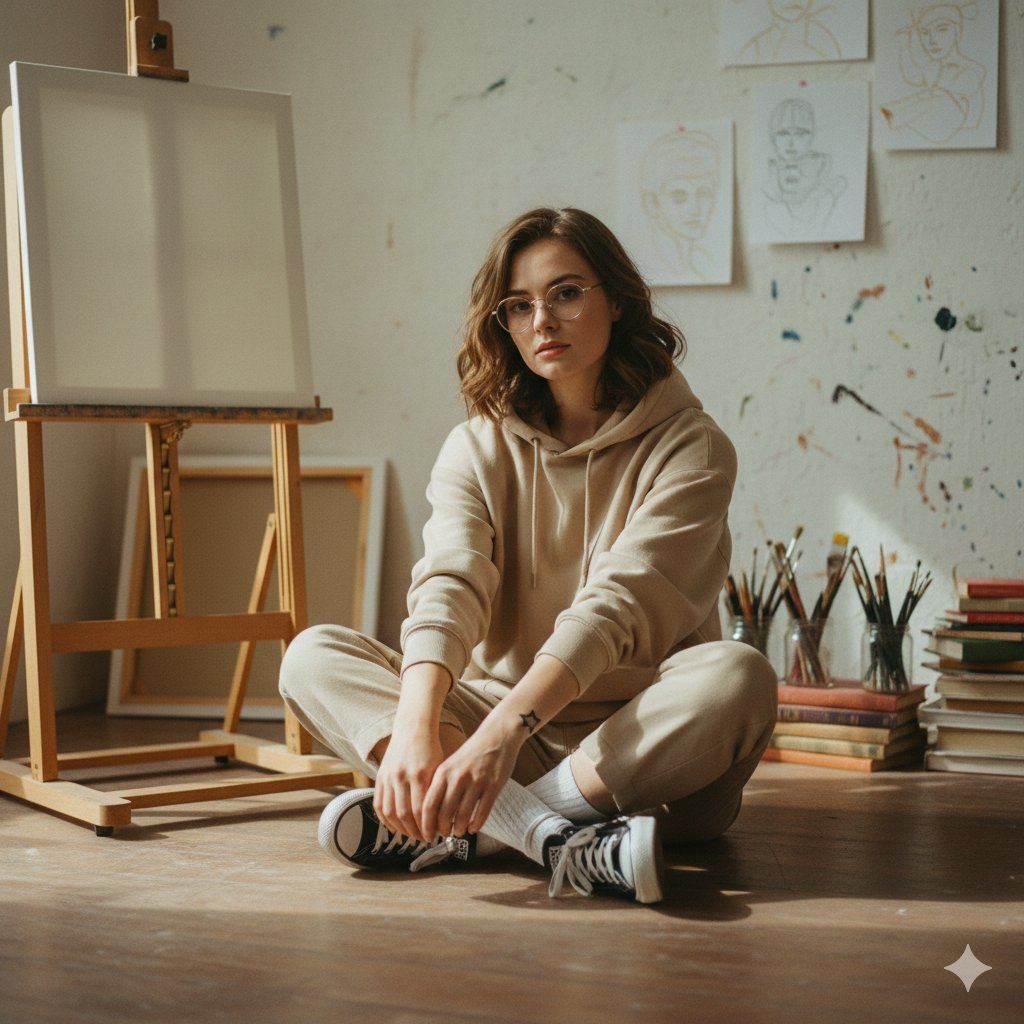
柔和的艺术学院风格抓拍肖像
Enlarge

柔和的艺术学院风格抓拍肖像

Prompt
{
  "prompt": "A soft, understated art-school style photograph of a young woman sitting cross-legged on a studio floor. She wears a beige hoodie, beige trousers, white socks, and black low-top sneakers. Her pose feels relaxed and slightly awkward, hands loosely clasped over her shoes. She has shoulder-length wavy brown hair, subtle makeup, and clear-framed glasses. A small star tattoo is visible on her wrist. The setting is a quiet artist’s studio with an easel, unfinished sketches taped to the wall, jars of paintbrushes, and stacked books in the background. Natural window light creates gentle shadows, muted tones, and a warm, intimate atmosphere. The image feels youthful, candid, and casually artistic rather than polished or commercial.",
  "style": "soft natural photography, art-school aesthetic, minimalism, candid portrait",
  "lighting": "diffused natural daylight, soft shadows",
  "color_palette": "muted neutrals, beige, warm off-whites, subtle earth tones",
  "composition": "centered subject, eye-level angle, intimate framing",
  "mood": "quiet, intimate, youthful, calm",
  "camera": "35mm lens, shallow depth of field, natural grain",
  "quality": "high-resolution, realistic, unretouched"
}
Category
创意图片
Model
Nano Banana Pro
Views0
Source ID
59ed3b5f-c29d-478a-9844-0a53fafe95e6
Published
Mar 8, 2026

Guide

About "柔和的艺术学院风格抓拍肖像"

What is this prompt for?

"柔和的艺术学院风格抓拍肖像" AI image prompt for Nano Banana Pro (创意图片). 一个 JSON 提示,用于生成一张具有艺术学院美学的柔和、真诚的肖像。它描绘了一位年轻女性在一个安静的工作室里盘腿而坐,强调柔和的中性色调、自然窗光,以及透明边框眼镜和小星星纹身等细节,旨在营造一种…

The full copyable prompt and example visuals above are ready for AI image generation or one-click recreate in Picva.

How to use this prompt

  1. Step 1

    Open the prompt detail

    Review the example visuals, category, and full prompt text for "柔和的艺术学院风格抓拍肖像".

  2. Step 2

    Copy the prompt

    Copy the prompt body from this page, or load it directly in Studio.

  3. Step 3

    Pick a model (Nano Banana Pro)

    Prefer Nano Banana Pro. If you switch models, keep subject and composition and tweak style terms.

  4. Step 4

    Generate and export

    Recreate the look in Picva, or export into your workflow for editing and publishing.

FAQ

What is the "柔和的艺术学院风格抓拍肖像" prompt?
It is an AI image-generation prompt for Nano Banana Pro in the 创意图片 category. This page includes the full prompt text, example visuals, and a one-click recreate path in Picva.
How do I use this prompt to generate an image?
Copy the prompt from this page, or use Generate / Studio. Paste it into a compatible image model, or recreate the look in Picva with optional reference images.
Which model is this prompt for?
This page lists Nano Banana Pro. Most descriptive prompts also transfer to nearby image models such as GPT Image, Flux, or Midjourney with light style tweaks.
Can I use the result commercially?
You can usually copy the prompt for creation, but commercial use of the final image depends on the model terms, reference-image rights, and the generated content. Follow the source author and platform rules.







