20

图像转 SD 纸艺转换提示
Enlarge

图像转 SD 纸艺转换提示

Prompt
[AI指示: 画像→SDペーパークラフト変換]

[入力画像] を分析する。

抽出: [入力画像]から人物/キャラクターの顔の特徴、髪型、髪色、服装、アクセサリー、ポーズを読み取る。
SD化: 2〜3頭身のSDキャラクター(スーパーデフォルメ)としてペーパークラフト化。
出力: 2枚の画像を生成。
[画像1: 展開図・パーツ]
ペーパークラフトの展開図状態。厚紙に印刷されたカラフルなパーツ。頭、顔、髪、胴体、腕、脚、アクセサリーなど各パーツの展開図。折り線(点線)、のりしろ、番号が見える。背景にハサミ、カッター、のり、カッターマットが散らばっている。真上からの俯瞰構図。企業名・ロゴは一切表示しない。

[画像2: 完成品]
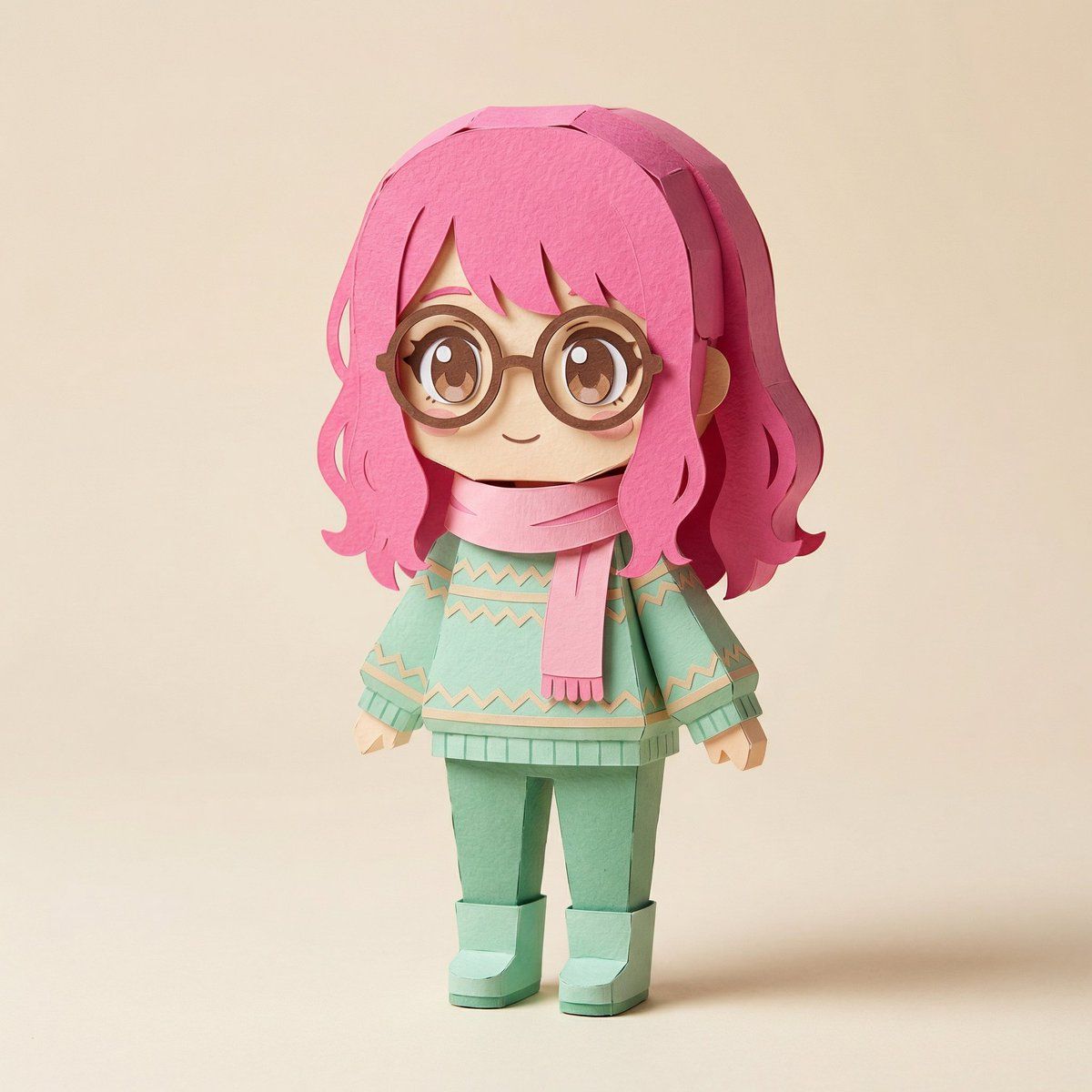
組み立て済みの立体ペーパークラフト。SDキャラクターとして2〜3頭身。髪型、髪色、服装、アクセサリーは入力画像を参考に再現。紙の質感、折り目、角の丸み、手作り感のある温かみ。商品プロモーション撮影のような構図とライティング。

[注意]
実在の企業名、ブランドロゴ、商標は一切含めない。

[雰囲気]
クラフト雑誌やハンドメイド作品の写真のようなクオリティ。柔らかいスタジオライティング、クリーンな背景。高解像度。
Category
创意图片
Model
Nano Banana Pro
Views0
Source ID
c060f90c-9698-47bc-9a35-4053b5e098e1
Published
Mar 8, 2026

Guide

About "图像转 SD 纸艺转换提示"

What is this prompt for?

"图像转 SD 纸艺转换提示" AI image prompt for Nano Banana Pro (创意图片). 一个针对 Nano Banana Pro(通过 Lovart 使用)的详细提示,用于将输入图像转换为两种输出:一个 Q 版(SD)角色纸模型模板(展开视图)和最终组装好的纸模型成品。此提示结构严谨,…

The full copyable prompt and example visuals above are ready for AI image generation or one-click recreate in Picva.

How to use this prompt

  1. Step 1

    Open the prompt detail

    Review the example visuals, category, and full prompt text for "图像转 SD 纸艺转换提示".

  2. Step 2

    Copy the prompt

    Copy the prompt body from this page, or load it directly in Studio.

  3. Step 3

    Pick a model (Nano Banana Pro)

    Prefer Nano Banana Pro. If you switch models, keep subject and composition and tweak style terms.

  4. Step 4

    Generate and export

    Recreate the look in Picva, or export into your workflow for editing and publishing.

FAQ

What is the "图像转 SD 纸艺转换提示" prompt?
It is an AI image-generation prompt for Nano Banana Pro in the 创意图片 category. This page includes the full prompt text, example visuals, and a one-click recreate path in Picva.
How do I use this prompt to generate an image?
Copy the prompt from this page, or use Generate / Studio. Paste it into a compatible image model, or recreate the look in Picva with optional reference images.
Which model is this prompt for?
This page lists Nano Banana Pro. Most descriptive prompts also transfer to nearby image models such as GPT Image, Flux, or Midjourney with light style tweaks.
Can I use the result commercially?
You can usually copy the prompt for creation, but commercial use of the final image depends on the model terms, reference-image rights, and the generated content. Follow the source author and platform rules.









