17

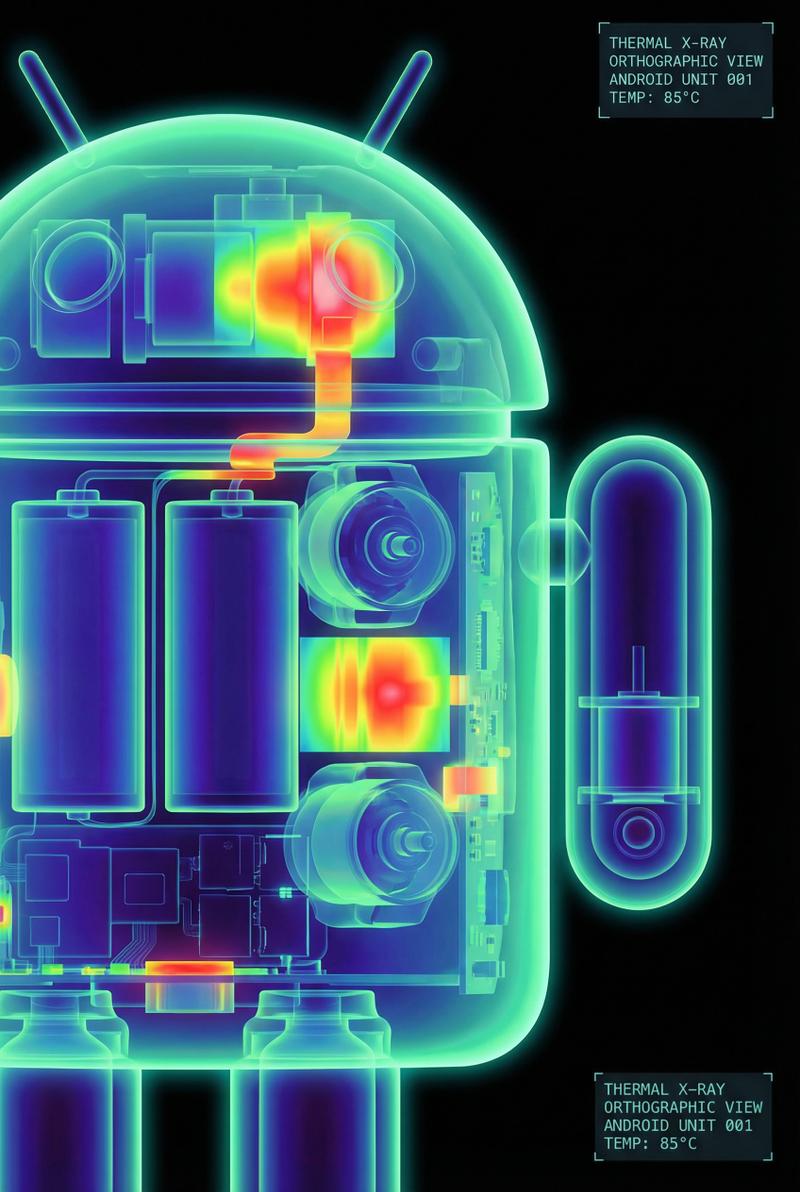
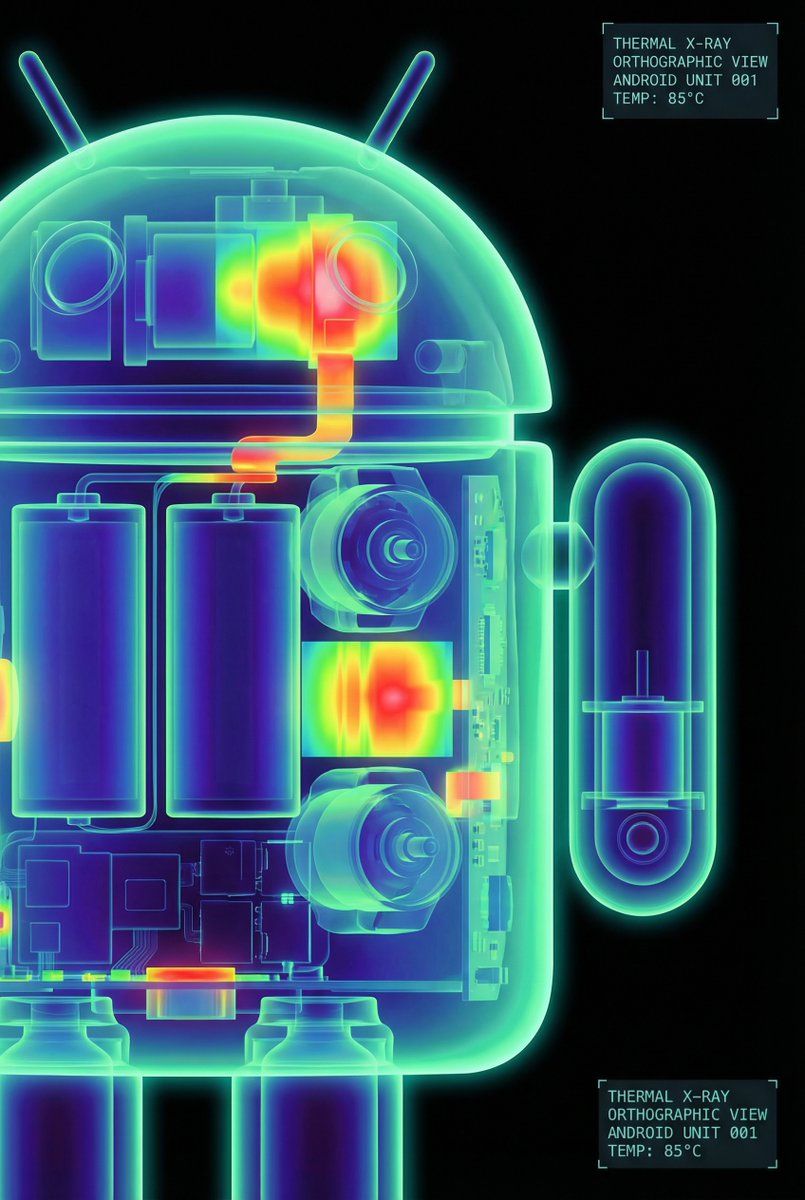
安卓机器人高对比度热成像 X 射线渲染图
Enlarge

安卓机器人高对比度热成像 X 射线渲染图

Prompt
The Google Android robot, presented in a high-contrast scientific studio render against a pure black void. This tight right-side profile features a false-color thermal X-ray aesthetic, where the transparent shell reveals a sharply detailed internal architecture of batteries, drivers, and sensors using a vibrant heatmap gradient. The colors shift from deep cool blues to intense yellows and red highlights, creating a futuristic, clinical look with orthographic perspective and a soft, neon-like glow.
Category
创意图片
Model
Nano Banana Pro
Views0
Source ID
583e167d-6ed4-45c2-89b2-caa9423b410e
Published
Mar 8, 2026

Guide

About "安卓机器人高对比度热成像 X 射线渲染图"

What is this prompt for?

"安卓机器人高对比度热成像 X 射线渲染图" AI image prompt for Nano Banana Pro (创意图片). 一个详细的图像生成提示,用于创建 Google Android 机器人的高对比度科学工作室渲染图。它采用热 X 射线美学,通过鲜艳的热图渐变揭示内部结构,适用于未来主义、临床视觉效果。…

The full copyable prompt and example visuals above are ready for AI image generation or one-click recreate in Picva.

How to use this prompt

  1. Step 1

    Open the prompt detail

    Review the example visuals, category, and full prompt text for "安卓机器人高对比度热成像 X 射线渲染图".

  2. Step 2

    Copy the prompt

    Copy the prompt body from this page, or load it directly in Studio.

  3. Step 3

    Pick a model (Nano Banana Pro)

    Prefer Nano Banana Pro. If you switch models, keep subject and composition and tweak style terms.

  4. Step 4

    Generate and export

    Recreate the look in Picva, or export into your workflow for editing and publishing.

FAQ

What is the "安卓机器人高对比度热成像 X 射线渲染图" prompt?
It is an AI image-generation prompt for Nano Banana Pro in the 创意图片 category. This page includes the full prompt text, example visuals, and a one-click recreate path in Picva.
How do I use this prompt to generate an image?
Copy the prompt from this page, or use Generate / Studio. Paste it into a compatible image model, or recreate the look in Picva with optional reference images.
Which model is this prompt for?
This page lists Nano Banana Pro. Most descriptive prompts also transfer to nearby image models such as GPT Image, Flux, or Midjourney with light style tweaks.
Can I use the result commercially?
You can usually copy the prompt for creation, but commercial use of the final image depends on the model terms, reference-image rights, and the generated content. Follow the source author and platform rules.