20

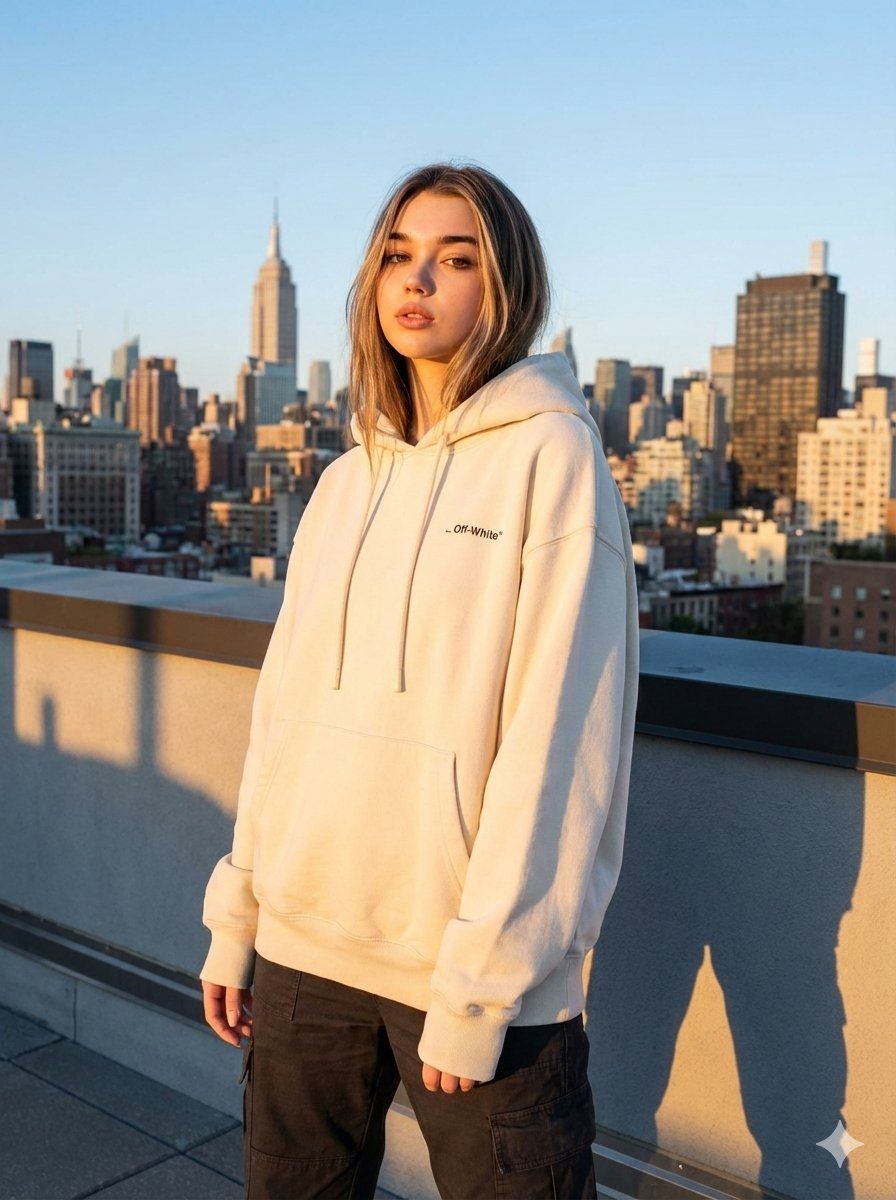
天台时尚摄影的 JSON 提示
Enlarge

天台时尚摄影的 JSON 提示

Prompt
{
  "type": "image_generation_prompt",
  "aspect_ratio": "4:5",
  "style": "raw, editorial fashion photography",
  "quality": "high",
  "subject": {
    "gender": "female",
    "description": "A stylish woman in luxury streetwear standing confidently on a rooftop",
    "pose": "relaxed but confident stance, facing camera with natural posture",
    "outfit": "high-end luxury streetwear fashion, modern and stylish"
  },
  "environment": {
    "location": "rooftop",
    "background": "wide city skyline",
    "scene": "urban landscape"
  },
  "lighting": {
    "time": "sunset golden hour",
    "style": "warm natural light with cinematic glow"
  },
  "photography": {
    "genre": "editorial fashion",
    "composition": "balanced framing, subject in focus, skyline visible",
    "depth_of_field": "shallow to moderate"
  },
  "mood": "confident, stylish, modern urban luxury"
}
Category
创意图片
Model
Nano Banana Pro
Views0
Source ID
b88ddf32-567b-4c00-9891-258853e781e7
Published
Mar 8, 2026

Guide

About "天台时尚摄影的 JSON 提示"

What is this prompt for?

"天台时尚摄影的 JSON 提示" AI image prompt for Nano Banana Pro (创意图片). 一个结构化的 JSON 提示词,用于 Gemini Nano Banana Pro 生成一张高质量的、未经修饰的时尚编辑照片。照片内容为:一位时尚女性身着奢华街头服饰,在日落黄金时段的天台,重点…

The full copyable prompt and example visuals above are ready for AI image generation or one-click recreate in Picva.

How to use this prompt

  1. Step 1

    Open the prompt detail

    Review the example visuals, category, and full prompt text for "天台时尚摄影的 JSON 提示".

  2. Step 2

    Copy the prompt

    Copy the prompt body from this page, or load it directly in Studio.

  3. Step 3

    Pick a model (Nano Banana Pro)

    Prefer Nano Banana Pro. If you switch models, keep subject and composition and tweak style terms.

  4. Step 4

    Generate and export

    Recreate the look in Picva, or export into your workflow for editing and publishing.

FAQ

What is the "天台时尚摄影的 JSON 提示" prompt?
It is an AI image-generation prompt for Nano Banana Pro in the 创意图片 category. This page includes the full prompt text, example visuals, and a one-click recreate path in Picva.
How do I use this prompt to generate an image?
Copy the prompt from this page, or use Generate / Studio. Paste it into a compatible image model, or recreate the look in Picva with optional reference images.
Which model is this prompt for?
This page lists Nano Banana Pro. Most descriptive prompts also transfer to nearby image models such as GPT Image, Flux, or Midjourney with light style tweaks.
Can I use the result commercially?
You can usually copy the prompt for creation, but commercial use of the final image depends on the model terms, reference-image rights, and the generated content. Follow the source author and platform rules.